The Cloud Analysis Status field does not reflect the status of the cloud analysis.
2.
T
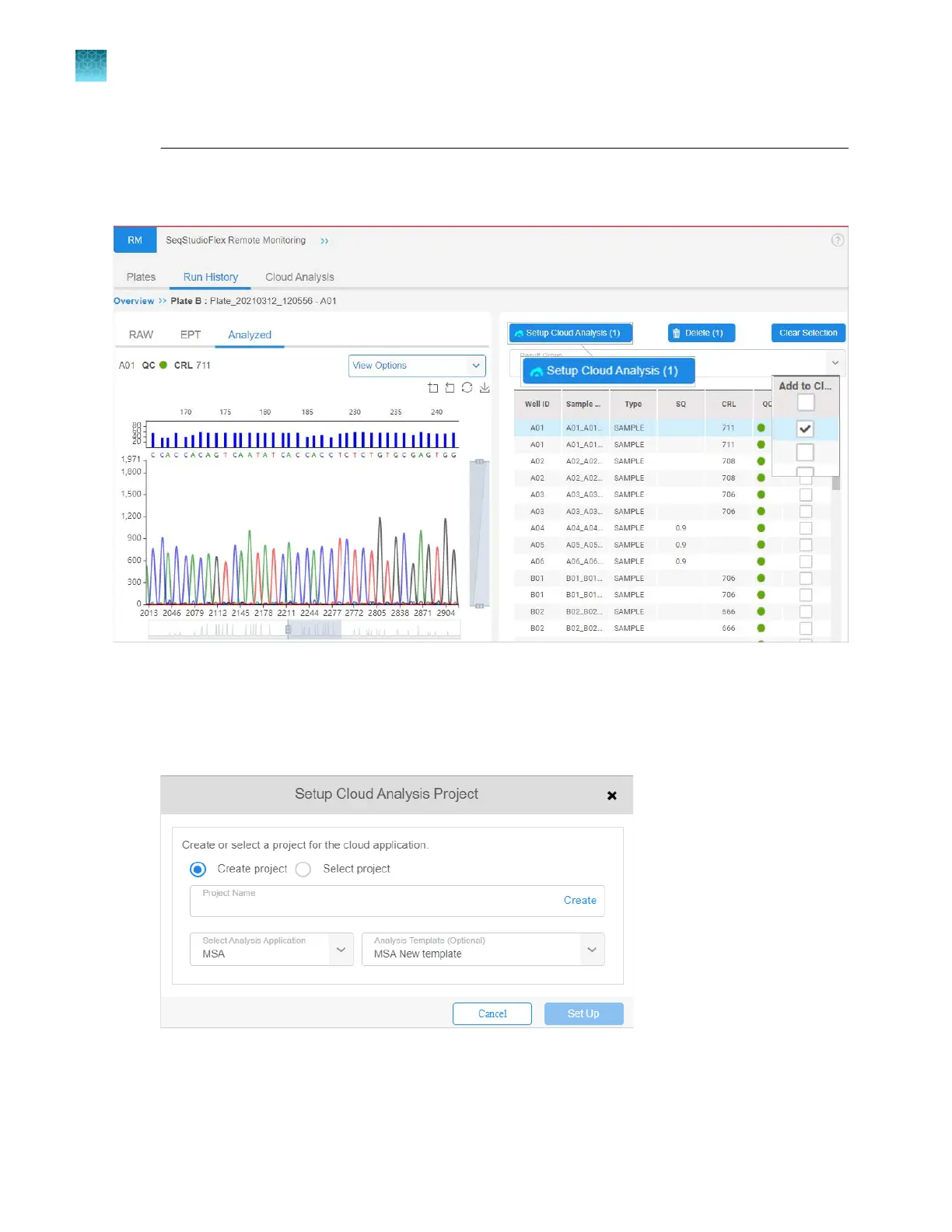
o view results before you set up cloud analysis, click a plate.
By default, the RAW tab is displayed. The Analyzed tab is shown below.
3.
As needed, view the r
aw, EPT, and analyzed data for samples.
4.
For samples that you want to process with cloud analysis, select the Add to Cloud checkbox.
5.
When the samples of interest are selected, click Setup Cloud Analysis.
6.
Select the name of a pr
oject in the secondary analysis software or create a new project. Cloud
analysis results are added to the specified project.
Chapter 8 Use the Remot
e Monitoring software to monitor runs, view results, and use cloud analysis
Use cloud analysis in the Remote Monitoring software
8
206
SeqStudio
™
Flex Series Genetic Analyzer with Instrument Software v1.0 User Guide













 To Next Page