(continued)
Windows
™
Mac OS
™
Action
Backspace Backspace Delete a cell entry before pressing Enter or Escape
F1 F1 Open the help system.
Note: If you use a smaller keyboard that displays multiple items on the
keys, you may have to press-hold FN (function key) when you press F1.
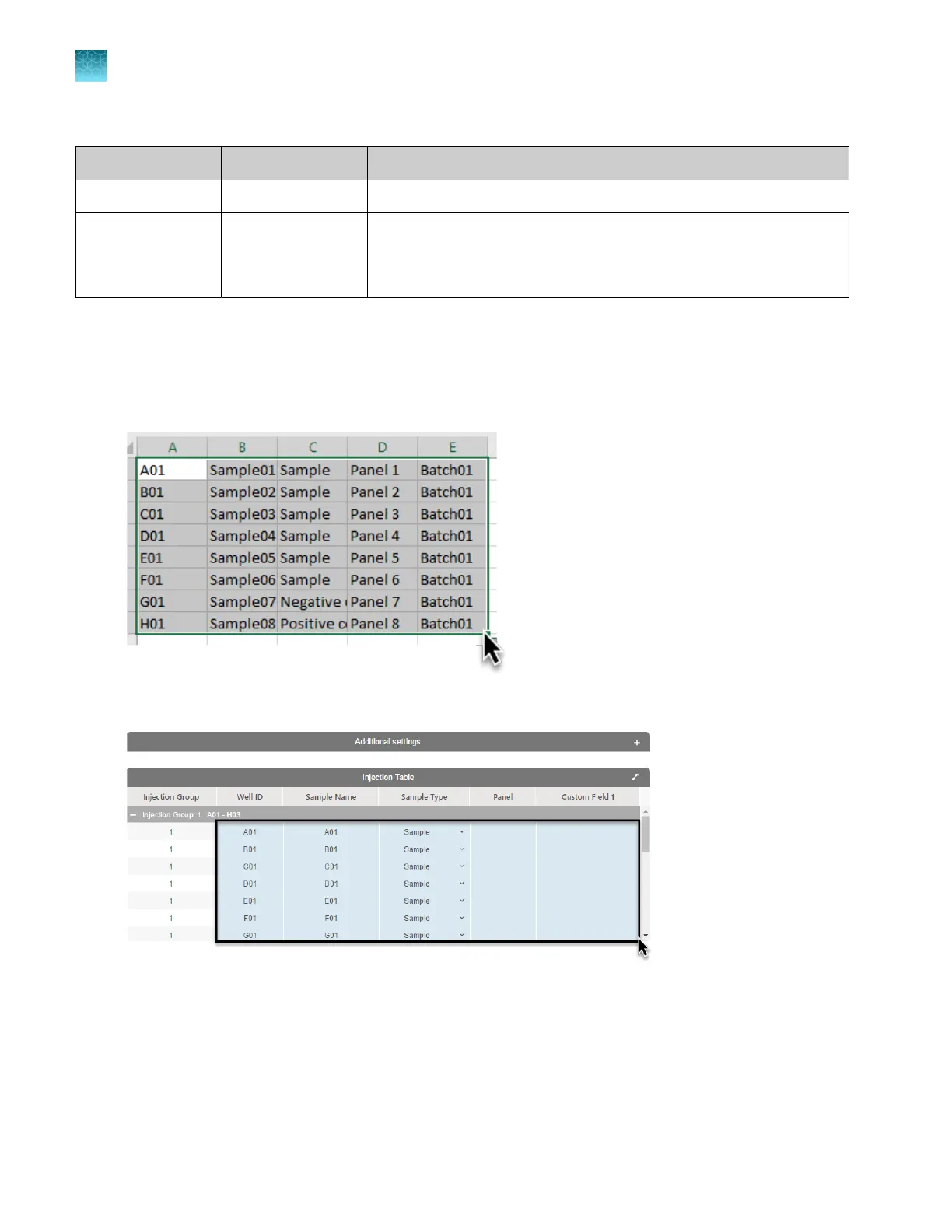
Example: Copy from a spreadsheet and paste into the Plate Manager software
You can create a sample list in a spreadsheet program, such as Excel
™
, copy it, then paste it into the
injection table.
In the spreadsheet program, select the cells to copy, then press Ctrl+C.
In the Plate Manager software, select the destination cells in the injection list, then press Ctrl+V.
Example: Click-drag entries from a cell to other cells in the Plate Manager software
In the Plat
e Manager injection list, double-click a field, then enter the information.
Place the cursor over the square bottom-right corner of the cell, until the cursor changes to a crosshair.
Click-drag down to the desired cell.
Chapter 5 Cr
eate a plate file in the Plate Manager software
Keyboard shortcuts and examples
5
122
SeqStudio
™
Flex Series Genetic Analyzer with Instrument Software v1.0 User Guide













 To Next Page