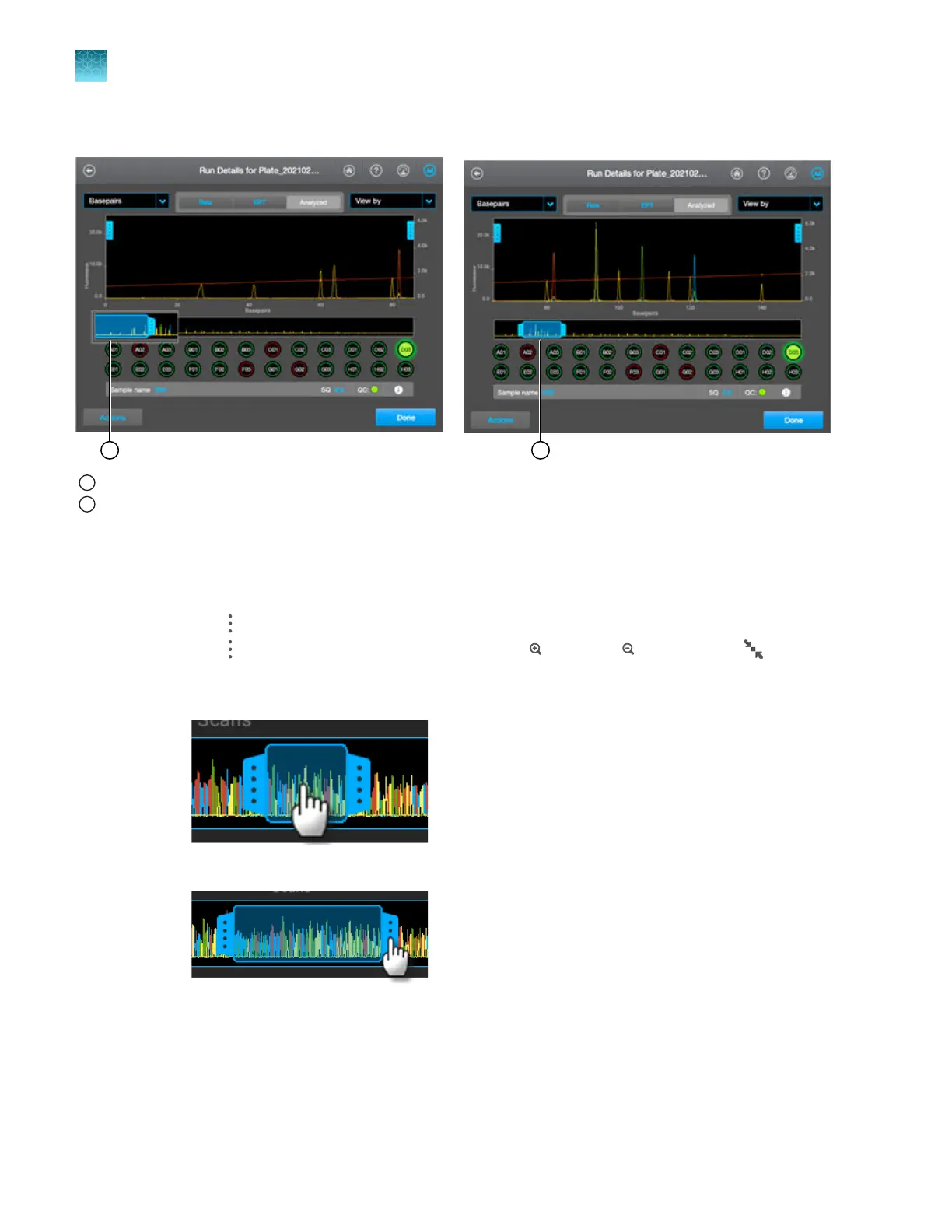
1.
Press-drag the thumbnail pane to the region of interest.
1
Thumbnail pane is at start of trace by default
2
Press-drag to move the thumbnail pane to the region of interest
2.
Adjust the display as needed.
•
P
ress-drag one finger to pan to the left or right.
•
Zoom in and out by pinching and expanding with two fingers.
•
Tap
on the left border of the trace, tap a dye to deselect.
•
T
ap
on the right border of the trace, then tap Z
oom In,
Z
oom Out, or
Fit t
o
screen to adjust the display.
•
Press-drag the center of the pane in thumbnail view to scroll left or right.
•
P
ress-drag the right or left handle of the pane to zoom horizontally.
Chapter 7 View results on the instrument
Use the electropherogram screen
7
174
SeqStudio
™
Flex Series Genetic Analyzer with Instrument Software v1.0 User Guide













 To Next Page