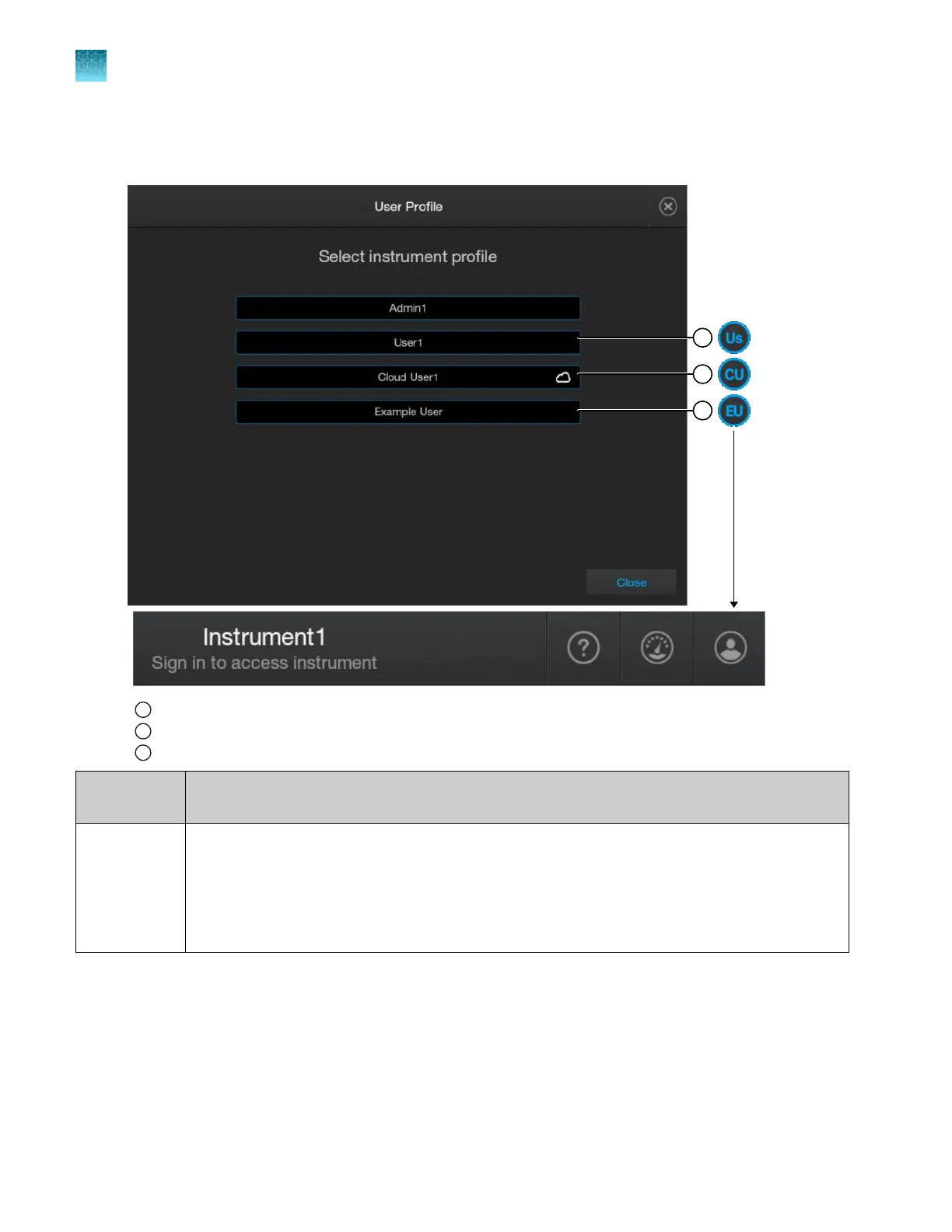
User name and initials
The following figure shows the user name and initial format for local and cloud profiles.
1
Local pr
ofile
2
Cloud pr
ofile
3
Originally cloud pr
ofile, but now local profile because it is not linked to an instrument
Type of user
pr
ofile
Description
Local
•
A local profile with user name and PIN is created manually by a user.
•
The user name cannot contain spaces. Example: User1.
•
The user initials displayed in the home screen are the first letter (uppercase) and second letter
(lowercase) of the user name. Example: Us.
For more information, see “Create a local profile (one time only)” on page 29.
Chapter 9 Use the instrument with Thermo Fisher
™
Connect
Local profile and cloud profile: when to use, user name, and user initials
9
214
SeqStudio
™
Flex Series Genetic Analyzer with Instrument Software v1.0 User Guide













 To Next Page