3.
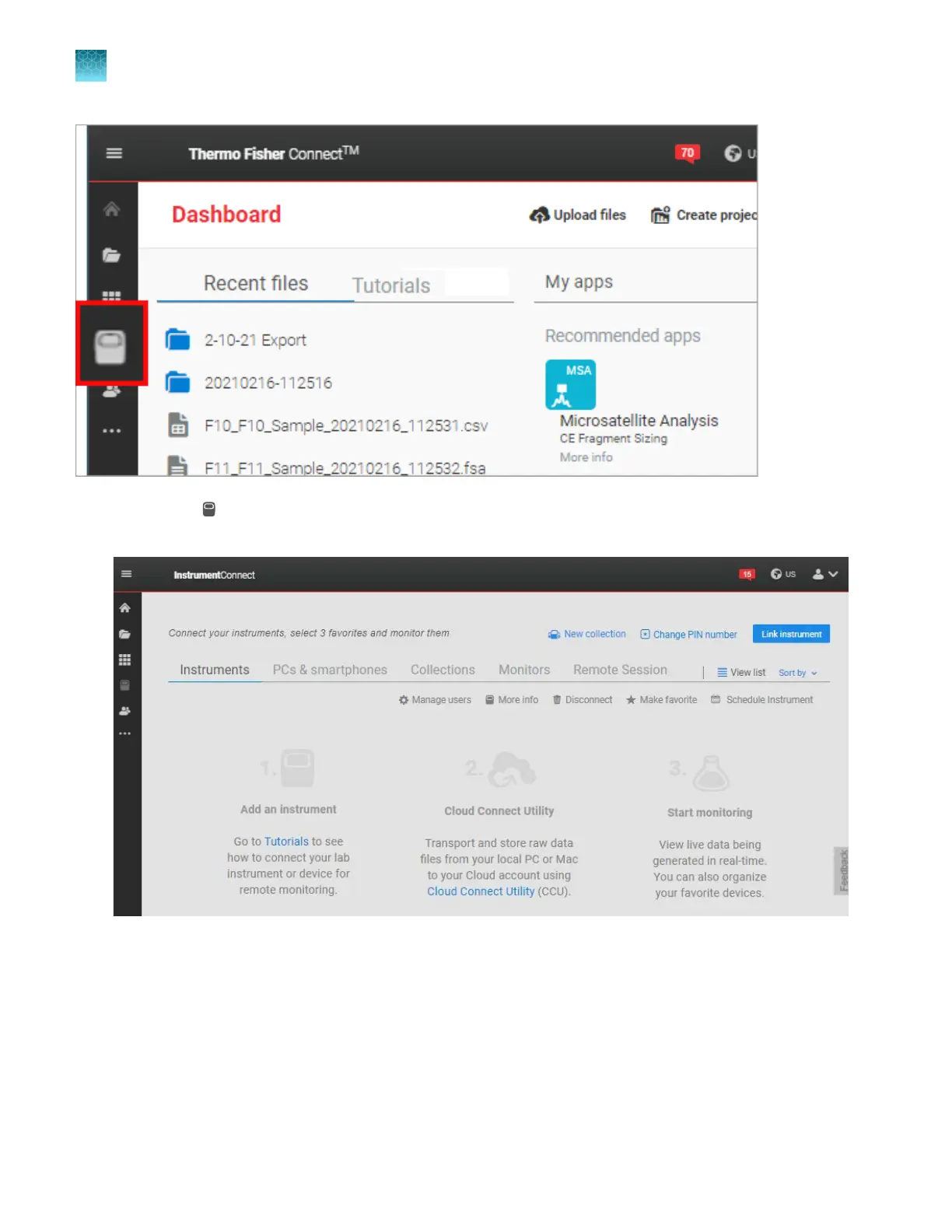
Click
(InstrumentConnect) t
o display the InstrumentConnect screen.
If no instruments are linked, the screen below is displayed.
If an instrument is linked, the screen below is displayed. In this example, 2 plates have been run on
the instrument, and all r
esults passed all quality checks (plates are green).
Chapter 9 Use the instrument with Thermo Fisher
™
Connect
Sign in t
o apps.thermofisher.com and access the InstrumentConnect software
9
216
SeqStudio
™
Flex Series Genetic Analyzer with Instrument Software v1.0 User Guide













 To Next Page