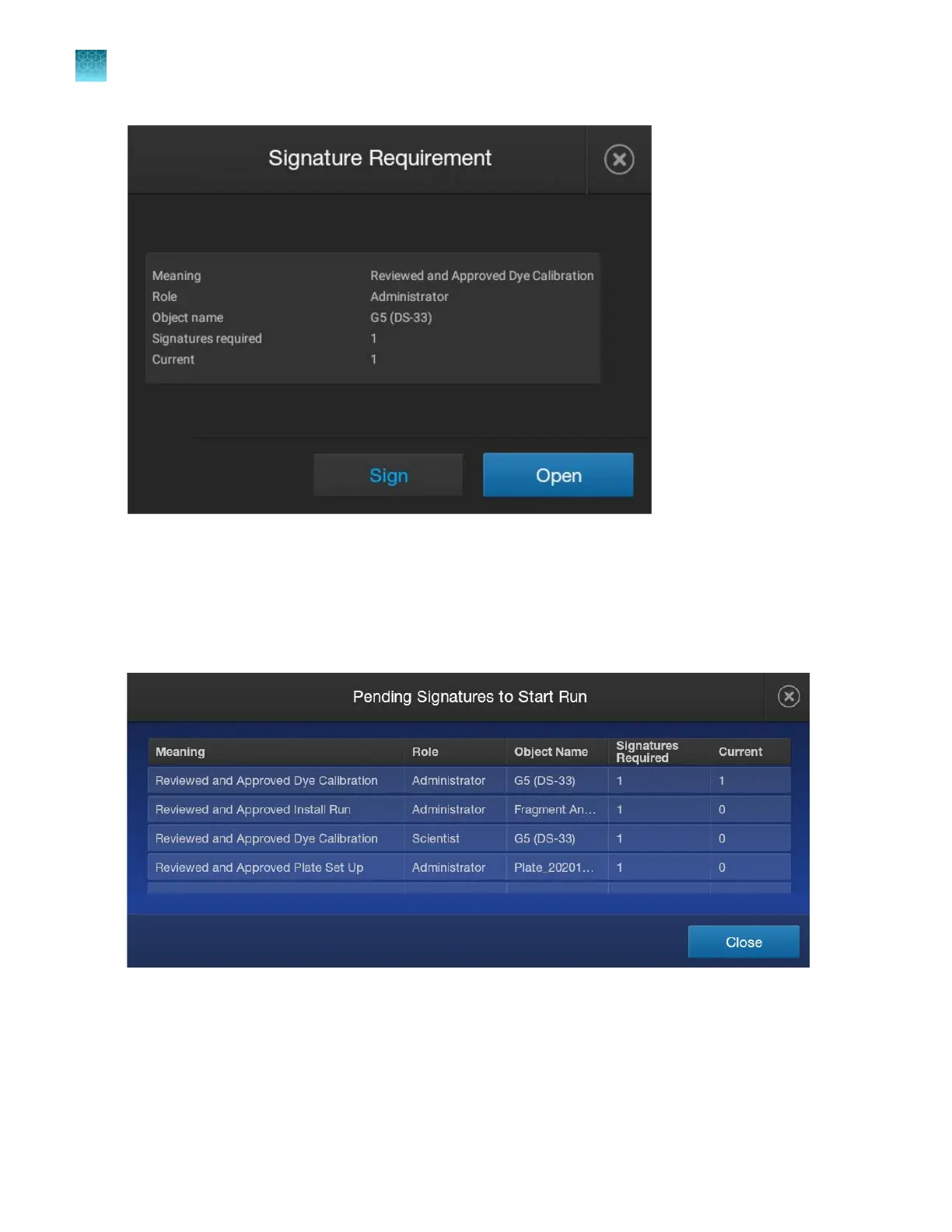
Tap Open t
o display the results of the object that requires a signature.
Tap Sign, then enter your user name and password (or have a user with the required role enter their
user name and password) to sign the object.
Example: You tap View details in the Signature requirements not met screen and see the pending
signature requirements.
The following signatures are required before the run can start:
•
2 signatur
es for spectral calibration—Dye set is listed twice, and requires signatures from dierent
roles. One of the spectral calibrations has been signed by an administrator.
•
1 signature for the install run
•
1 signature for the plate file
Chapter 10 Use the instrument with the Security, Auditing, and E‑signatur
e (SAE) v2.1 module
Signing an object when a regular run is started
10
248
SeqStudio
™
Flex Series Genetic Analyzer with Instrument Software v1.0 User Guide













 To Next Page