5.
Tap Verify pouch to update the pouch information.
6.
Tap Next to continue.
Change Polymer Type—Install ABC and CBC
In this procedure, you install the anode buer container (ABC) and the cathode buer container (CBC),
then flush the pump and channels with polymer.
1.
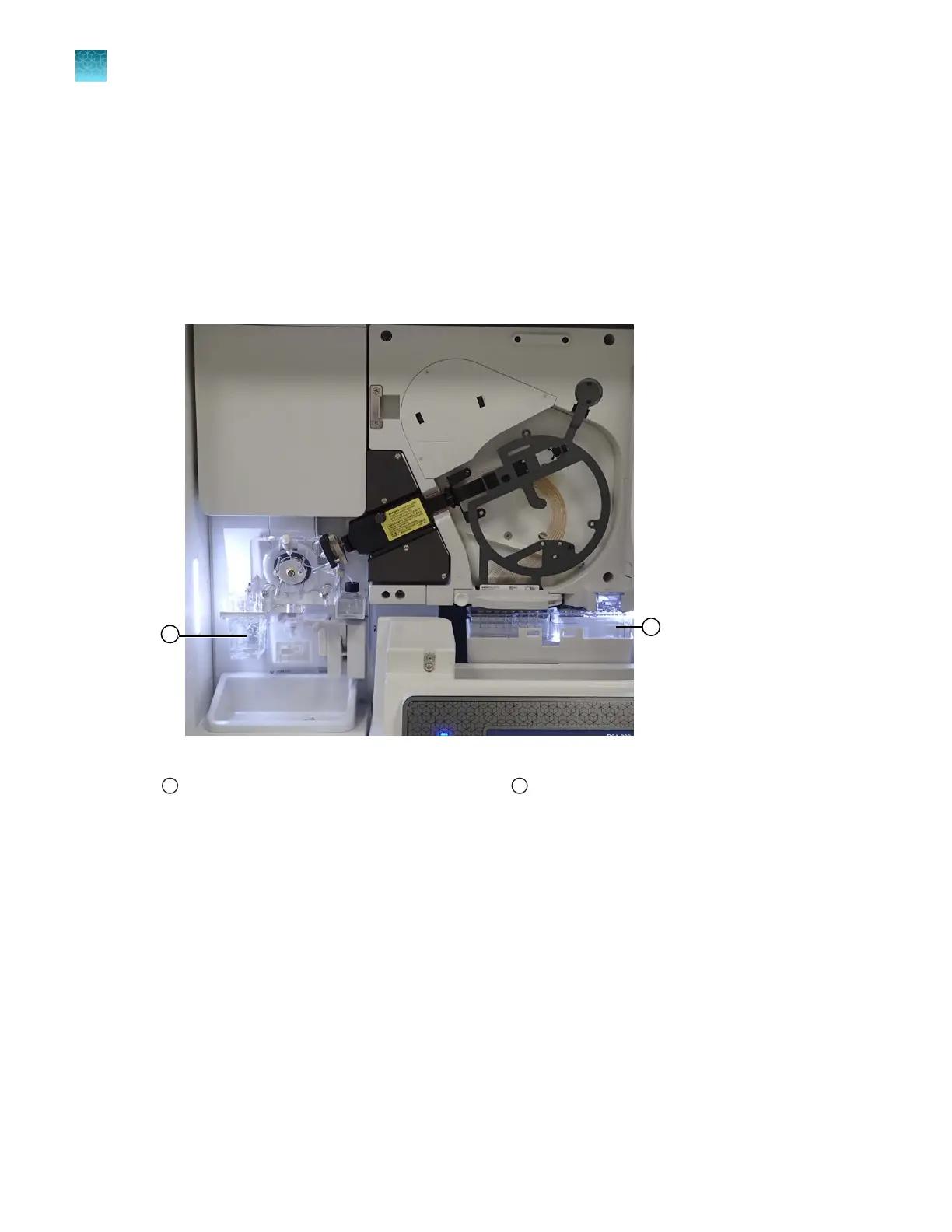
Remove the waste ABC.
Figure 59 Location of ABC and CBC
1
Anode buer container (ABC)
2
Cathode buer container (CBC)
2.
Re-install the ABC that was r
emoved earlier, or install a new ABC. See “Install the anode buer
container (ABC)” on page 364.
3.
(Optional) Install a new CBC. See “Install the cathode buer container (CBC)” on page 367.
4.
Close the instrument doors.
5.
Tap Verify buer to update the buer information.
6.
Tap Flush pump and channels.
Wait ~1 minute for the flush procedure to complete.
Chapter 13 Maintain the Instrument
Maint
enance wizard procedures
13
408
SeqStudio
™
Flex Series Genetic Analyzer with Instrument Software v1.0 User Guide













 To Next Page