3.
Remove the ABC, then install the new ABC. See “Install the anode buer container (ABC)” on
page 364.
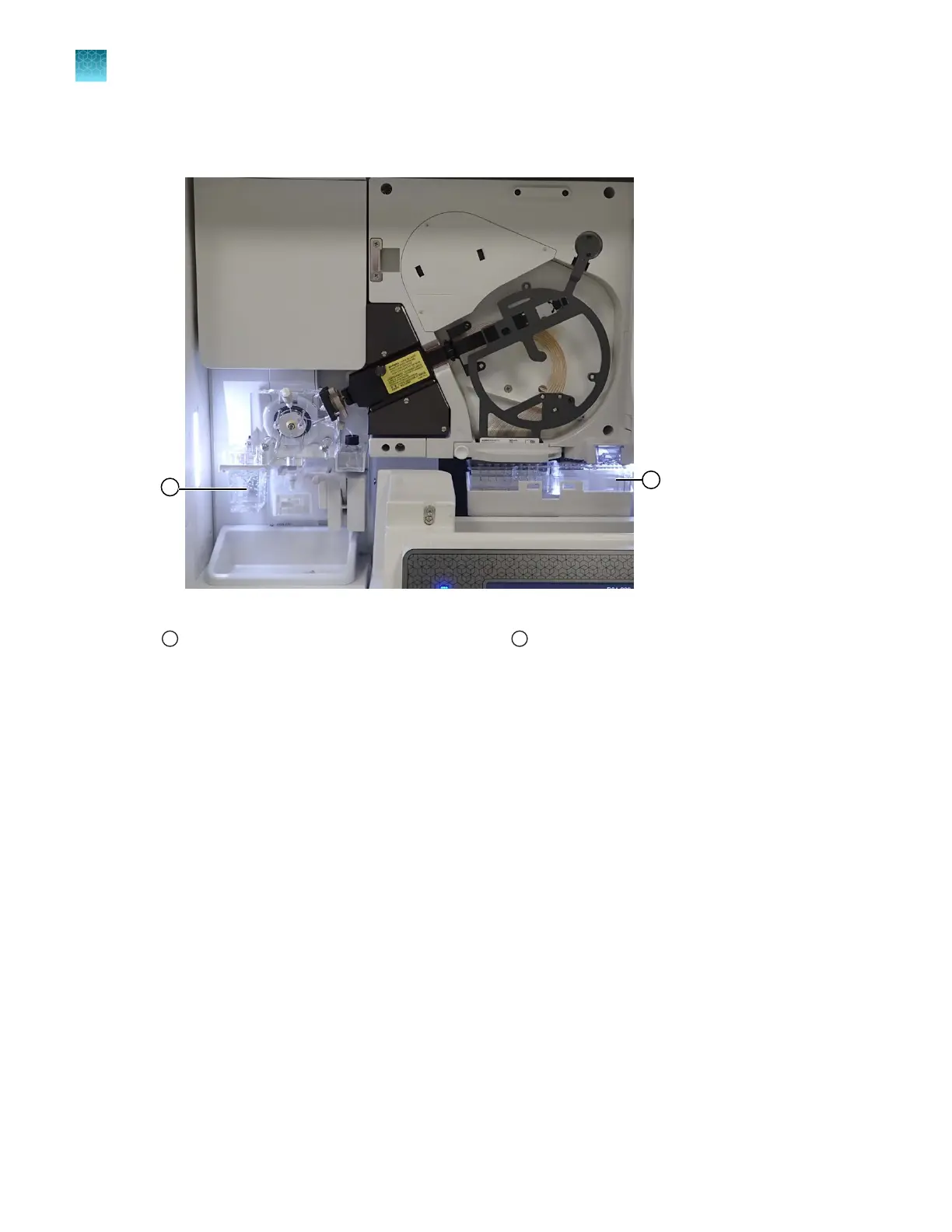
Figure 62 Location of ABC and CBC
1
Anode buer container (ABC)
2
Cathode buer container (CBC)
4.
Remove the CBC, then install a new CBC. See “Install the cathode buer container (CBC)” on
page 367.
5.
Close the instrument doors.
6.
T
ap Finish.
Chapter 13 Maintain the Instrument
Maint
enance wizard procedures
13
414
SeqStudio
™
Flex Series Genetic Analyzer with Instrument Software v1.0 User Guide













 To Next Page