5.
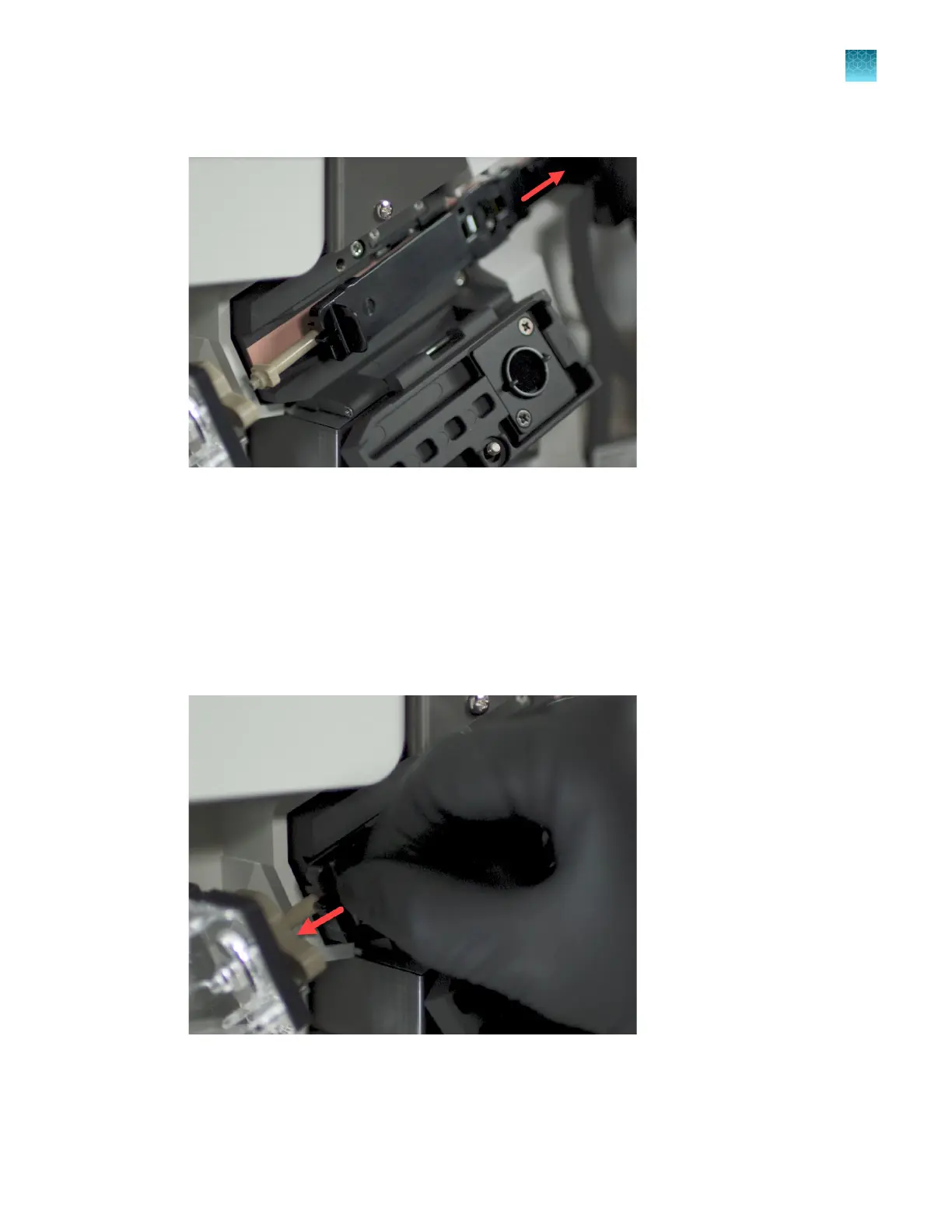
Slide the retractor tab on the array to the right until it releases.
Figure 80 Slide the retractor tab to the right
6.
Inser
t the array tip into the array port:
a.
Slide the retractor tab to the left until the array tip reaches the array port lock.
b.
Align the rectangular part of the array tip with the opening in the array port lock.
c.
Insert the array tip into the array port. Press firmly to seat the array tip in the port.
d.
Turn the array port lock ~1/4 turn clockwise to tighten it. Do not overtighten it
Figure 81 Insert the array tip into the array port
Chapter 13 Maintain the Instrument
Maintenance wizard procedures
13
SeqStudio
™
Flex Series Genetic Analyzer with Instrument Software v1.0 User Guide
433













 To Next Page