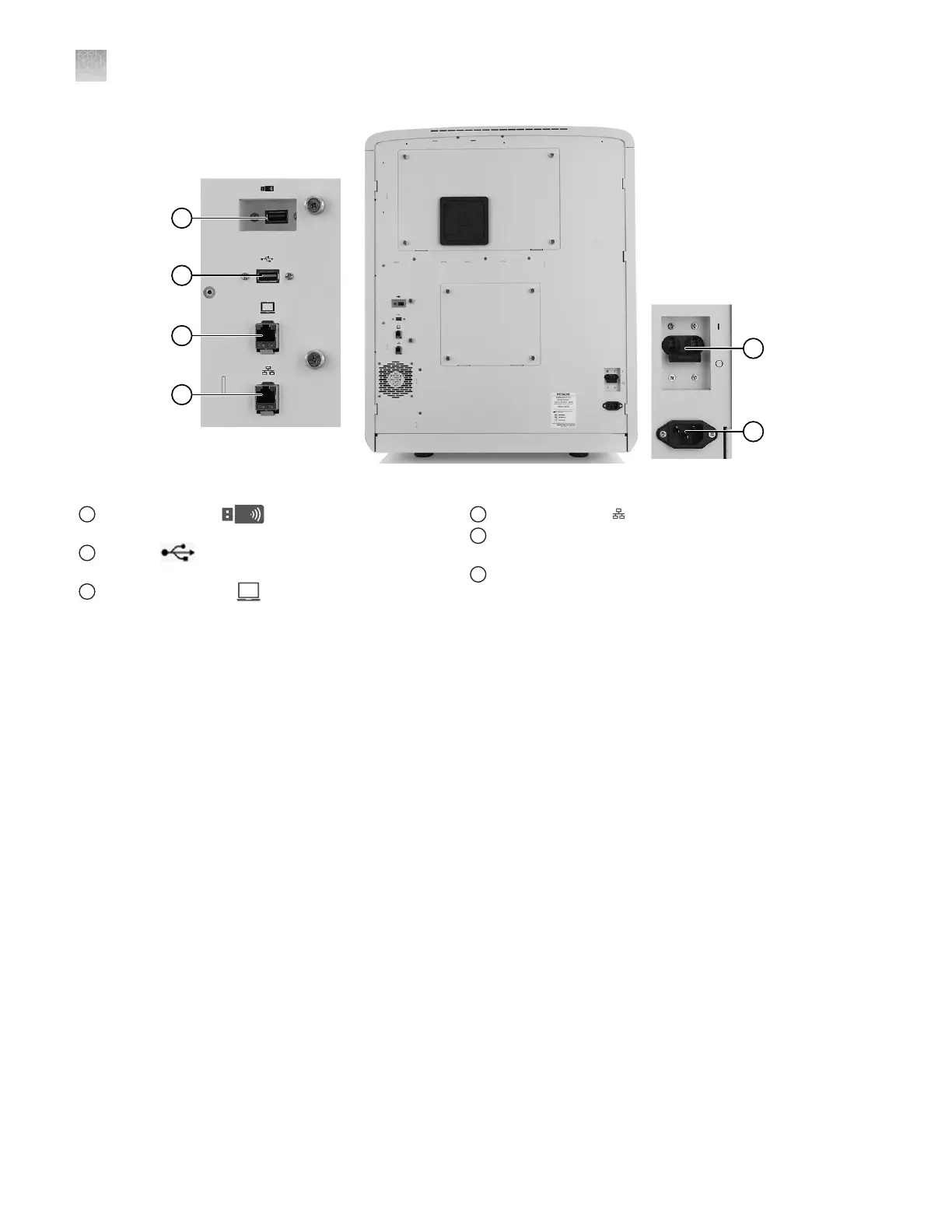
Figure 98 Instrument rear panel connections
1
Recessed USB port (for use with the wireless
network adapter; adapter not shown)
2
USB port (for optional USB barcode scanner
connection)
3
Direct connection port (to allow computer connection
without a network)
4
Wired network port
5
Circuit breaker (rear power switch; use the power switch on
the front panel for normal operation)
6
Power receptacle
Appendix C Instrument specifications
Power and communication connections
C
538
SeqStudio
™
Flex Series Genetic Analyzer with Instrument Software v1.0 User Guide













 To Next Page