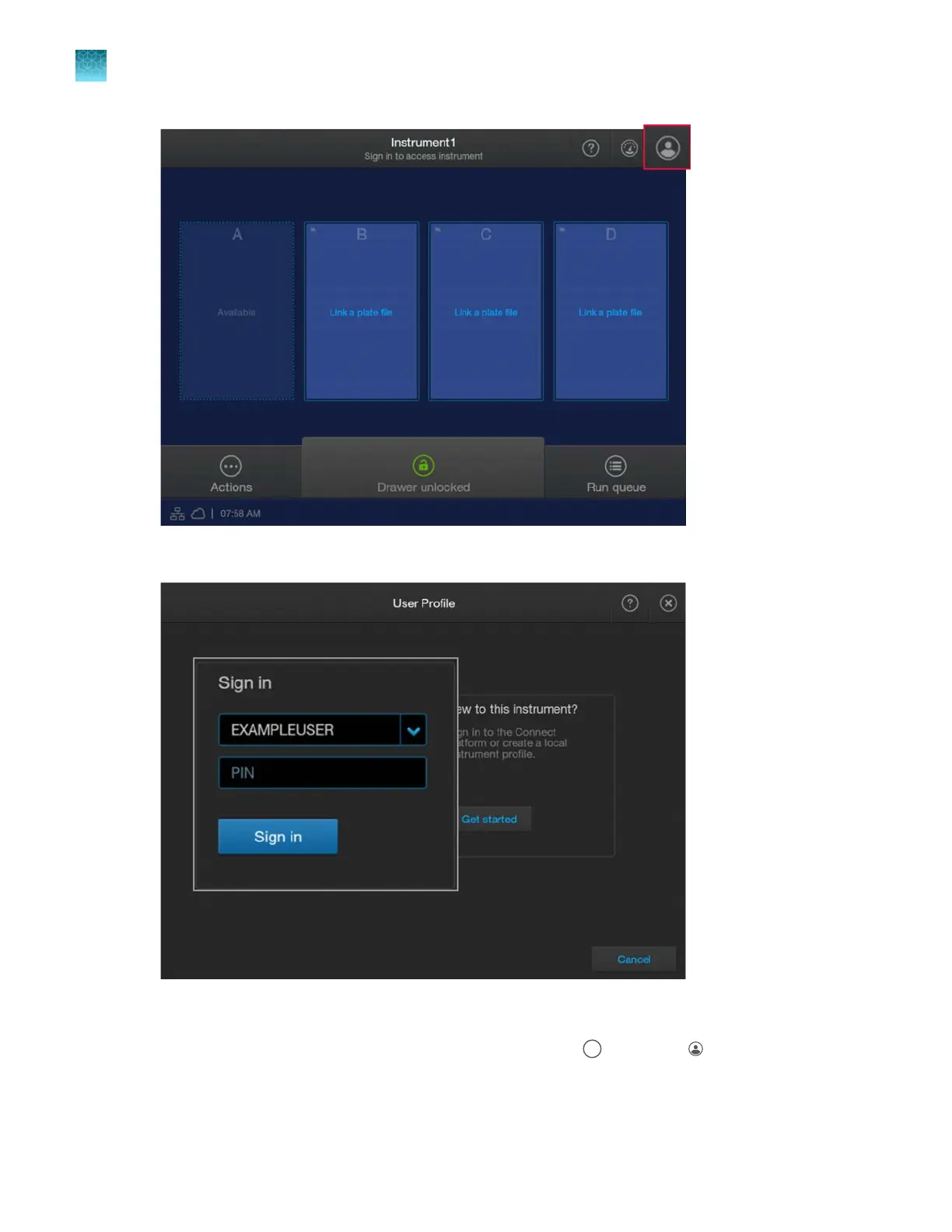
2.
In the User P
rofile screen, tap the down arrow under Sign in, then select your profile.
3.
T
ap the PIN field, enter your PIN, then tap Sign in.
The home screen is displayed with your user initials (for example,
) in place of (P
rofile).
For more information on profiles, see “Local profile and cloud profile: when to use, user name, and user
initials” on page 213.
Chapter 2 Get star
ted
Sign in
2
54
SeqStudio
™
Flex Series Genetic Analyzer with Instrument Software v1.0 User Guide













 To Next Page