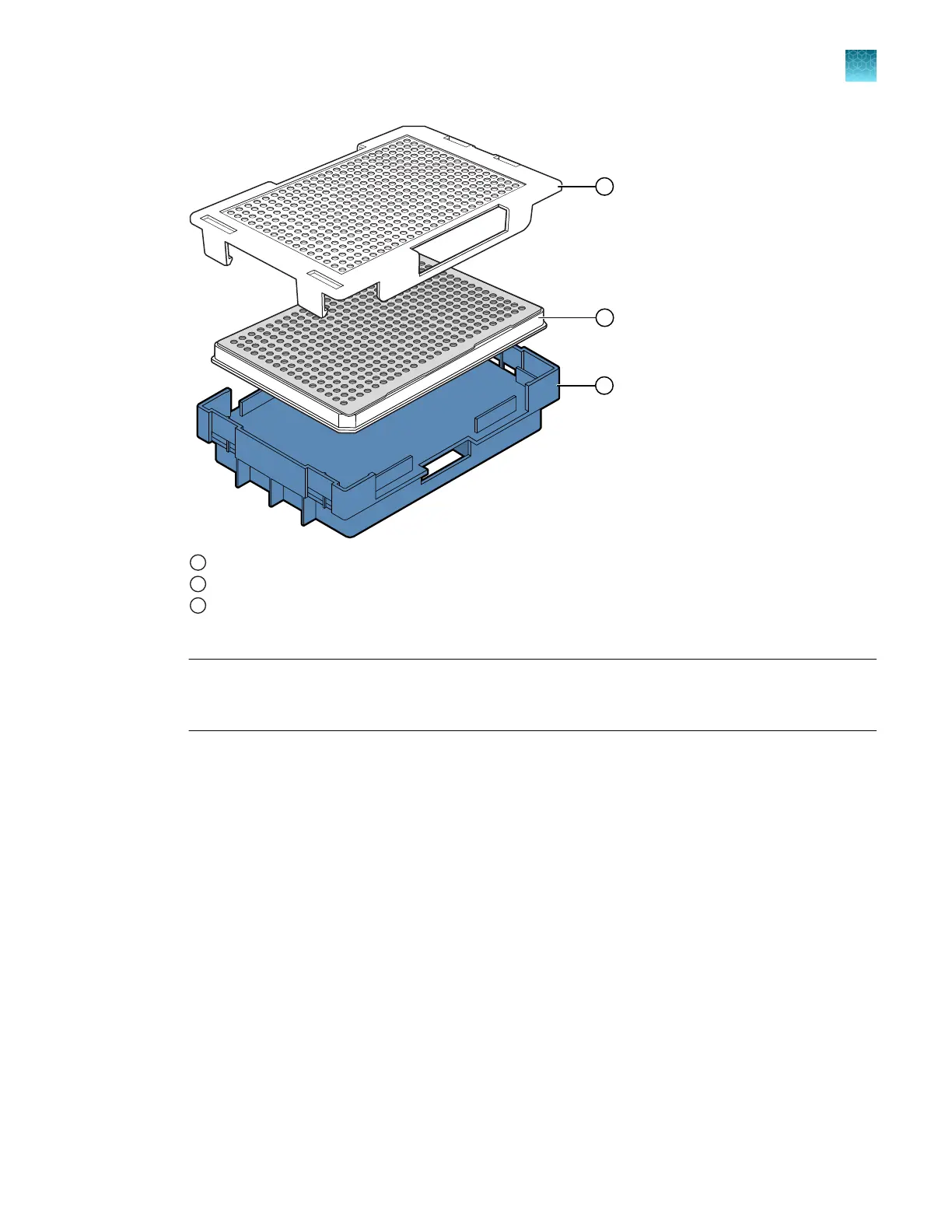
1
Plate retainer with one opening on side to allow barcode reading
2
Plate with septum
3
Plate base
4.
Snap the plate retainer (cover) onto the plate base.
IMPORTANT! Ensure that the plate retainer is firmly snapped in place on top of the plate (see
“Prepare the plate assembly” on page 77). If the retainer is not snapped in place, the plate
assembly can become jammed in the drawer.
5.
V
erify that the holes of the plate retainer and the septum are aligned. If the holes are not aligned,
take the assembly apart, then re-assemble.
Chapter 3 P
repare the samples
Prepare and assemble sample plates
3
SeqStudio
™
Flex Series Genetic Analyzer with Instrument Software v1.0 User Guide
81













 To Next Page