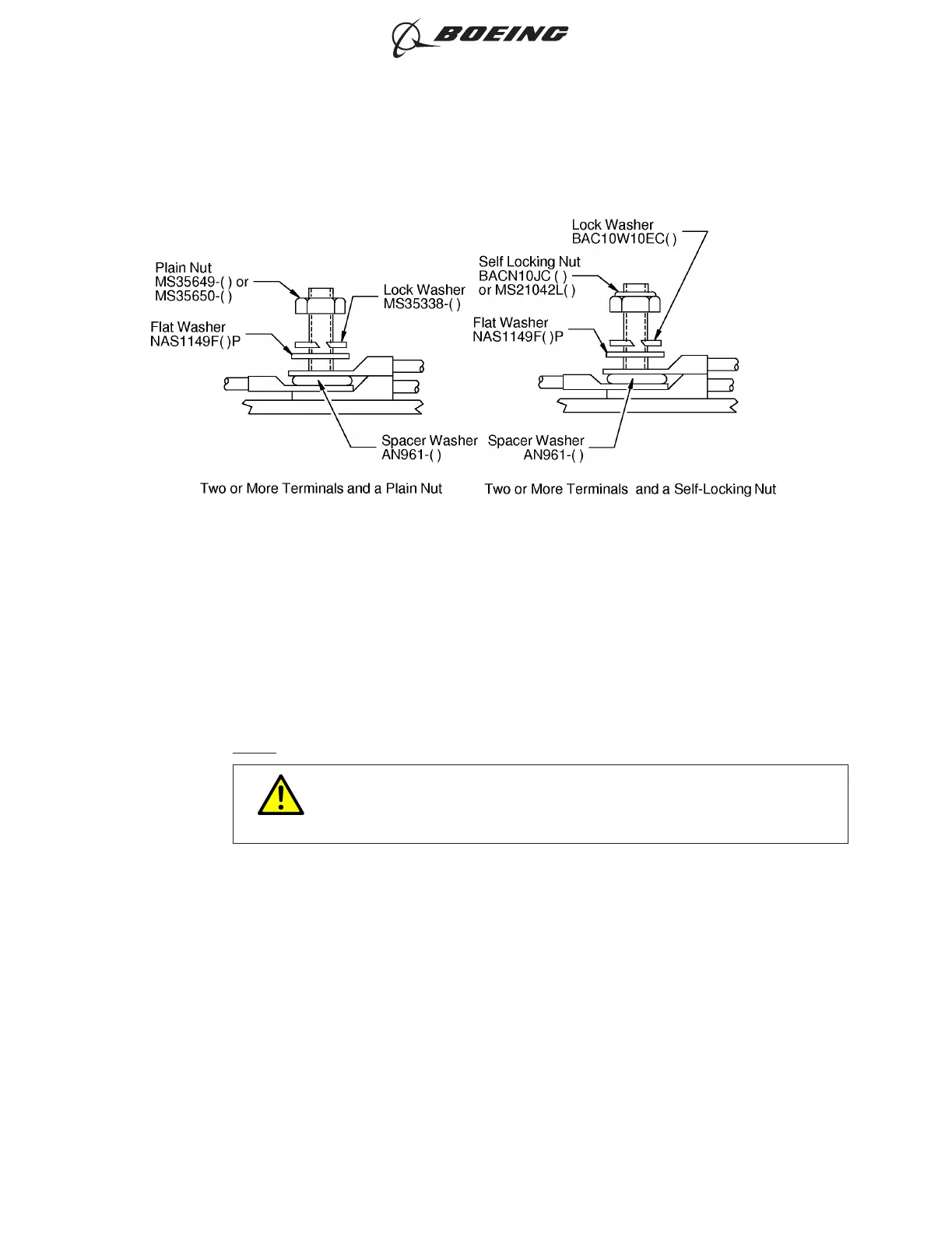
(a) Put the terminals on the stud so that the terminals with the larger holes are nearer to the
bottom of the stud.
Make sure that the bottom face and the top face of the adjacent terminals are parallel.
(b) Put AN961-( ) spacer washers between adjacent terminals when more than one terminal is
installed. Refer to Figure 10.
NOTE: A maximum of 4 terminals can be installed on 1 stud.
CAUTION
DO NOT USE ANODIZED WASHERS, DYED WASHERS, OR STEEL
WASHERS BETWEEN ADJACENT TERMINALS.
(c) Put these washers on the stud in this order:
• An NAS1149F( )P flat washer
• An MS35338-( ) lock washer for a plain nut
• An BACW10EC( ) lock washer for a self locking nut.
(3) Put the nut on the stud.
(4) Torque the nut. Refer to Table 5.
If the torque value is not specified in Table 7 for the terminal hardware, make sure that:
• The lock washer is fully compressed
• The terminal does not move on the stud.
INSTALLATION OF TWO OR MORE TERMINALS
Figure 10
ELECTRICAL CONNECTION OF EQUIPMENT AND INSTALLATION OF TERMINAL LUGS
707, 727-787
STANDARD WIRING PRACTICES MANUAL
20-30-00
Page 13
Oct 15/2017D6-54446
ECCN 9E991 BOEING PROPRIETARY - See title page for details



 To Next Page