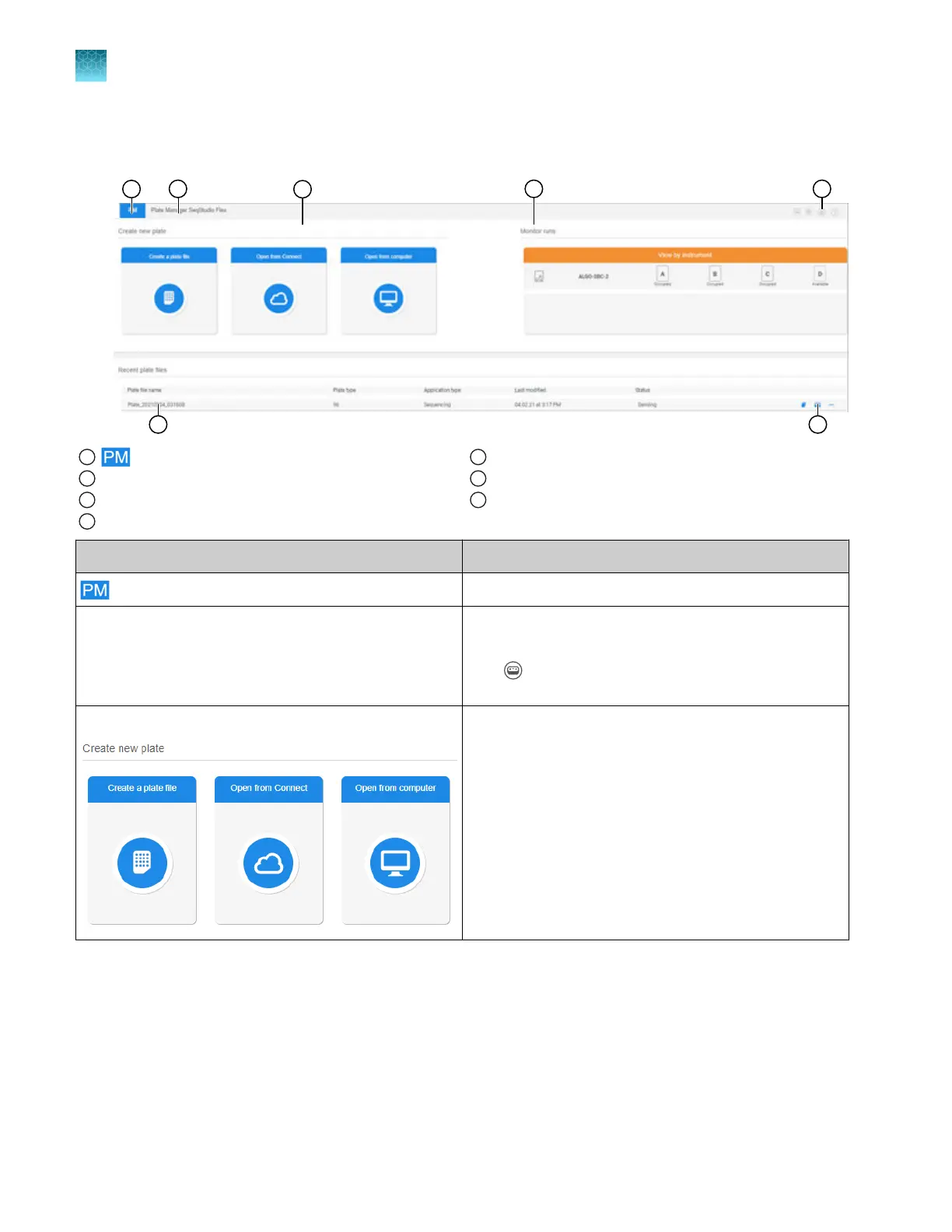
Parts of Plate Manager software (cloud) home screen
1
icon
2
Instrument type
3
Create or open a plate file
4
Monitor runs
5
Switch instrument, release notes, settings, and help
6
Recent plate files list
7
Copy, send to instrument, and actions
Screen element Description
icon Click in any screen to display the home screen.
Instrument type The instrument type determines the type of plate file you
set up (SeqS
tudio Flex or SeqStudio).
Click
(Switch instrument) t
o switch between
SeqStudio Flex and SeqStudio.
Create or open a plate file
Allows you to do the following:
•
Cr
eate a new plate file.
•
Open a plate file (PSM file) that you created in the
Plate Manager software or on the instrument.
•
Open a plate file (CSV file) that you downloaded
from the Plate Manager software or created in a
spreadsheet or text editor application.
Chapter 5 Create a plate file in the Plate Manager software
Get started with the Plate Manager software (cloud)
5
106
SeqStudio
™
Flex Series Genetic Analyzer with Instrument Software v1.0 User Guide













 To Next Page