Note: After a plate is linked, you cannot display the plate properties tab. To view plate properties for
linked or running plates, open the plate file in the Plates file library. See “Plate files library” on page 258.
1.
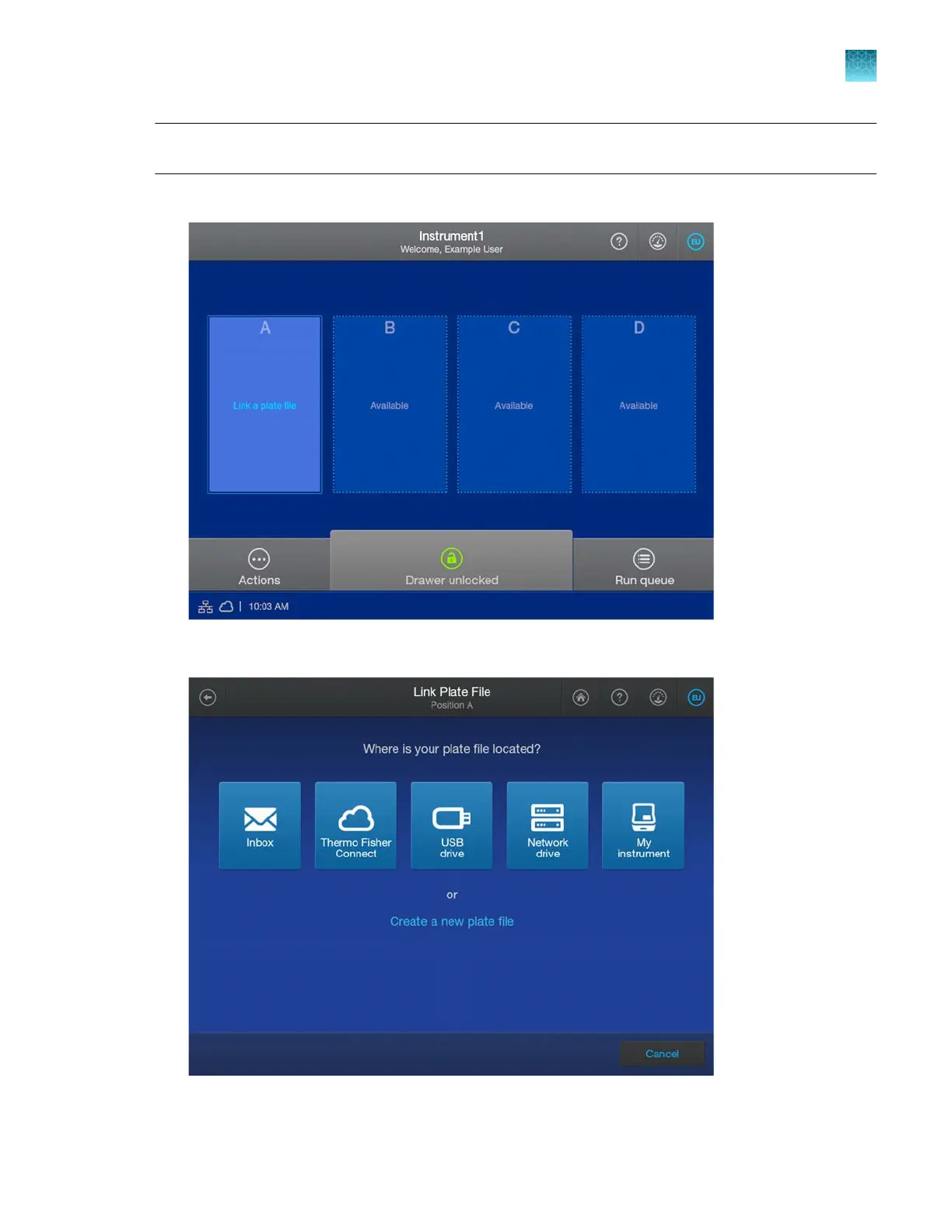
In the home screen, tap Link a plate file in the plate position for the loaded plate.
2.
In the Link Plat
e File screen, tap an option.
Chapter 6 Start and monitor a run
Link a plate file and start a run
6
SeqStudio
™
Flex Series Genetic Analyzer with Instrument Software v1.0 User Guide
141













 To Next Page