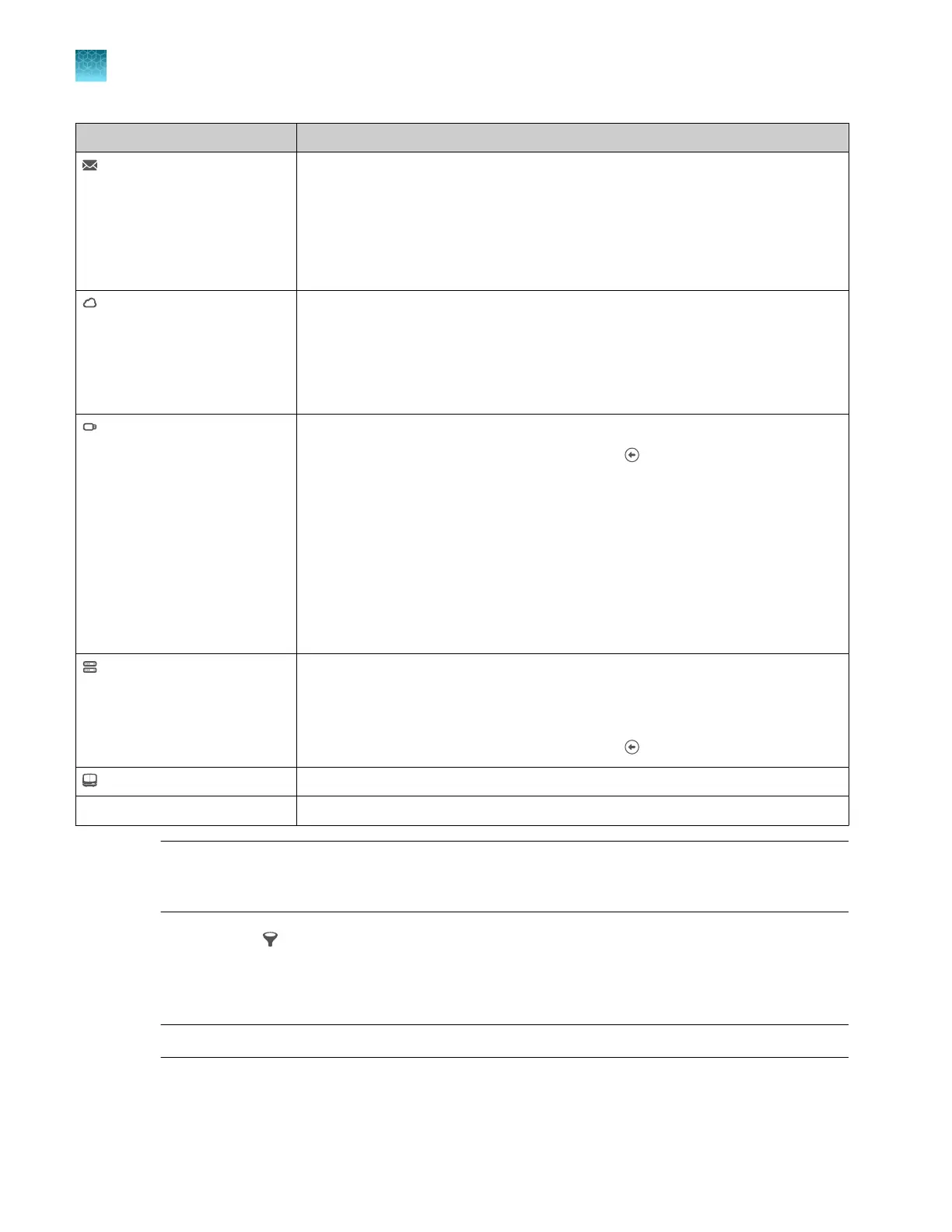
Option Description
Inbox
Note: Plate files are listed
alphabetically by name. Tap
Last modified to see the
newest plates added to the
Inbox.
Open a plate file that you created in the Plate Manager software and sent to the
instrument. See Chapter 5, “Create a plate file in the Plate Manager software”.
For more information, see “About the Inbox on the instrument” on page 42.
Thermo Fisher
™
Connect Open a plate file that you created in the Plate Manager software (cloud). This
option is displayed only if Thermo Fisher
™
Connect access is enabled. See:
•
“Get started with the Plate Manager software (cloud)” on page 105
•
“Enable or disable Thermo Fisher
™
Connect access on the instrument
(administrator only)” on page 228
USB drive
IMPORTANT! Perform a virus
scan on a USB drive before
inserting it into a port on the
instrument.
Note: It can take up to 15
seconds for the instrument to
recognize a USB drive after the
drive is inserted in a USB port.
exFAT-formatted USB drives
are recommended.
Open a plate file in PSM or CSV format.
Note: To navigate up in the folder structure, tap (Back).
For more information, see “PSM and CSV plate files for import into the
instrument” on page 86.
Network drive Open a plate file in PSM or CSV format.
•
“Connect the instrument to a network drive (software)” on page 445
•
“PSM and CSV plate files for import into the instrument” on page 86
Note: To navigate up in the folder structure, tap (Back).
My Instrument Open an existing plate file from the Plate files library on the instrument.
Create new plate file Create a new plate file. See Chapter 4, “Create a plate file on the instrument”.
Note: The Plate Managersoftware does not include SAE functionality. If SAE mode is enabled for
the instrument, auditing for a plate file begins when it is linked or when it is imported into the Plate
files library.
3.
(Optional) T
ap
(Filter), type a k
eyword, then tap Filter.
A keyword can be any string of text that is part of a plate file name. For example, if you use the
default plate file naming which includes the date on which the plate was created, you could type
20210302 to display plates that were created on March 2, 2021.
Note: This action does not filter by date, it filters by using part of the plate file name.
Plates that match the keyword are displayed when you tap Filt
er.
Chapter 6 S
tart and monitor a run
Link a plate file and start a run
6
142
SeqStudio
™
Flex Series Genetic Analyzer with Instrument Software v1.0 User Guide













 To Next Page