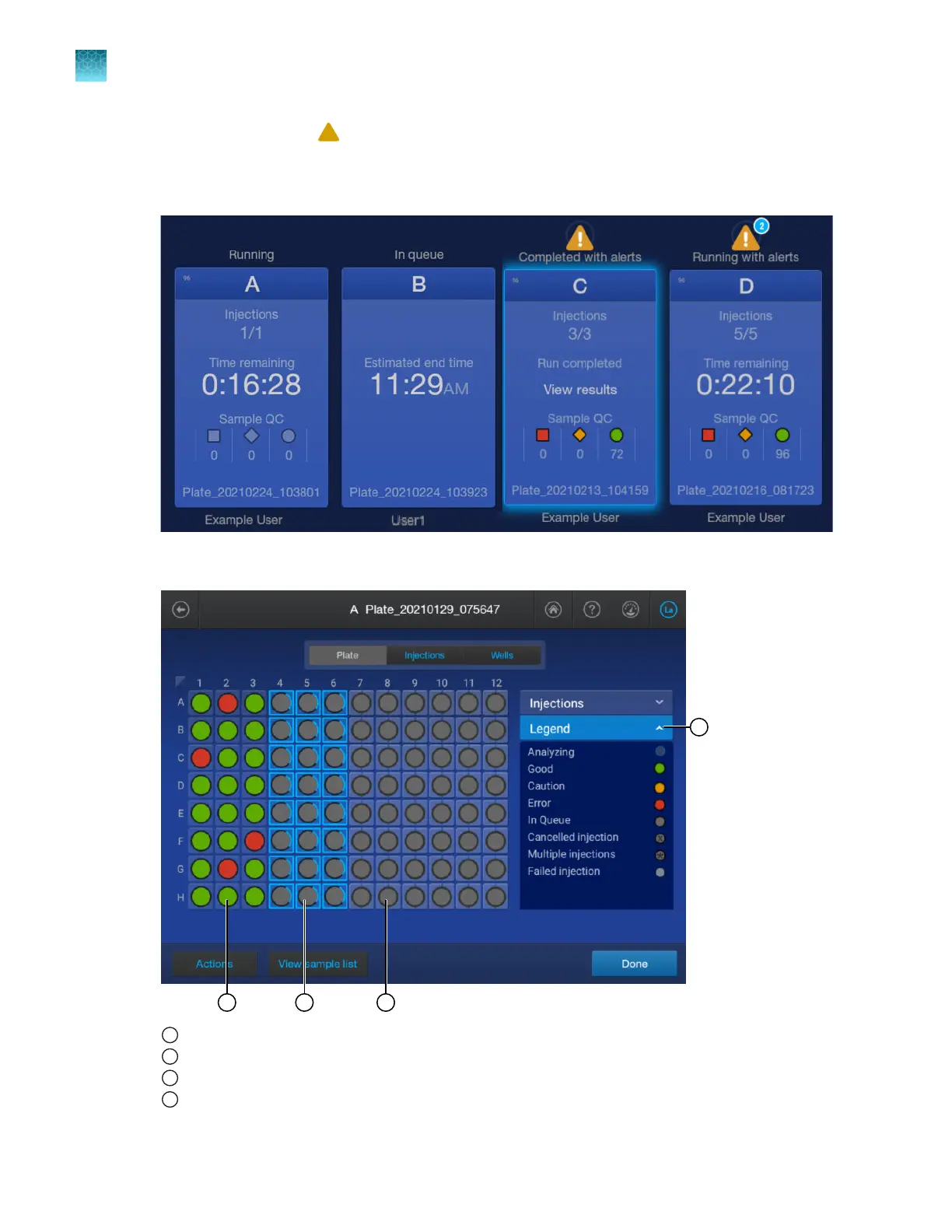
1.
If a plate alert symbol (
) is displayed for a plate position, see “View alert and notification details”
on page 149.
2.
In the home screen, tap a running plate position.
The plate view is displayed.
1
Completed injection
2
Running injection
3
In queue injection
4
Tap to display the plate legend
Chapter 6 Start and monitor a run
View real-time results in the home screen
6
154
SeqStudio
™
Flex Series Genetic Analyzer with Instrument Software v1.0 User Guide













 To Next Page