(continued)
Screen element Description
Cloud Analysis tab Lists the projects that have been generated by cloud
analysis.
See:
•
“Set up cloud analysis for a completed run in the
Remote Monitoring software” on page 205
•
“Access cloud analysis results from the Remote
Monitoring software” on page 207
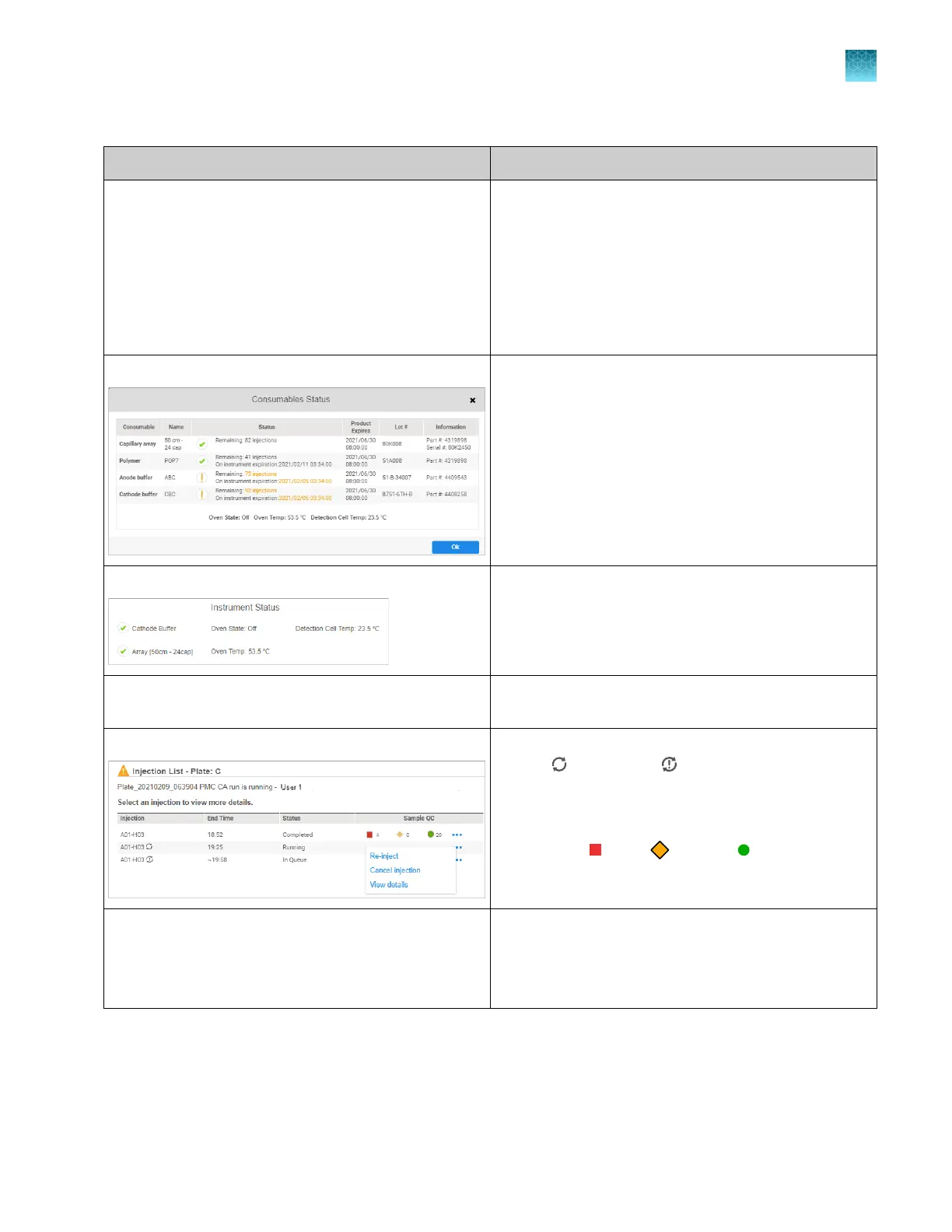
Consumables Status pane Click the Consumables Status pane to display details of
each consumable.
For information on orange color-coding, see “Check
consumables status” on page 66.
Note: The consumables status pane is blank when the
instrument status is UNKNOWN.
Instrument Status pane Displays temperatures and information about the oven
and the det
ection cell.
Displays instrument status: IDLE, RUNNING, or
UNKNOWN (the instrument has been idle for ≥24 hours).
Actions menu Provides commands: Pause instrument, Export result
report.
Injection List pane
Lists the injections for the plate and shows re-injection
status— Re-injection, re-injection with dier
ent
injection parameters (Run module, Injection time,
Injection voltage, Run time, Run voltage).
For each injection, lists the number of samples for
each status—
Err
or,
C
aution,
Good. F
or more
information, see “Sample QC and quality alerts” on
page 172.
Plate layout with colors to indicate Sample QC Color-coded Sample QC r
esults for the selected plate.
See “Sample QC and quality alerts” on page 172.
Click a well to display the electropherogram screen for
the plate.
Chapter 8 Use the Remote Monitoring software to monitor runs, view results, and use cloud analysis
Monitor a run from the Remote Monitoring software
8
SeqStudio
™
Flex Series Genetic Analyzer with Instrument Software v1.0 User Guide
185













 To Next Page