4.
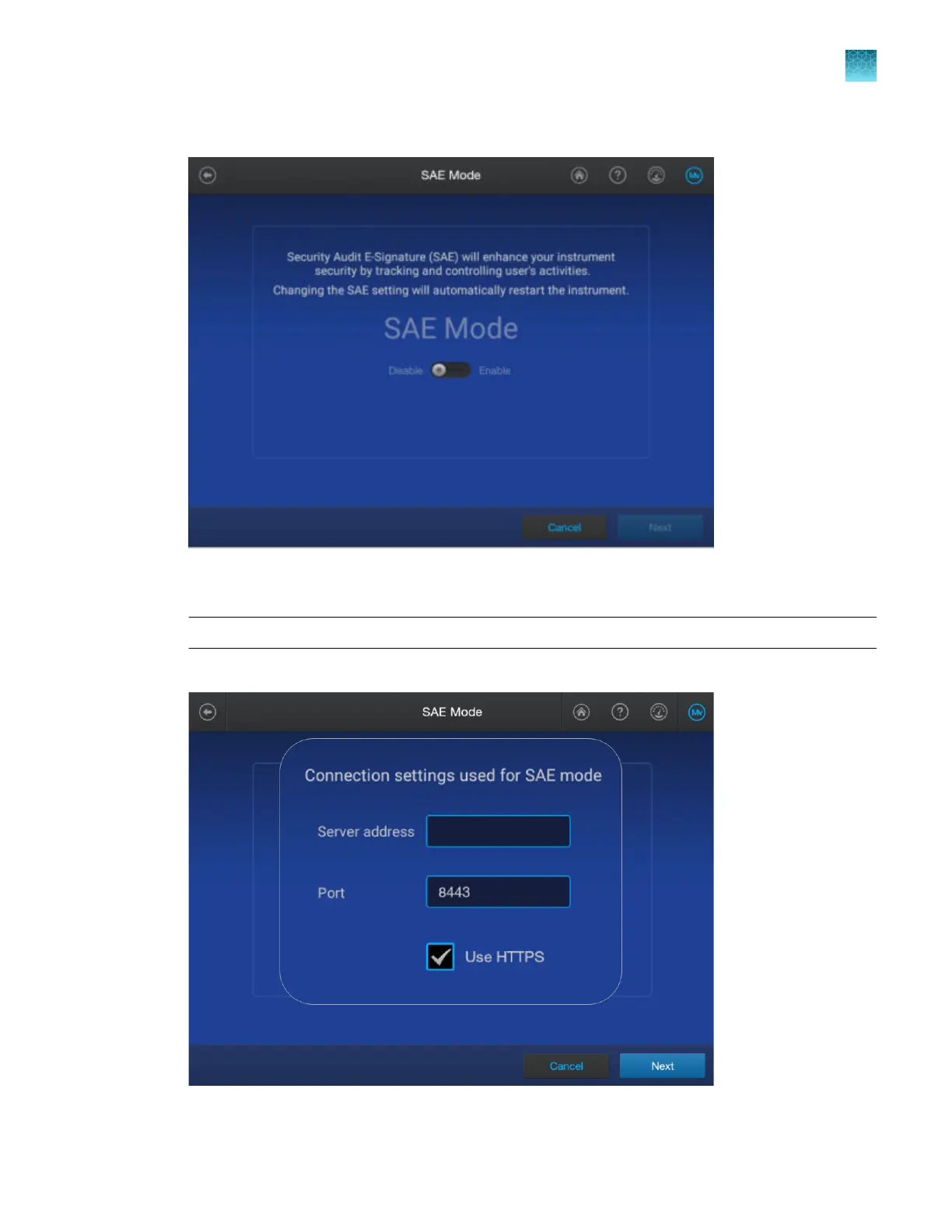
In the SAE Mode screen, press-drag the slider to the Enable setting, then tap Next.
5.
In the Ser
ver address field, enter the IP address of the computer on which the SAE Administrator
Console is installed. Do not change the Port or HTTPS settings.
IMPORTANT! Specify a server with a static IP address.
For more information, see “Determine the IP address for a computer on a network” on page 443.
6.
T
ap Next.
Chapter 10 Use the instrument with the Security, Auditing, and E‑signatur
e (SAE) v2.1 module
Enable SAE mode on the instrument and specify the SAE server (administrator only)
10
SeqStudio
™
Flex Series Genetic Analyzer with Instrument Software v1.0 User Guide
241













 To Next Page