1
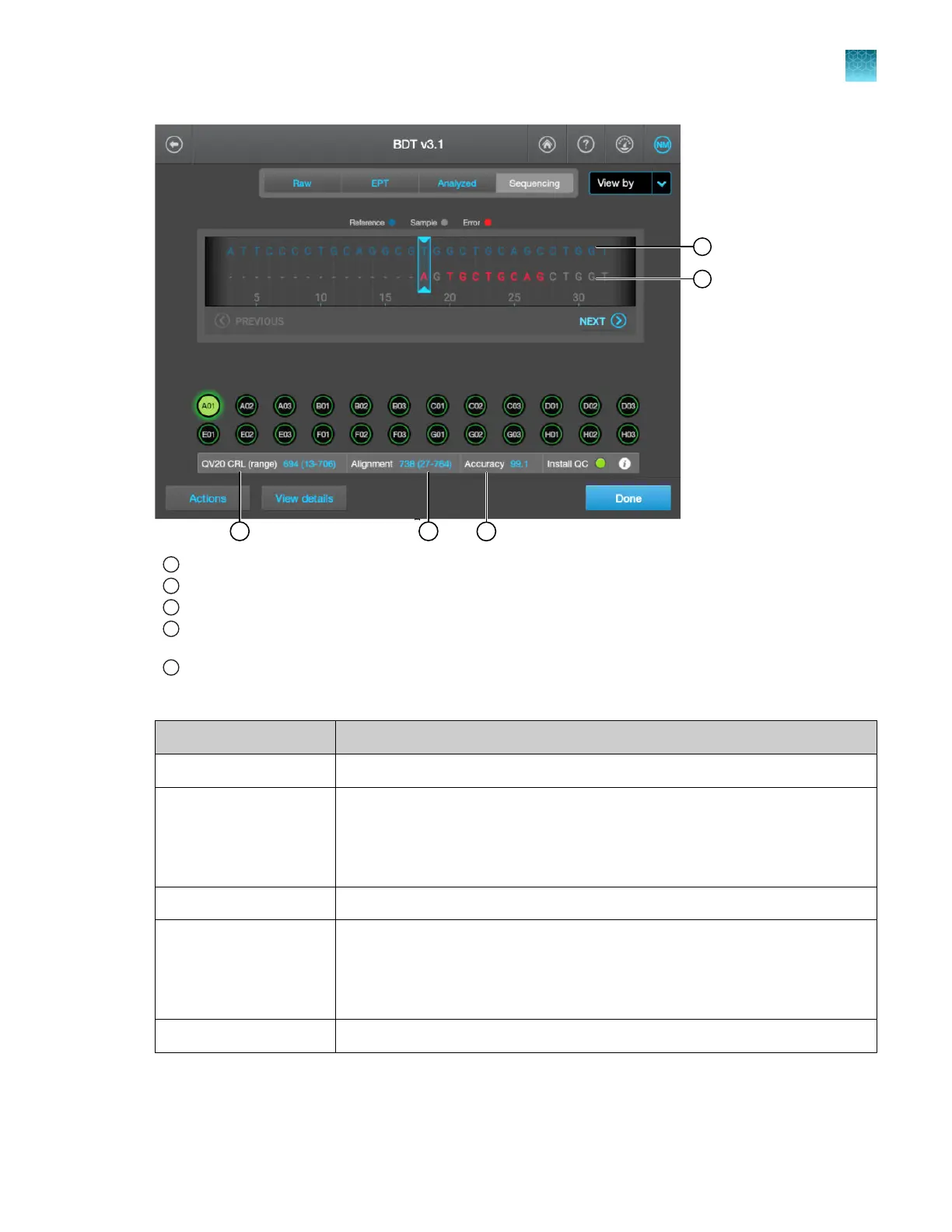
Reference sequence of the sequencing install standard
2
Basecalls from the run. Basecalls that do not match the known bases in the reference sequence are marked in red.
3
QV20 CRL is r
eferred to as CRL on the Capillaries tab.
4
Alignment r
ange. The starting base is determined by the software. In the example above, the alignment range starts
at 27 because of the contiguous bases before 27 that do not match the reference sequence.
5
Accuracy is r
eferred to as %RL basecall on the Capillaries tab.
Table 14 Plot view results—sequencing install run
Result Description
QV20 CRL (range) The same value that is displayed on the C
apillaries tab.
Alignment
(This result is referred to
as Alignment read length
on the Capillaries tab.)
The Alignment read length that is displayed on the Capillaries tab.
Signal strength The average signal Intensity in the raw data.
Accuracy
(This result is referred to
as % RL basecall on the
Capillaries tab.)
The % RL basecall that is displayed on the Capillaries tab.
Install QC The same result that is displayed on the Capillaries tab.
Chapter 12 Run calibrations and install checks
Perform an install run
12
SeqStudio
™
Flex Series Genetic Analyzer with Instrument Software v1.0 User Guide
345













 To Next Page