4.
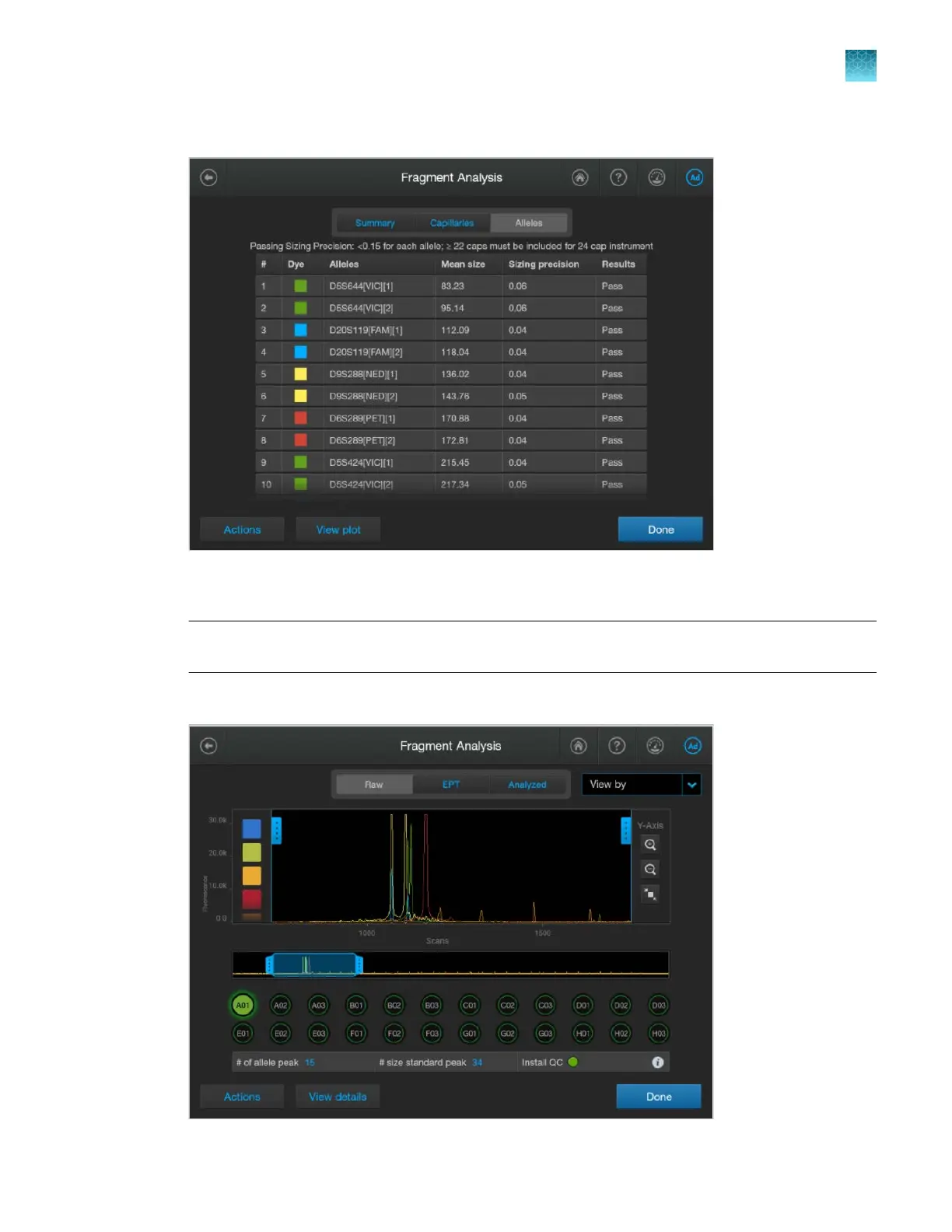
Tap Alleles to display the sizing information for alleles.
For a description of results, see “Pass/fail criteria and results for the fragment install check” on
page 350.
IMPORTANT! If fewer than 15 alleles per capillar
y are identified, ensure that polymer has been
installed on the instrument for ≤3 days. Older polymer can cause the fragment install run to fail.
5.
T
ap View plot to display the plot for each capillary (Raw and Analyzed tabs are shown below).
Chapter 12 Run calibrations and install checks
Perform an install run
12
SeqStudio
™
Flex Series Genetic Analyzer with Instrument Software v1.0 User Guide
349













 To Next Page