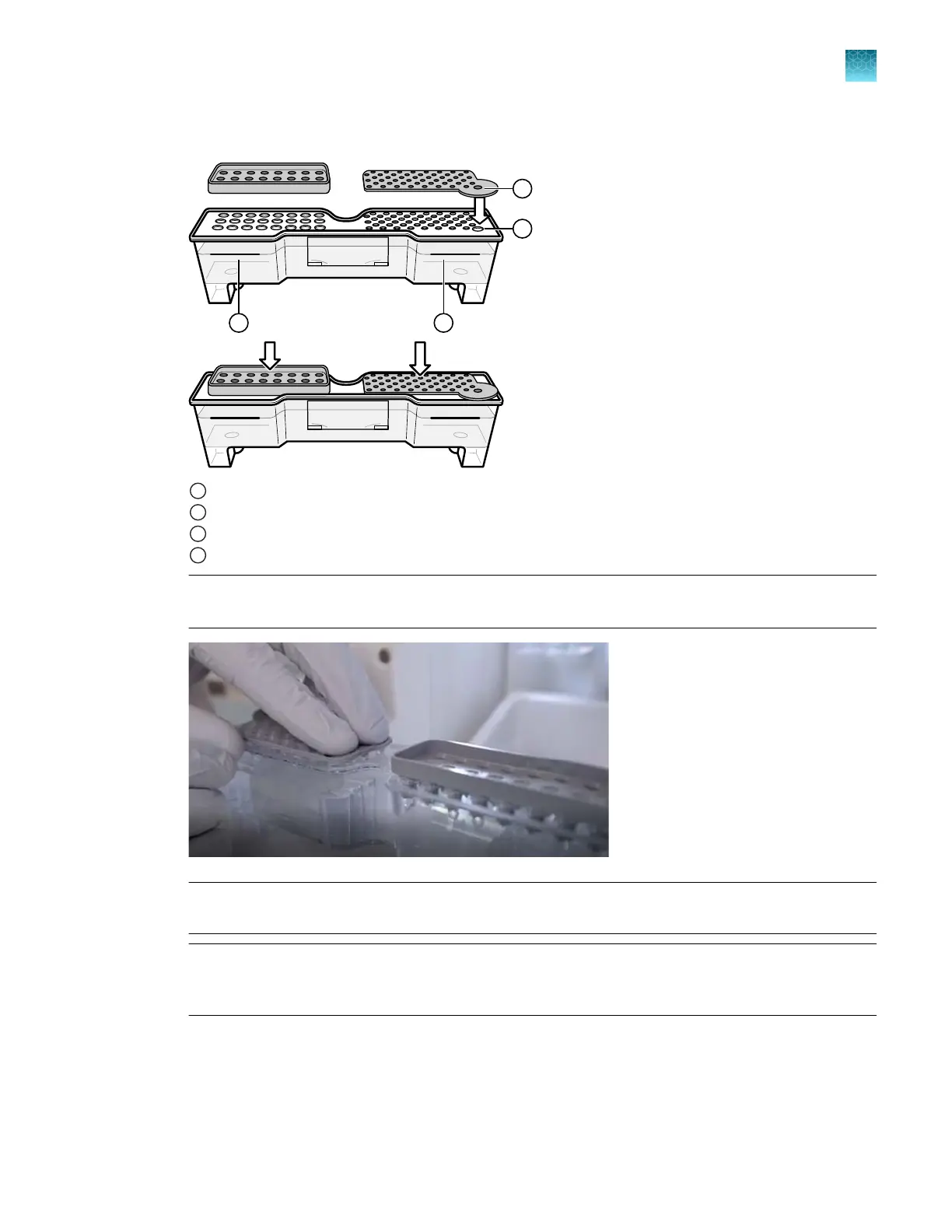
d.
Push the septum lightly into the holes to start, then push firmly to seat it.
1
Buer chamber and septum
2
Washing chamber and septum
3
Starter tab
4
Starter hole
Note: In the image below
, the buer chamber is on the right, which is the opposite of the position
in which it is installed.
IMPORTANT! L
ook at the CBC from the side and ensure that there is no gap between the
container and the lip of the septum.
IMPORTANT! Ensur
e that the washing septum is securely seated to prevent displacement of the
septum during operation. If you cannot correctly seat the septum, remove it and check that no
remnants of the seal remain and are blocking holes in the CBC.
13.
W
ith the tab facing you and the RFID label to the right, install the CBC in the CBC holder. When
properly installed, the CBC tabs click as you snap them into place on the autosampler.
14.
Follow the instructions in the wizard to finish the procedure.
Chapter 13 Maintain the Instrument
Install buers (wizar
d)
13
SeqStudio
™
Flex Series Genetic Analyzer with Instrument Software v1.0 User Guide
369













 To Next Page