9.
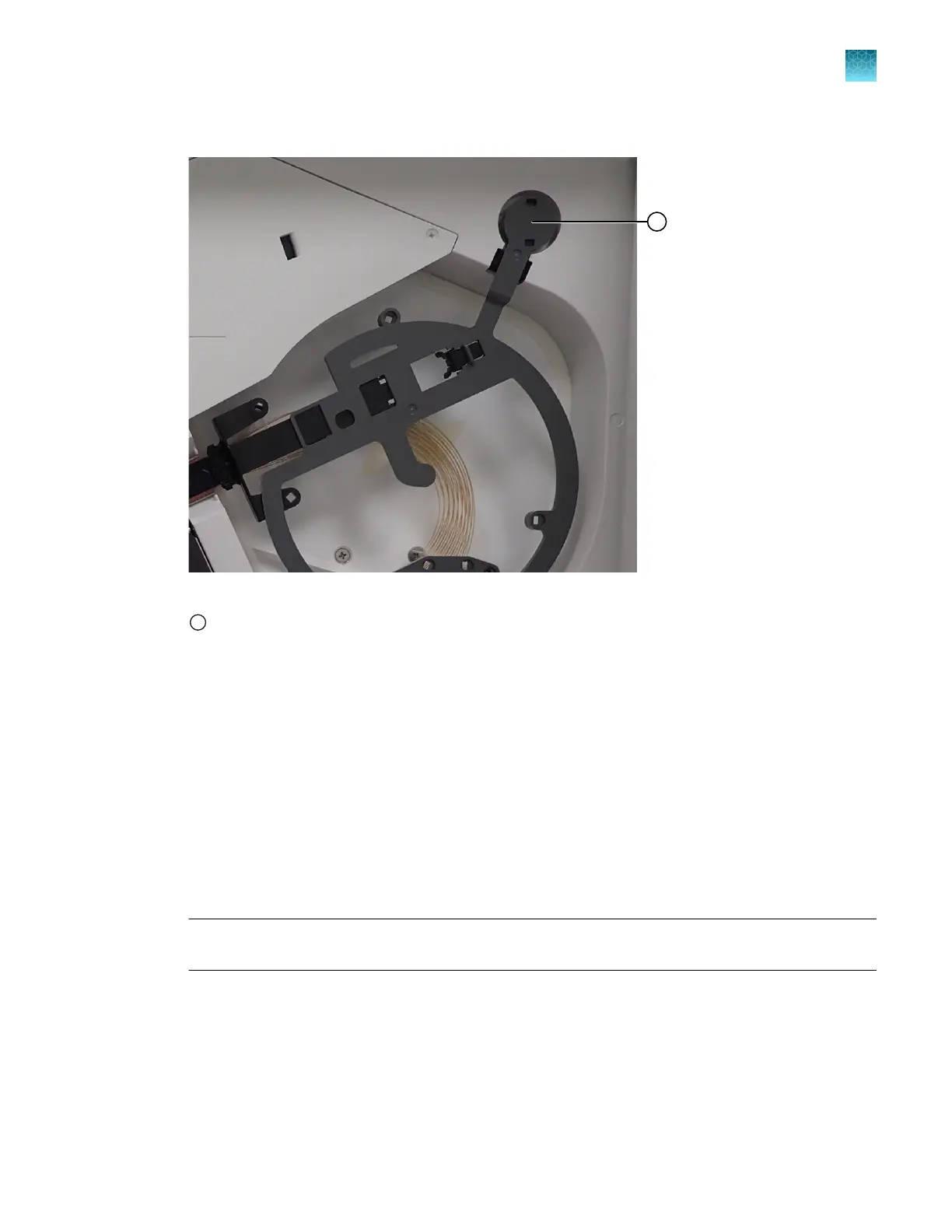
Press the array RFID tag into place.
Figure 83 Press the RFID tag into place
1
RFID tag
10.
Close the oven door
.
11.
Tap Next to continue.
Reactivate Instrument—Wash pump and channels
In this procedure, you install a cathode buer container (CBC), then wash the pump and channels with
conditioning reagent.
1.
Install the CBC. See “Install the cathode buer container (CBC)” on page 367.
2.
Close the instrument doors.
3.
Tap Wash pump and channels.
IMPORTANT! Aft
er you tap Wash pump and channels you cannot cancel the procedure. The
wash procedure takes ~45 minutes to complete.
Reactivate Instrument—Install polymer
In this pr
ocedure, you replace the conditioning reagent pouch with a fresh polymer pouch.
1.
Allow the refrigerated polymer to equilibrate to ambient temperature (15–30°C) before use.
2.
Open the instrument doors.
Chapter 13 Maintain the Instrument
Maint
enance wizard procedures
13
SeqStudio
™
Flex Series Genetic Analyzer with Instrument Software v1.0 User Guide
435













 To Next Page