3.
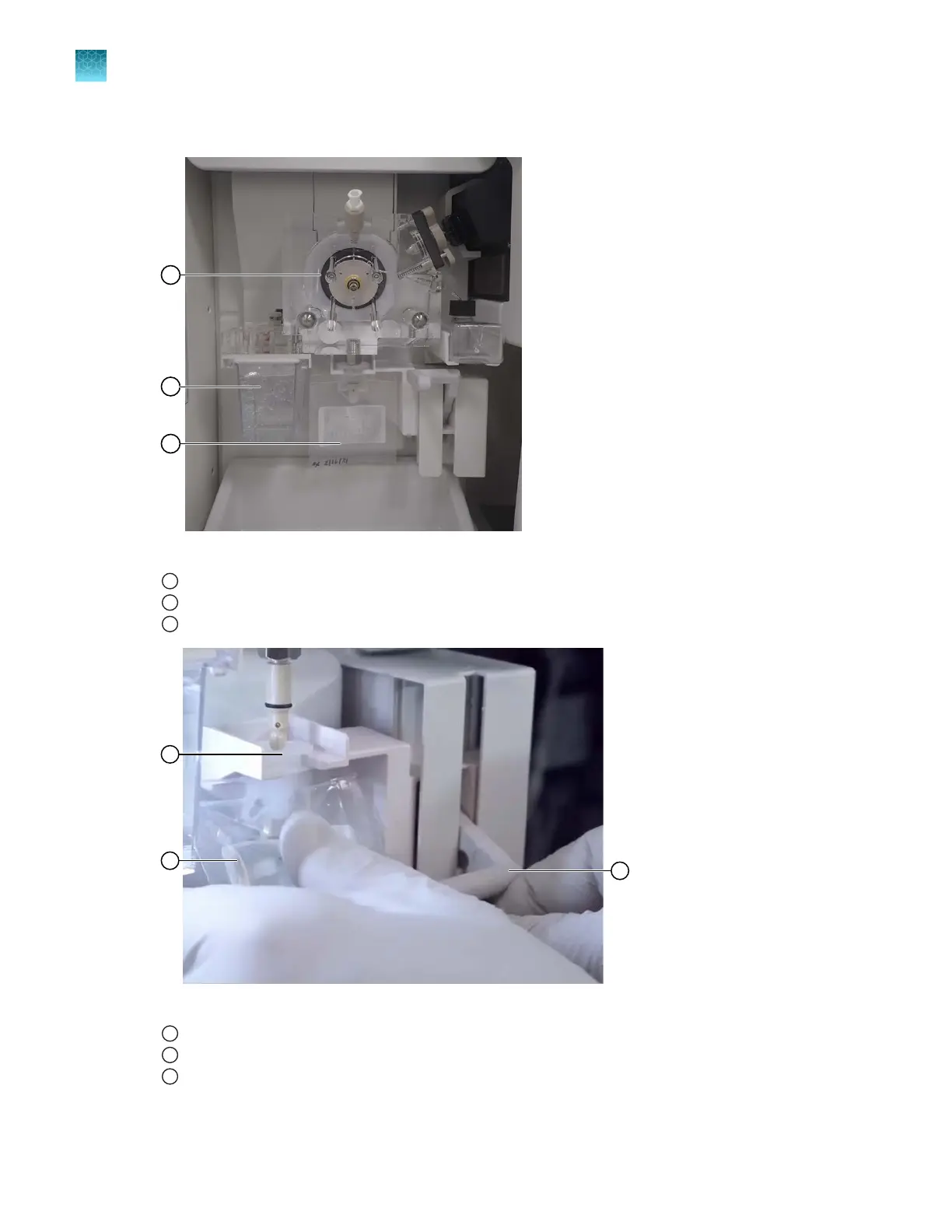
Remove the conditioning reagent pouch by pressing the polymer pouch lever down.
Figure 84 Location of pump, ABC, and pouch
1
Polymer pump block
2
Anode Buer Container (ABC), remove and replace with an empty ABC to capture waste
3
Pouch, remove polymer and replace with conditioning reagent
Figure 85 Pouch slot and lever
1
Slot of the lever assembly
2
Label facing the instrument
3
Lever
4.
W
ipe the pouch connector on the instrument with a moistened lab wipe.
Chapter 13 Maintain the Instrument
Maint
enance wizard procedures
13
436
SeqStudio
™
Flex Series Genetic Analyzer with Instrument Software v1.0 User Guide













 To Next Page