Observation Possible cause Recommended action
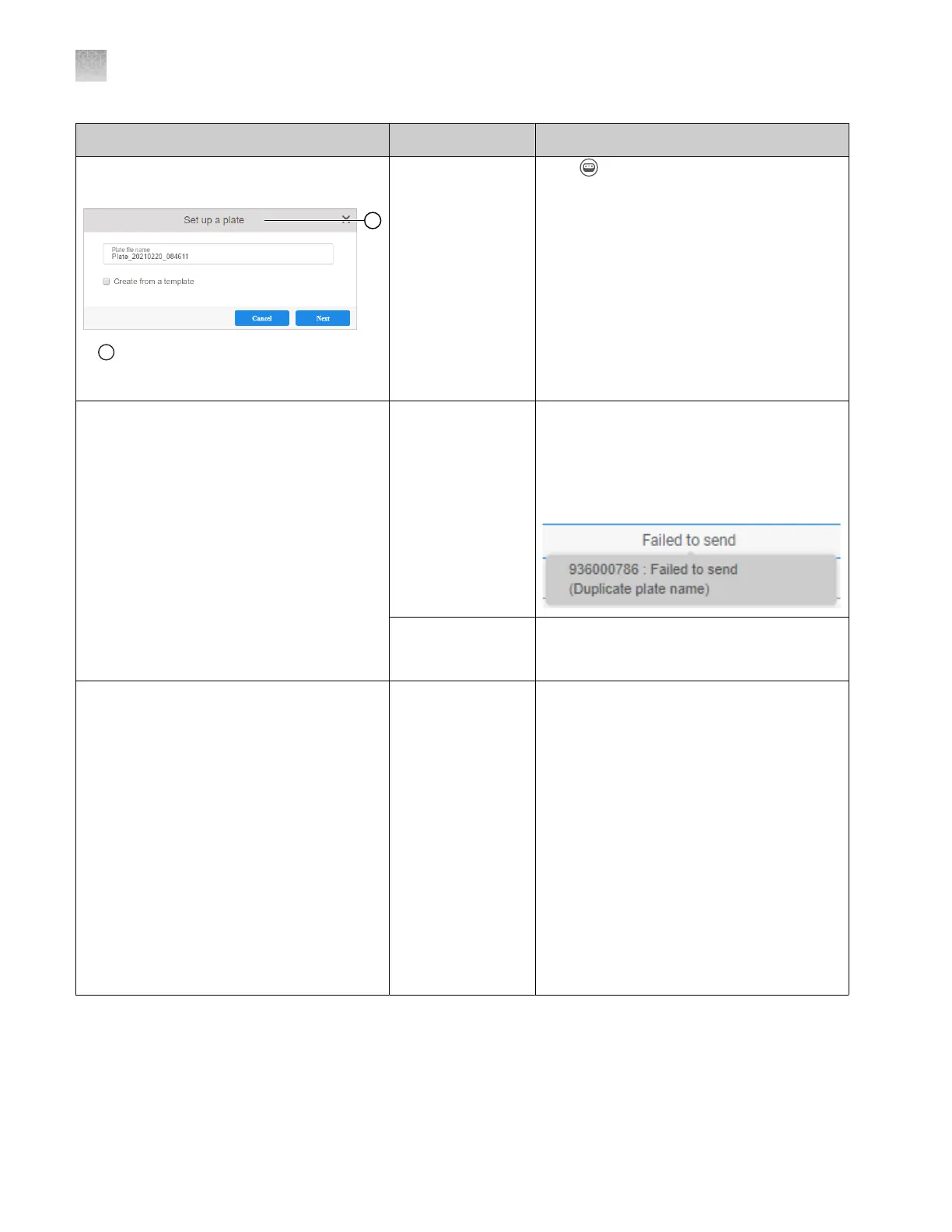
The Set up plate file dialog box is displayed
when you click Create a plate file
1
If the Set up a plat
e dialog box is
displayed, the instrument type is not set to
SeqStudio Flex.
The instrument
type is set t
o
SeqStudio.
Click (Switch instrument) at the top right
of the screen, then select SeqStudio Flex.
The F
ailed to send status is shown in the
Recent plate files list
Multiple causes are
possible.
1.
Place the cursor over the status to
display the reason for the failure.
2.
Correct the cause. See “About the
Inbox on the instrument” on page 42.
3.
Send the plate file again.
Firewall settings
ar
e not correctly
set.
Contact Technical Support.
A plate file is listed with Sent status, but it is
not listed in the Inbox on the instrument
The configuration
in the plate file
does not match
the configuration
of the instrument
to which you sent
the plate file. For
example, if a 50-
cm capillary array
is installed on
the instrument, the
Inbox does not
accept a plate
file that specifies
a 36‑cm capillary
array.
You can access the plate file in the Plate
files library on the instrument. For more
information, see “About the Inbox on the
instrument” on page 42.
Appendix A Troubleshooting
Plate Manager software troubleshooting
A
504
SeqStudio
™
Flex Series Genetic Analyzer with Instrument Software v1.0 User Guide













 To Next Page