f.
Tap Next to continue.
Change Capillary Array or Shut Down Instrument—Store the capillary array
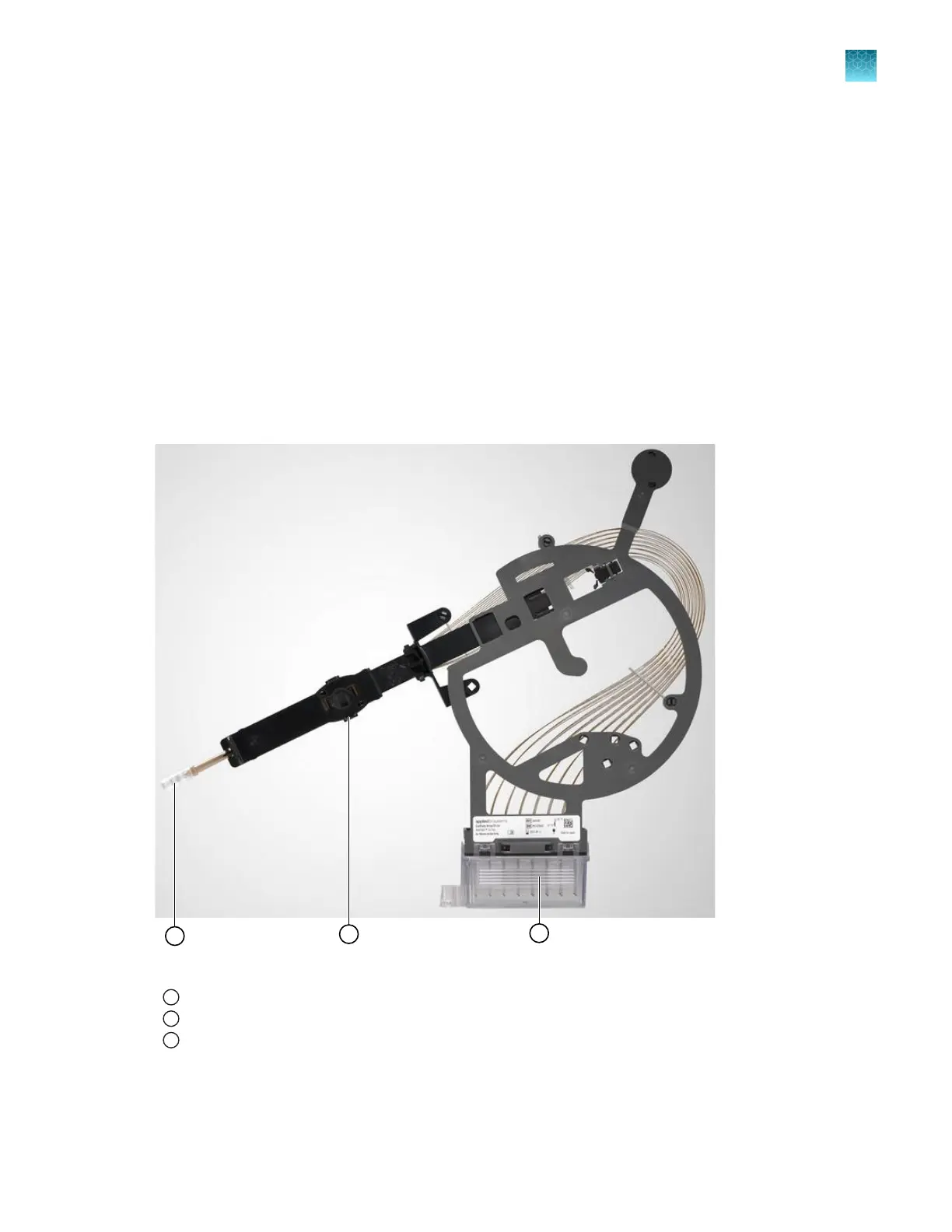
In this procedure, you place covers on the capillary array.
Use covers from the new capillary array or from a previously used capillary array.
Fill the array tip cover and the array electrode cover with purified water if you have not done so already.
1.
Clip the array electrode cover onto the array header.
2.
Clean the array tip with a moistened lab wipe, then attach the array tip cover.
3.
Attach the cover to the detection cell.
4.
Tap Next to continue.
Figure 31 Capillary array covers
1
Array tip cover
2
Detection cell cover (on the back of the assembly)
3
Array electrode cover with capillary tips submerged in distilled water
Chapter 13 Maintain the Instrument
Maintenance wizard procedures
13
SeqStudio
™
Flex Series Genetic Analyzer with Instrument Software v1.0 User Guide
387













 To Next Page