Change Capillary Array or Shut Down Instrument—Discard capillary array
WARNING! SHARP The electrodes on the load-end of the capillary array have small, blunt ends that
can lead to piercing injury.
1.
Discar
d the capillary array according to your laboratory protocol.
2.
Tap Next to continue.
Change Capillary Array—Install capillary array
WARNING! SHARP The electr
odes on the load-end of the capillary array have small, blunt ends that
can lead to piercing injury.
In this procedure, you install a capillary array in the instrument.
1.
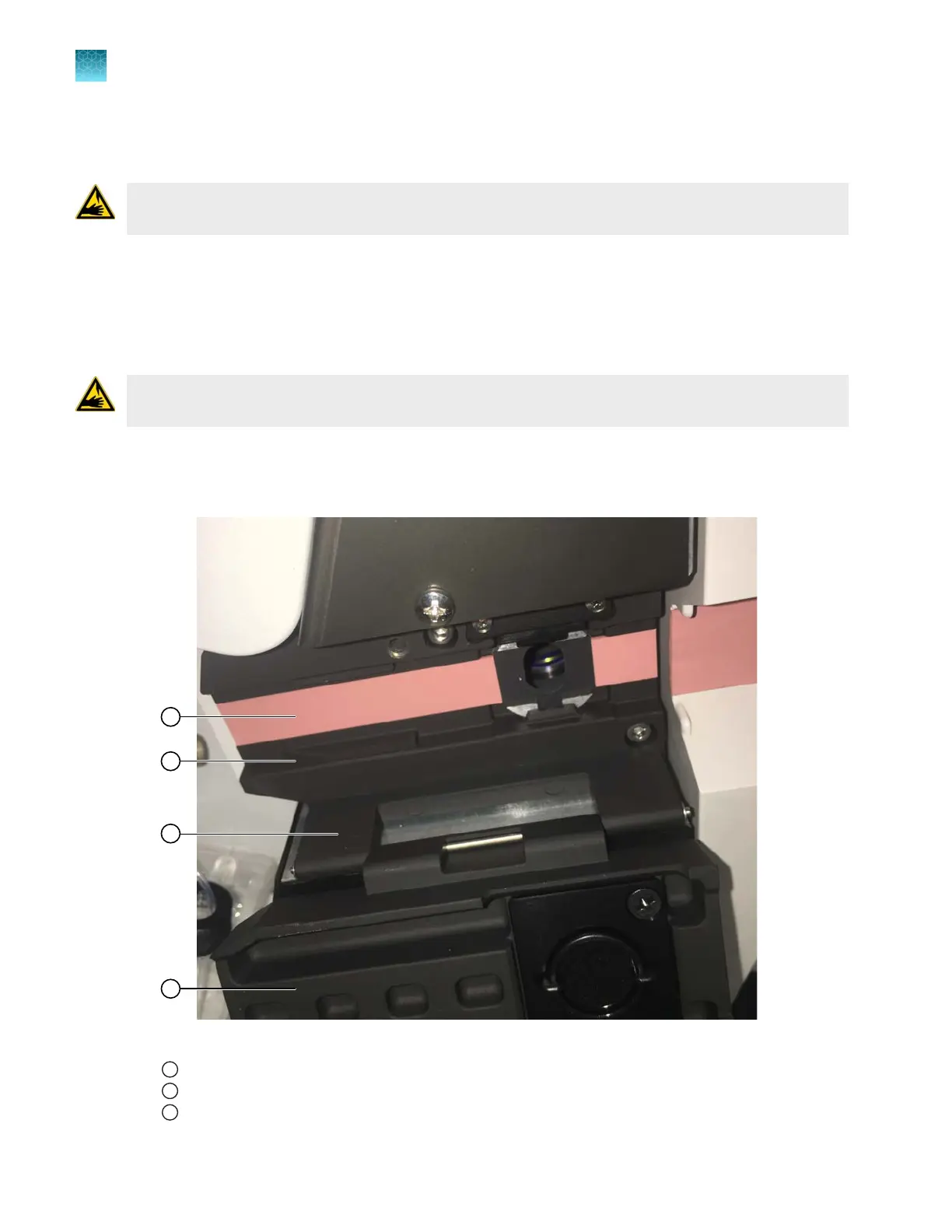
Clean the bott
om surfaces of the detection cell heater with a moistened, lint-free lab wipe.
Figure 32
1
Heat dissipation sheet
2
Bottom surfaces
3
Detection cell heater door (open)
Chapter 13 Maintain the Instrument
Maintenance wizard procedures
13
388
SeqStudio
™
Flex Series Genetic Analyzer with Instrument Software v1.0 User Guide













 To Next Page