2.
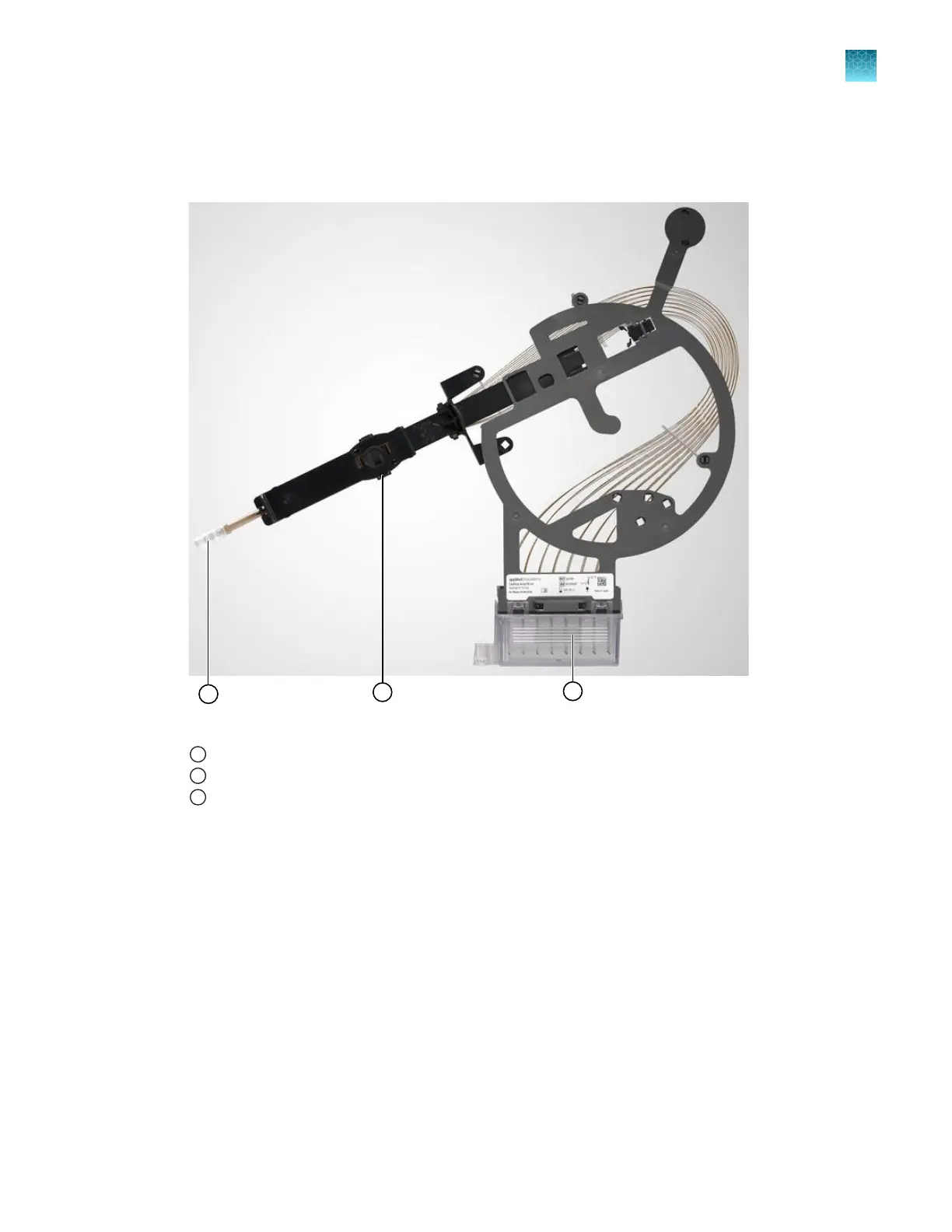
Obtain the capillary array to install. Carefully remove the covers from the capillary array tip,
detection cell window, and array header. Retain the covers for future use.
Ensure that the capillary tips are not crushed or damaged.
Figure 33 Capillary array covers
1
Array tip cover
2
Detection cell cover (on the back of the assembly)
3
Array electrode cover with capillary tips submerged in distilled water
3.
Open the arr
ay header latch by pulling the snap-pin connector.
Chapter 13 Maintain the Instrument
Maint
enance wizard procedures
13
SeqStudio
™
Flex Series Genetic Analyzer with Instrument Software v1.0 User Guide
389













 To Next Page