Remove Bubbles—Locate and remove bubbles
WARNING! SHARP The electrodes on the load-end of the capillary array have small, blunt ends that
can lead to piercing injury.
1.
Examine the fluid pathway fr
om the polymer pouch through the pump channels, pump chamber,
array port, and inlet to the Anode Buer Container (ABC).
2.
Ensure that all bubbles are removed from the fluidic pathway in the following locations:
•
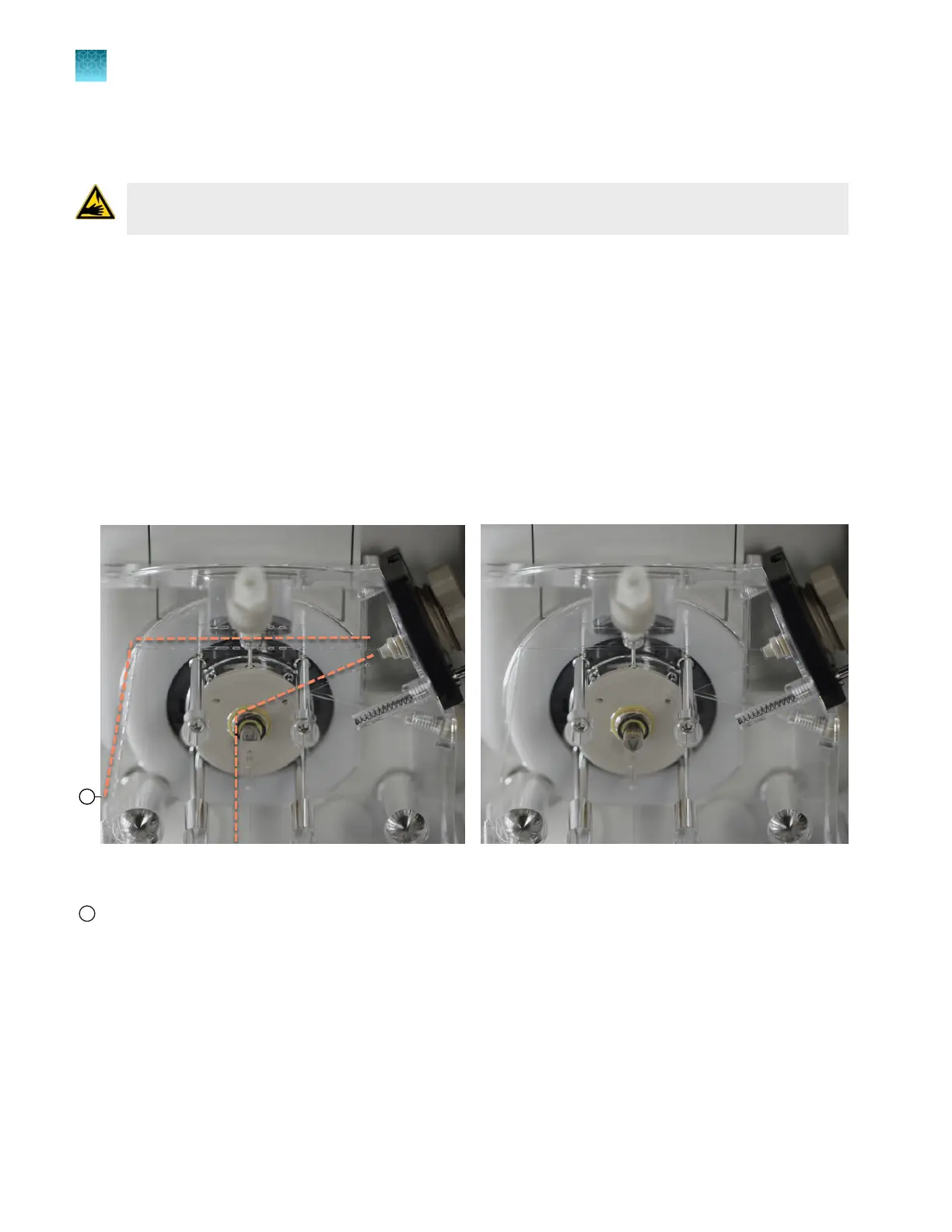
Pump channels (Figure 60)
•
Anode channels (Figure 61)
3.
Tap an option:
•
If bubbles are present, tap Remove bubbles.
Wait ~2 minutes for the remove bubbles procedure to complete.
•
If no bubbles are present, tap All bubbles are gone.
Figure 60 Examine pump channels for bubbles (the left image includes bubbles, the right image does not
include bubbles)
1
To anode channels
Dotted lines are shown above and to the left of channels that can contain bubbles
Chapter 13 Maintain the Instrument
Maintenance wizard procedures
13
410
SeqStudio
™
Flex Series Genetic Analyzer with Instrument Software v1.0 User Guide













 To Next Page