4.
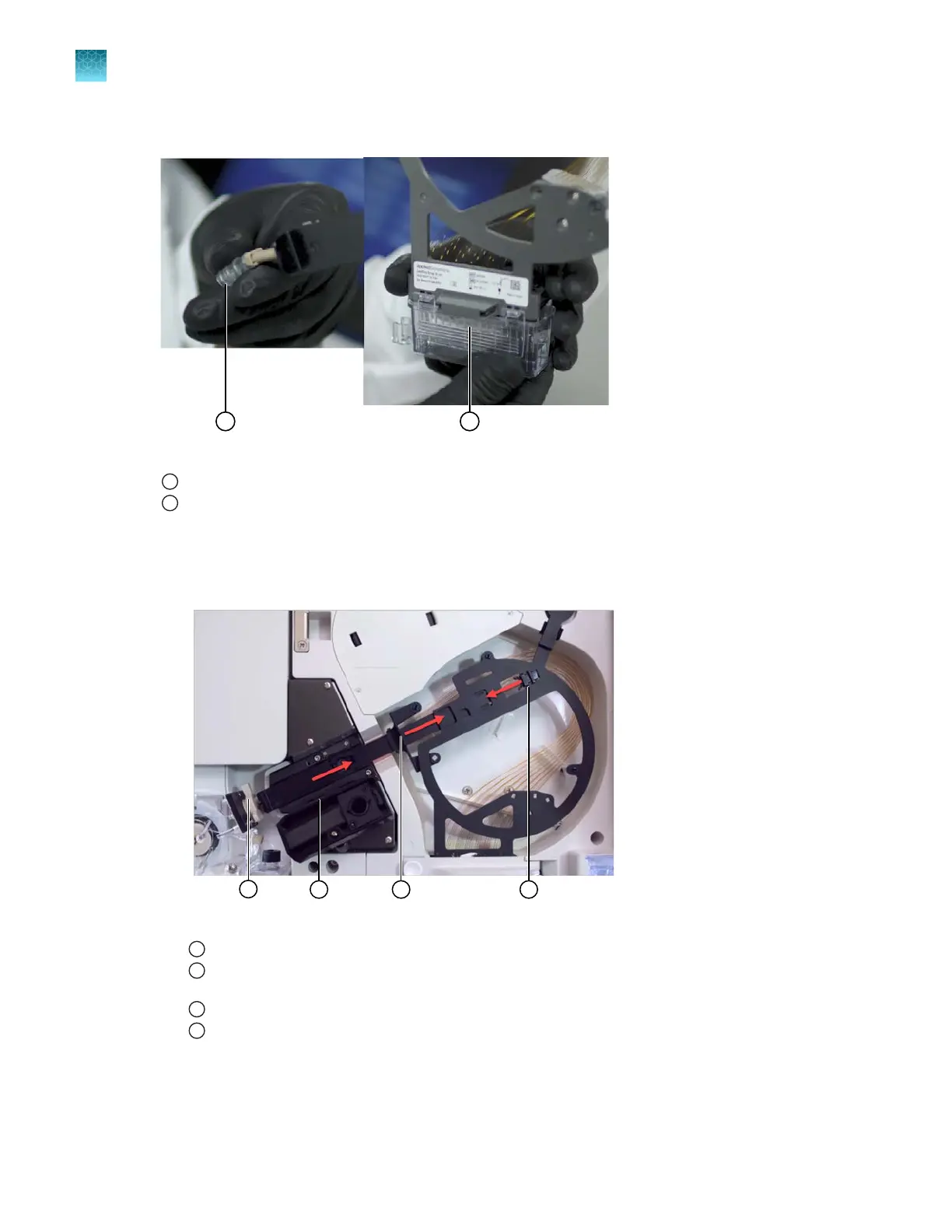
Prepare for array storage: Fill an array tip cover and array electrode cover with purified water.
Figure 67 Array tip cover and electrode cover for the stored capillary array
1
Array tip cover
2
Electrode cover
5.
Remove the capillar
y array:
a.
Loosen the array port lock by turning it ~1/4 turn counter-clockwise until it stops. Adjust it
until the rectangular opening aligns with the rectangular head of the array tip.
Figure 68 Array port lock
1
Array port lock and array-port end of the capillary array
2
Retractable end of capillary array that protects the tip (slides to the right when you squeeze tab 1 and tab 2
t
oward each other)
3
Tab 1
4
Tab 2
b.
Gr
asp the array-port end of the array and ease the tip out of the pump block.
Chapter 13 Maintain the Instrument
Maint
enance wizard procedures
13
422
SeqStudio
™
Flex Series Genetic Analyzer with Instrument Software v1.0 User Guide













 To Next Page