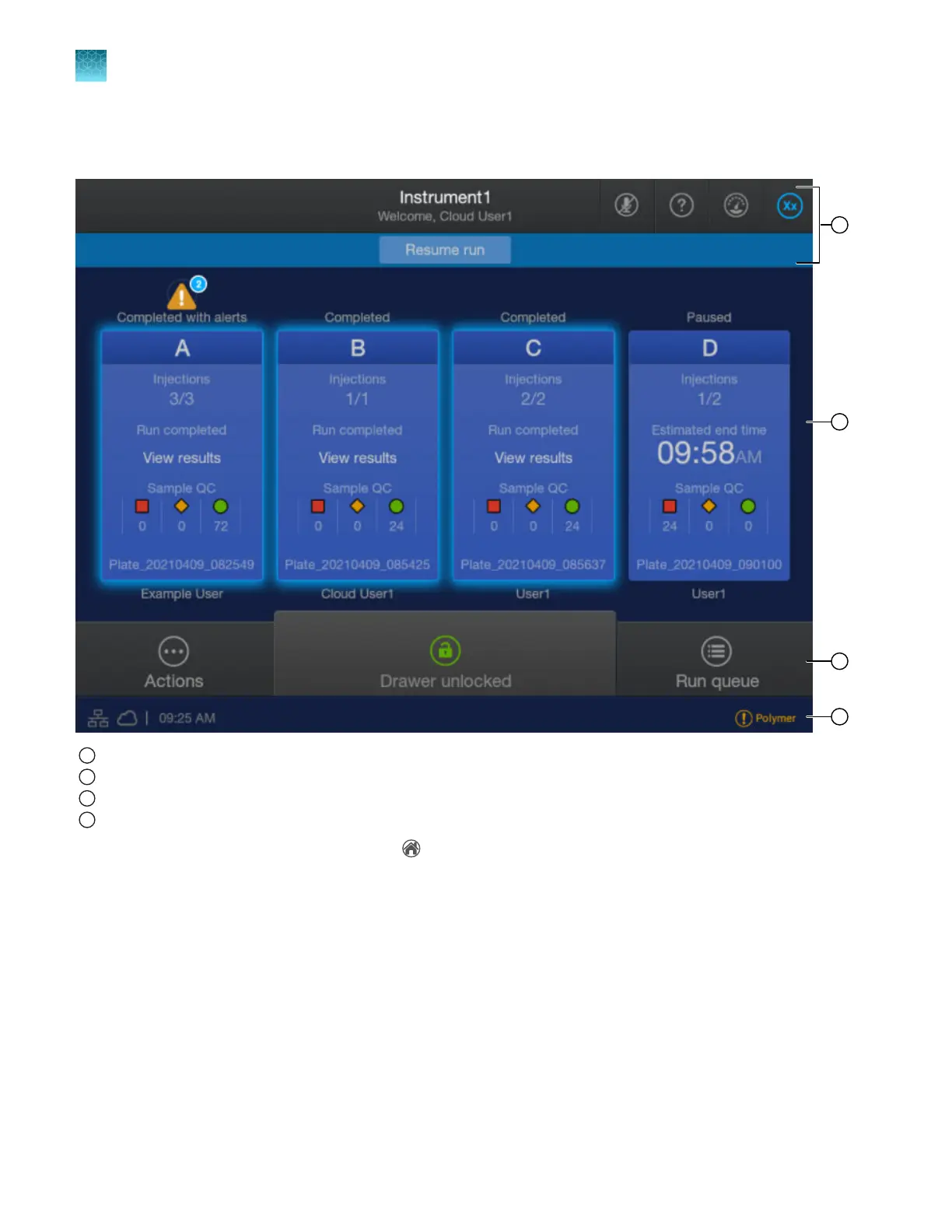
Parts of the home screen
1
Icon bar—See “Icon bar” on page 37.
2
Plate positions—See “Plate positions in the home screen” on page 38.
3
Actions, dr
awer status, and Run queue—See “Actions, drawer status, and Run queue in the home screen” on page 40.
4
Instrument conditions—See “Instrument conditions in the home screen” on page 40.
Many screens in the software include a (home) icon at the top right that allows you to return to the
home screen.
Chapter 1 Product information
About the SeqStudio
™
Flex Series Instrument Software v1.0
1
36
SeqStudio
™
Flex Series Genetic Analyzer with Instrument Software v1.0 User Guide













 To Next Page