BPswitch Operators Manual
107 / 413
i.e. camera control, steamer control, etc.
Macros: for adding, removing, sorting and naming SnapShot & Macro Memories
Macro Row: for assigning SnapShot and Macro Memories to the Macro function
row. (2000 panel only)
Created with the Personal Edition of HelpNDoc: Easy EPub and documentation editor
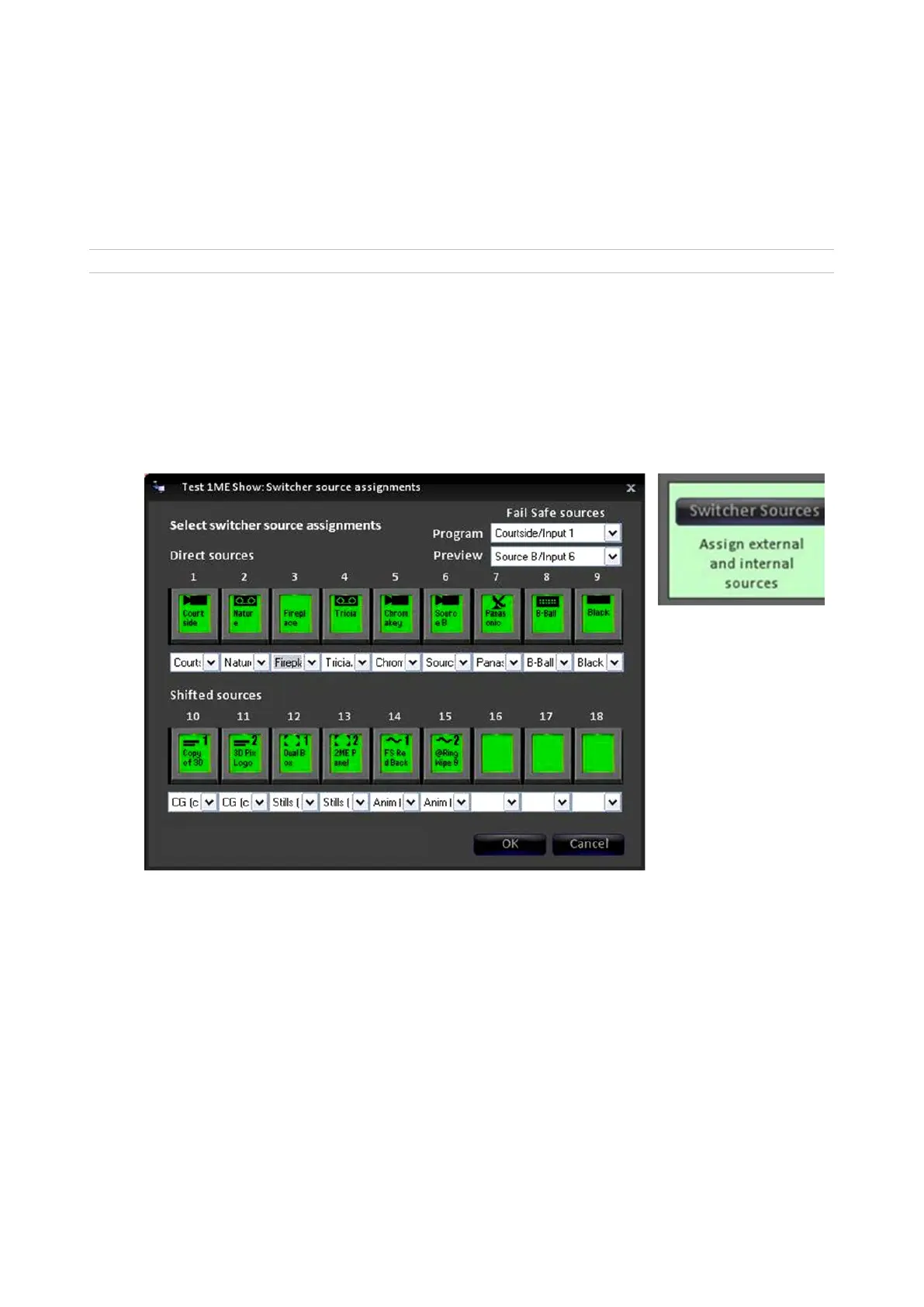
Switcher Sources Assignments
Each show can have unique switcher source assignments. To change them:
On the Show Settings window, click on the Switcher Sources button. The
Switcher source assignments window will open showing all 18 (32 on a 2000
panel) mappable input sources.
Select the source number you wish to
change by clicking on its name. A drop
down menu will appear with all your
available source names, created in the
BPswitch Input Assignments window, in
addition to all the internal clip and graphic
channels.
Select the desired name to map to the
control panel.



 To Next Page