BPswitch Operators Manual
140 / 413
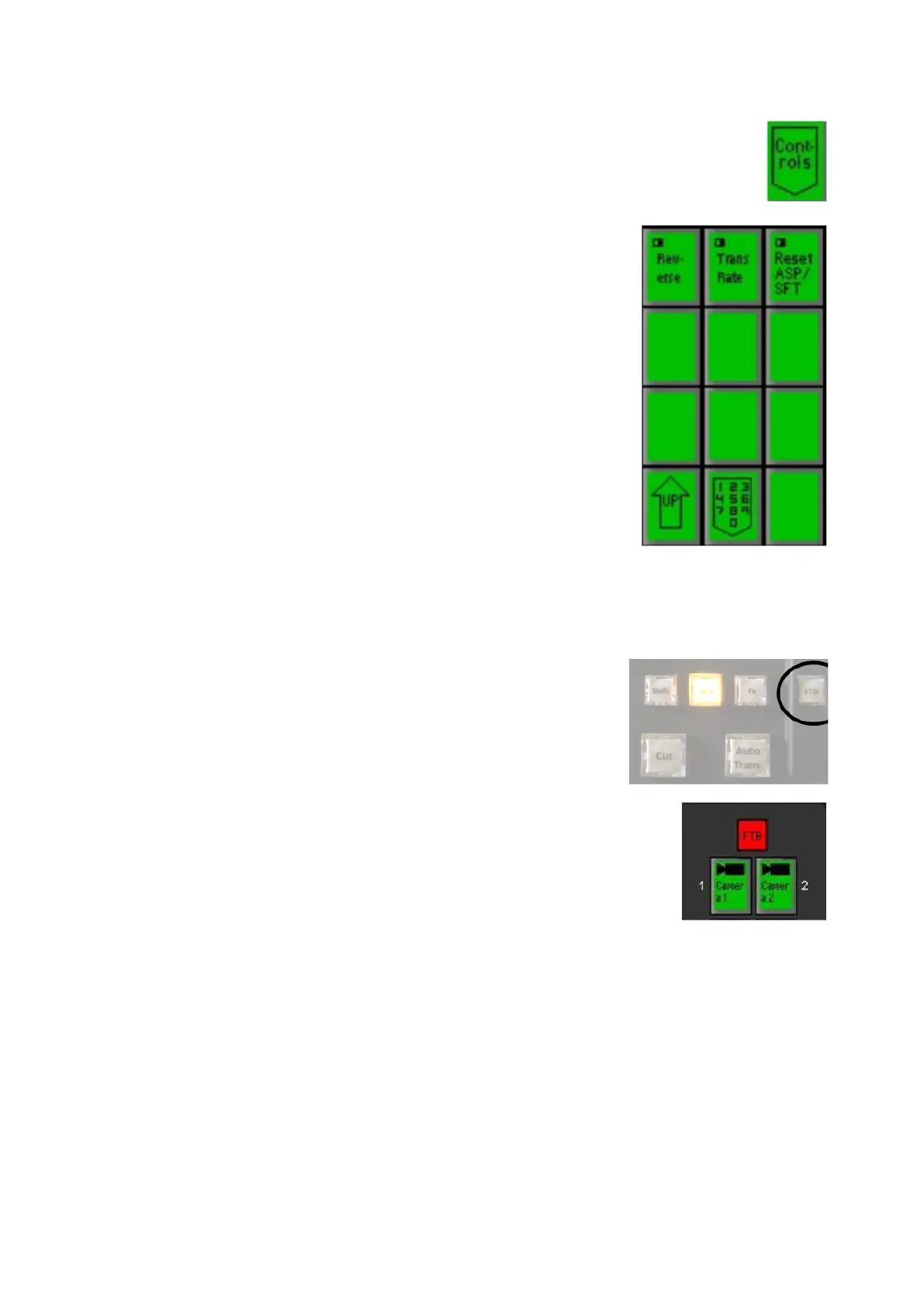
Press on the [Controls] PixButton in the FX PixPad,
as shown on the right.
Press the [Trans Rate] PixButton and a numeric pad
will appear.
Enter the desired fade to black rate with the
[Numbers] PixButtons. As you enter each number it
will appear in the display.
Press the [Enter] PixButton.
To execute FTB on a 500 or 2000 panel:
Press the [FTB] button in the transitions section, as
shown on the right.
The Program output will fade at the selected rate, and
the FTB button will illuminate red and start blinking.
To fade from black, press the [FTB] button in the
transition section, and the button will turn off.
Keys
The BPswitch system combines multiple layers that can include a background
video image and up to 3 overlays, each of which is known as a key. All 3 keys can
hold a graphic, such as a CG, Still or Logo, or a DVE box (Picture-in-Picture)
which can hold a camera, still, clip or any other source.
Any key may hold a Chroma/Luma Key, however only one source at a time may
have a Chroma/Luma key applied, as an option multiple sources can have
Chromakey/Luma keys controls (useful for virtual sets).



 To Next Page