BPswitch Operators Manual
381 / 413
When video sources are taken on and off program, audio
may want to follow the associated video. Instead of manually
controller the audio sliders, sources can be automatically
take on and off air with the assigned video source, as
described in Configuring Audio Inputs step 5.
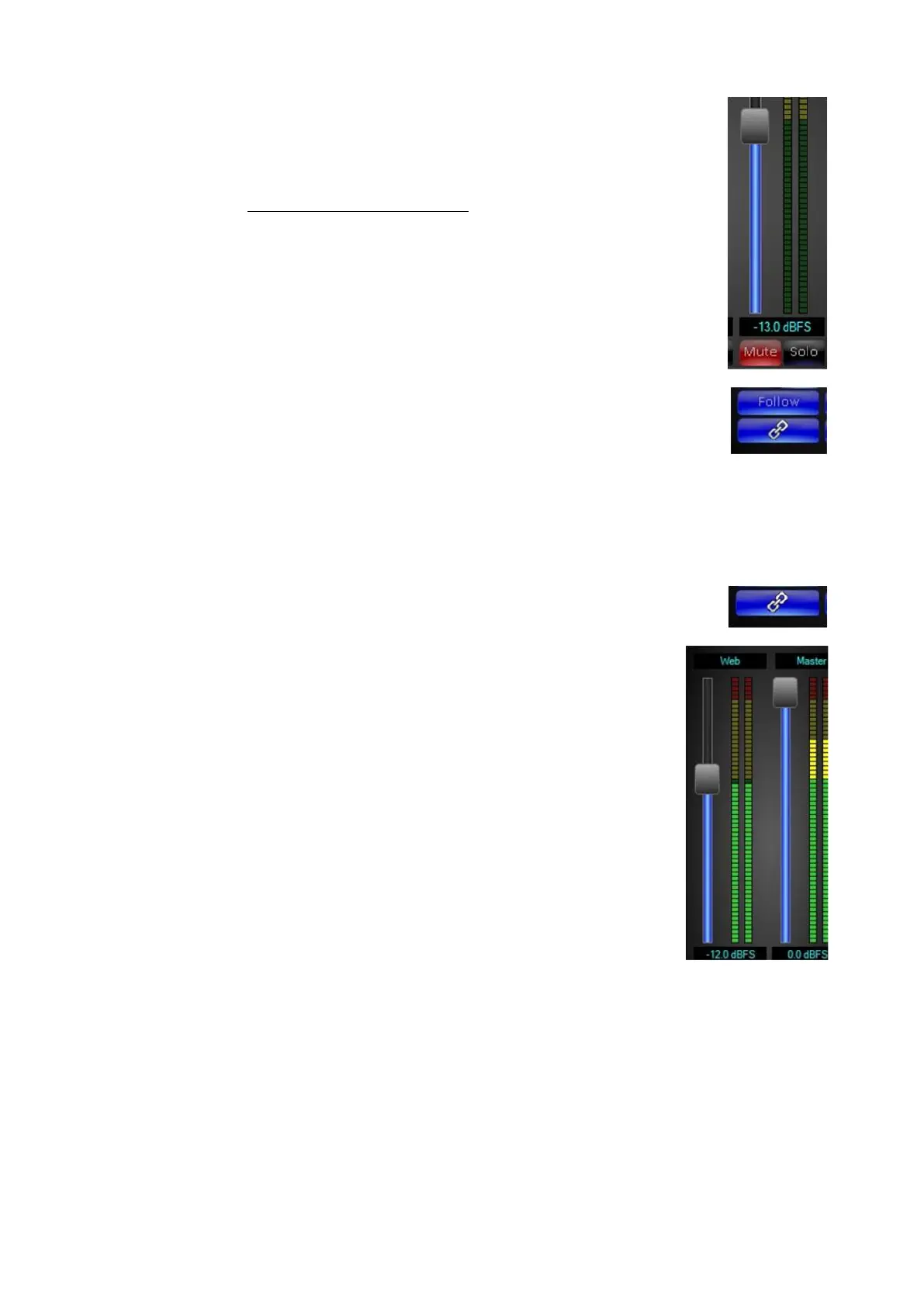
To set the volume that the audio will fade on to, click on the
Mute button, it will illuminate red. (This is to prevent any
audio from accidently going to the output)
Adjust the input slider to the desired level, as shown on the
right.
Click on the Follow button, it will illuminate blue, as shown
on the right, and if the follow video source is off air, the slider
will go off.
Now as the source is transitioned to air, the slider will
respond to the transition rate and fade to the set level. If any
adjustments to the slider are made when Follow is active, the
new level will be used for the audio follow level.
Depending on the type of production, the Master and Web
outputs may want to have the same mix of sources going to
each output. Instead of adjusting 2 mixers, the Master Mixer
settings can be copied or linked to the Web Mixer.
For each source that is desired to be linked, click on the Link
button, it will illuminate blue, as shown on the right.
Now for any channel that has link activated, the same
volume settings will be outputted to the Web Mixer.
NOTE: There are 2 output sliders, one for the Master and the
other for the Web Mixer, even if channels are linked the Web
output slider controls the Web output.
Router Control
As an option any Broadcast Pix switcher can also provide control of the full line of
AJA KUMO SDI video routers, such as the 1604, 1616 and 3232, over a TCP/IP
connection. This feature is designed to integrate with house video routers to
expand the amount of inputs and outputs the system has access to. One video
router is designed to attach to one Broadcast Pix system. Any or all of the inputs
and outputs can be used from the router. Control can be through a control panel,
the Multi-View or through a Macro.



 To Next Page