BPswitch Operators Manual
191 / 413
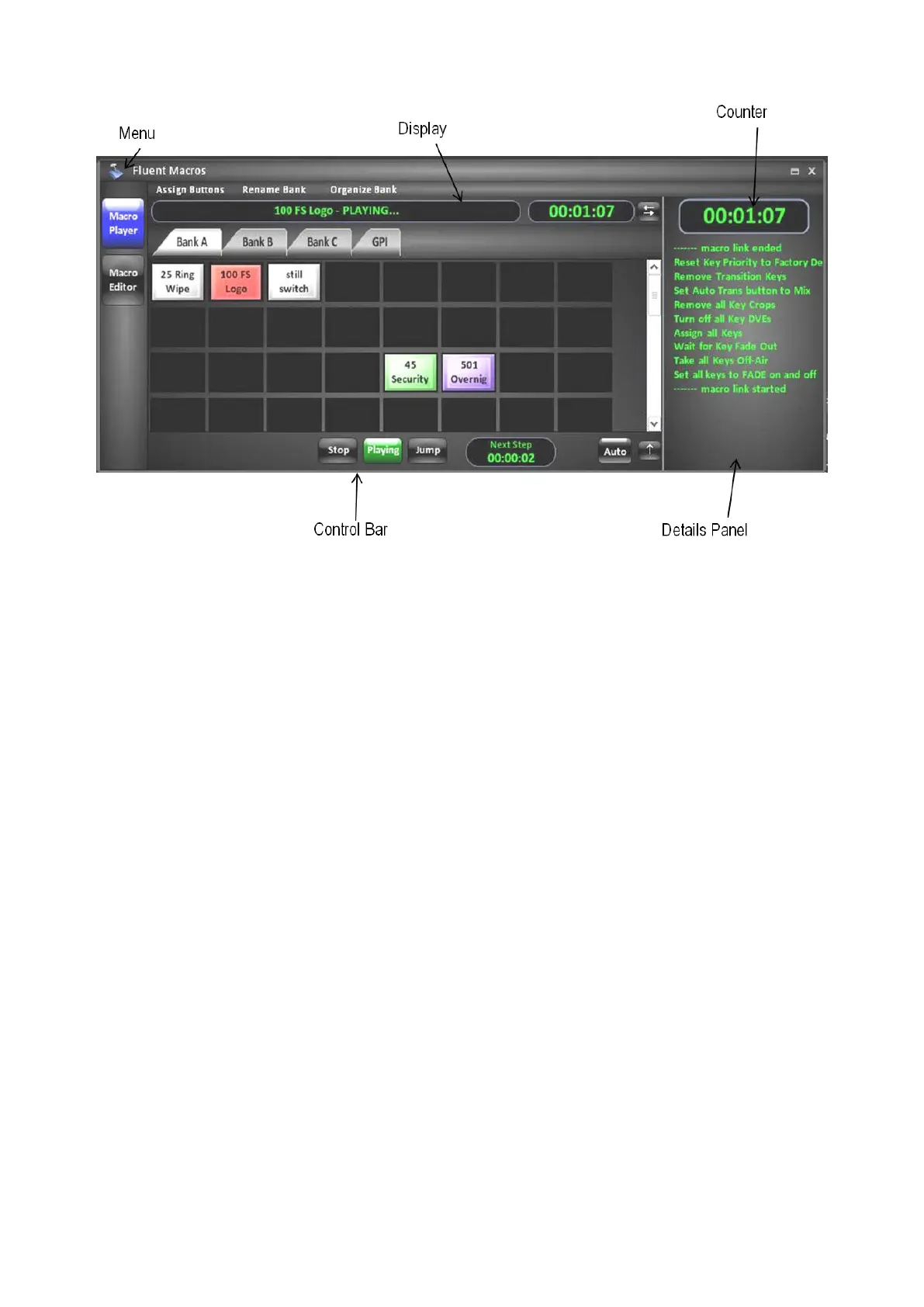
Menu
Contains the available settings for Macros.
Toolbar
Contains available tools to assign and arrange a Macro Bank.
Banks
Contains 4 assignable banks of macros. Banks A, B and C can be renamed,
whereas the GPI Bank is designated for Macros to be triggered from an external
General Purpose Input trigger. Up to 100 macros per bank can be assigned
Counter
Displays the running/elapsed time of the active macro.
Display
Shows the active macro file name and status information.
Details Panel
Shows user notes that were saved within the Note field of a Macro.
Control Bar
Contains the available tools to playback/control a macro.
Opening the Macros Interface
The Fluent Macros window can be launched from the BPswitcher menu bar. The
Macros window does not have to be open/active to playback macros from the
control panel.
To open the Macros window:
In BPswitcher select the Panel drop down menu.



 To Next Page