BPswitch Operators Manual
123 / 413
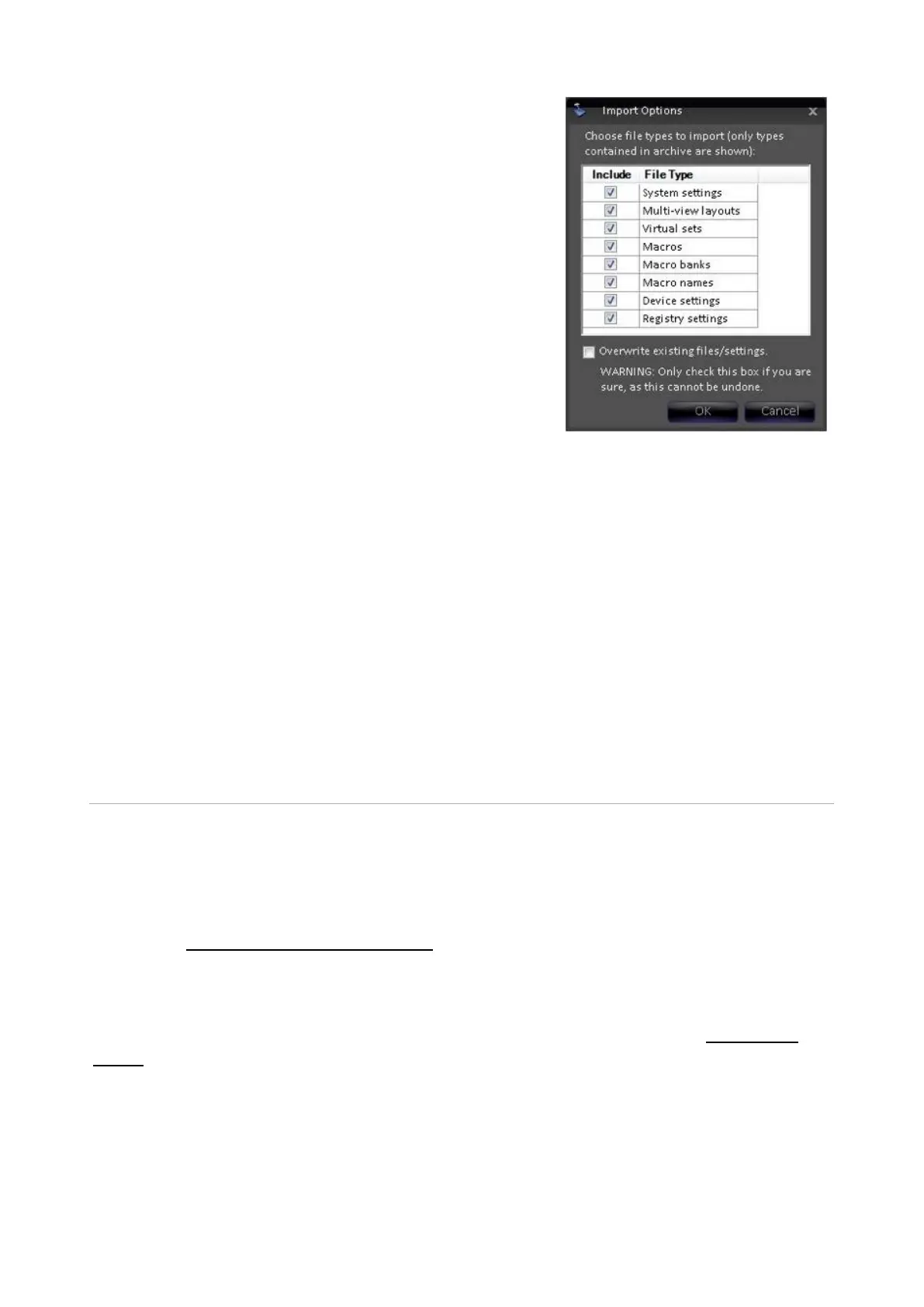
Select the desired files by placing a check mark
next to System settings, Multi-View layouts,
Virtual Sets, Macros, Macro Banks, Macro
names, Device settings, Registry settings,
VOX projects, Commander projects, and/or
Commander Images.
If all the options are not listed, then the
exported zip file never was told to export those
file types.
If desired the Overwrite existing files/settings
option may be check, this will delete any
existing file with the same name and replace it
with the exported file.
This option is not undoable.
Click on the OK button.
A progress bar will appear, depending on how
big the content files are the export can take
several minutes.
When finished, an Import successful message
will appear, click on the OK button. It is
recommended to restart the application after an
import.
Digital Production Switcher
The BPswitch system contains a powerful production switcher. The switcher’s
operation is described in this section, including sources, transitions, keyers and
fail-safe operation. Operation works the same way from either a physical control
panel or a SoftPanel. Many switching functions can also be run from the Multi-
View, see Switching on the Multi-View.
Switcher Controls
When you launch Broadcast Pix Switcher and a show is loaded, see Running a
Show, the switcher controls fill in on the panel as shown below.



 To Next Page