BPswitch Operators Manual
406 / 413
Appendix
Updating the Broadcast Pix Software
Broadcast Pix systems may be easily updated with new enhanced software that
may be provided from time to time by Broadcast Pix. It is recommended to
download the appropriate software on another workstation and copy the zip file via
USB drive, and not connect the Broadcast Pix system to the internet.
To Download New Software:
Register your unit by going to http://www.broadcastpix.com/support.html,
where you will have access to the customer download page.
Download the current version of Broadcast Pix Software.
Prior to uninstalling your existing version of Broadcast Pix Software, make sure all
Broadcast Pix programs are closed.
To Uninstall the Existing Software:
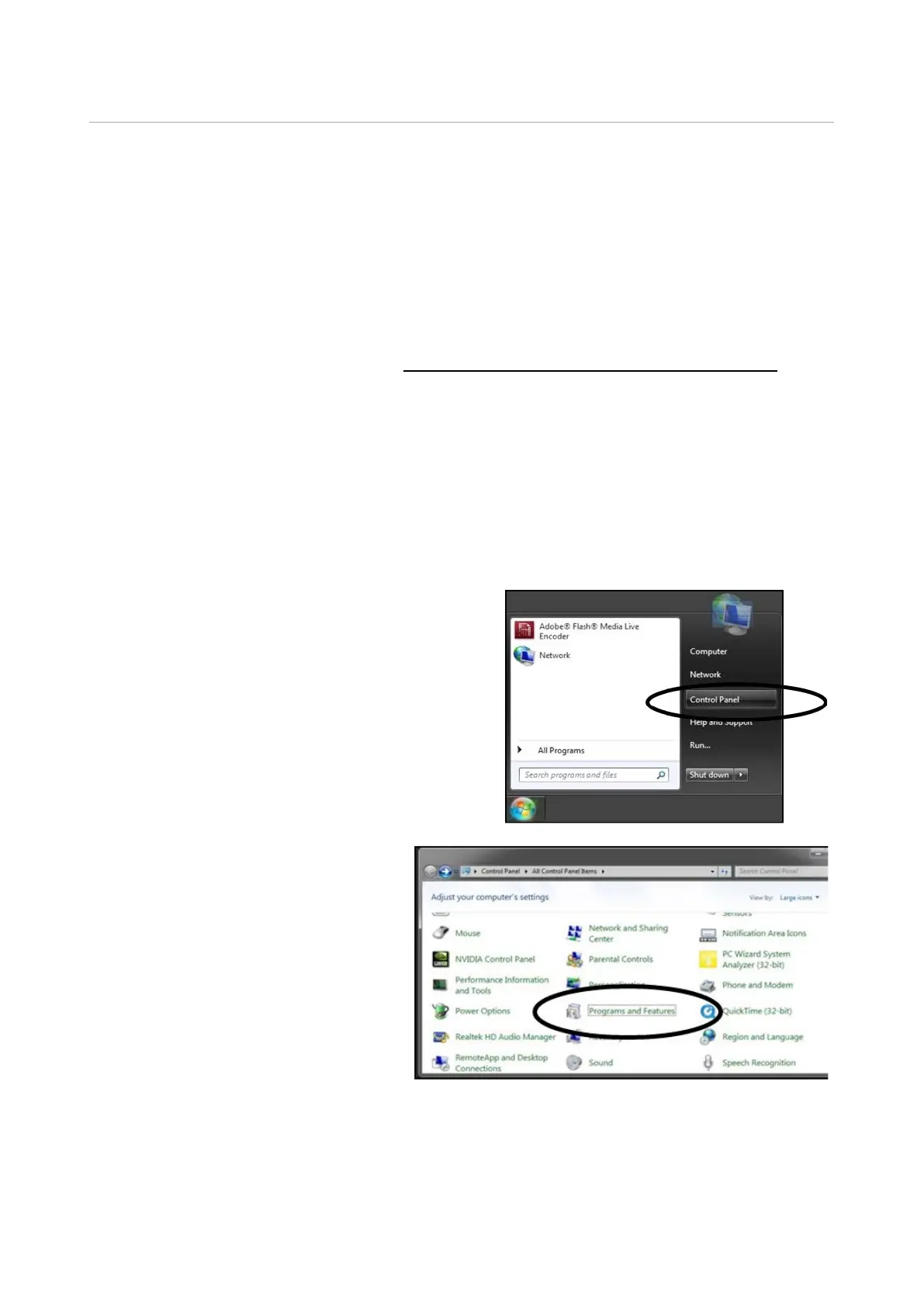
In the start menu, select
Control Panel, as shown to the
right.
The following window will
appear. Double-click on
Programs and Features, as
shown to the right.



 To Next Page