BPswitch Operators Manual
362 / 413
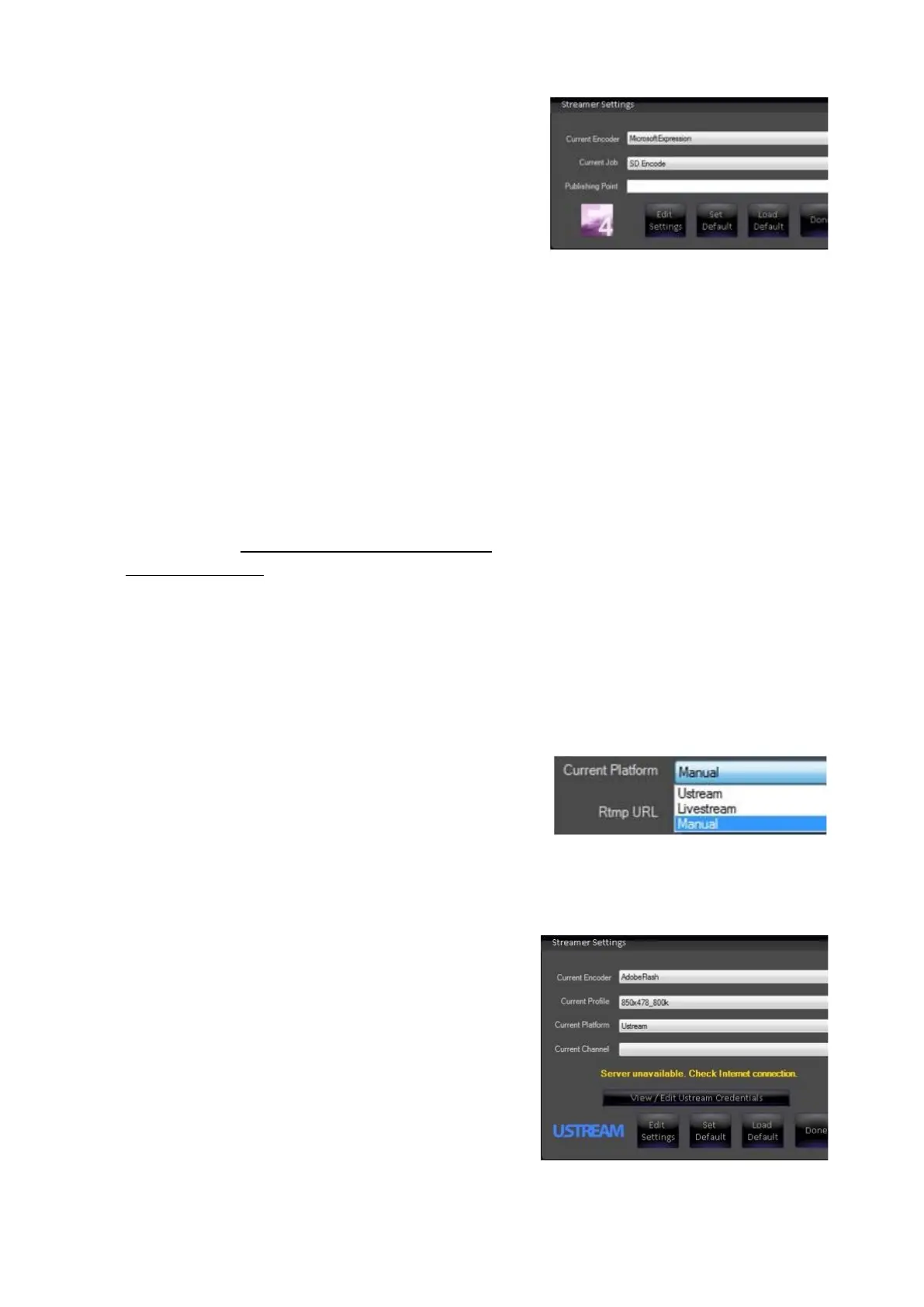
The newly created/modified job will now be
visible in the Streamer Settings window under
the Current Job drop down menu.
When a Job is selected the Publishing Point
address will appear.
Once the desired stream Job has been
selected, there is no need to
open the encoder
application.
Logging in with a Ustream Account
If your CDN is Ustream, automatic login and
access to all your channels is provided with a
simple authentication process. These steps
do not require you to enter the RMTP
address or Stream Key in Adobe Flash,
however all other compression settings
described in Creating a Flash Media Live
Encoder Profile will need entered.
In the Streamer Settings menu, select Adobe
Flash under the Current Encoder drop down
menu.
Select the desired saved profile under the
Current Profile drop down menu.
Under the Current Platform drop down
menu select the Ustream option, as shown
on the right.
The Streamer Setting menu will change to
display Ustream specific settings, as shown
on the right.
Click on the View/Edit Ustream Credential
button.
In the Ustream Credentials window, enter the
User Name and Password from your
Ustream account, as shown on the right.
You may enter the assigned User Name for
the account or the email address associated
with the account.
NOTE: Broadcast Pix does not display nor



 To Next Page