BPswitch Operators Manual
81 / 413
NOTE: It is recommended to restart the Broadcast Pix Switcher application when adding,
removing or arranging a lot of content to prevent stability issues, if you are using the PixMaster
Show Editor function
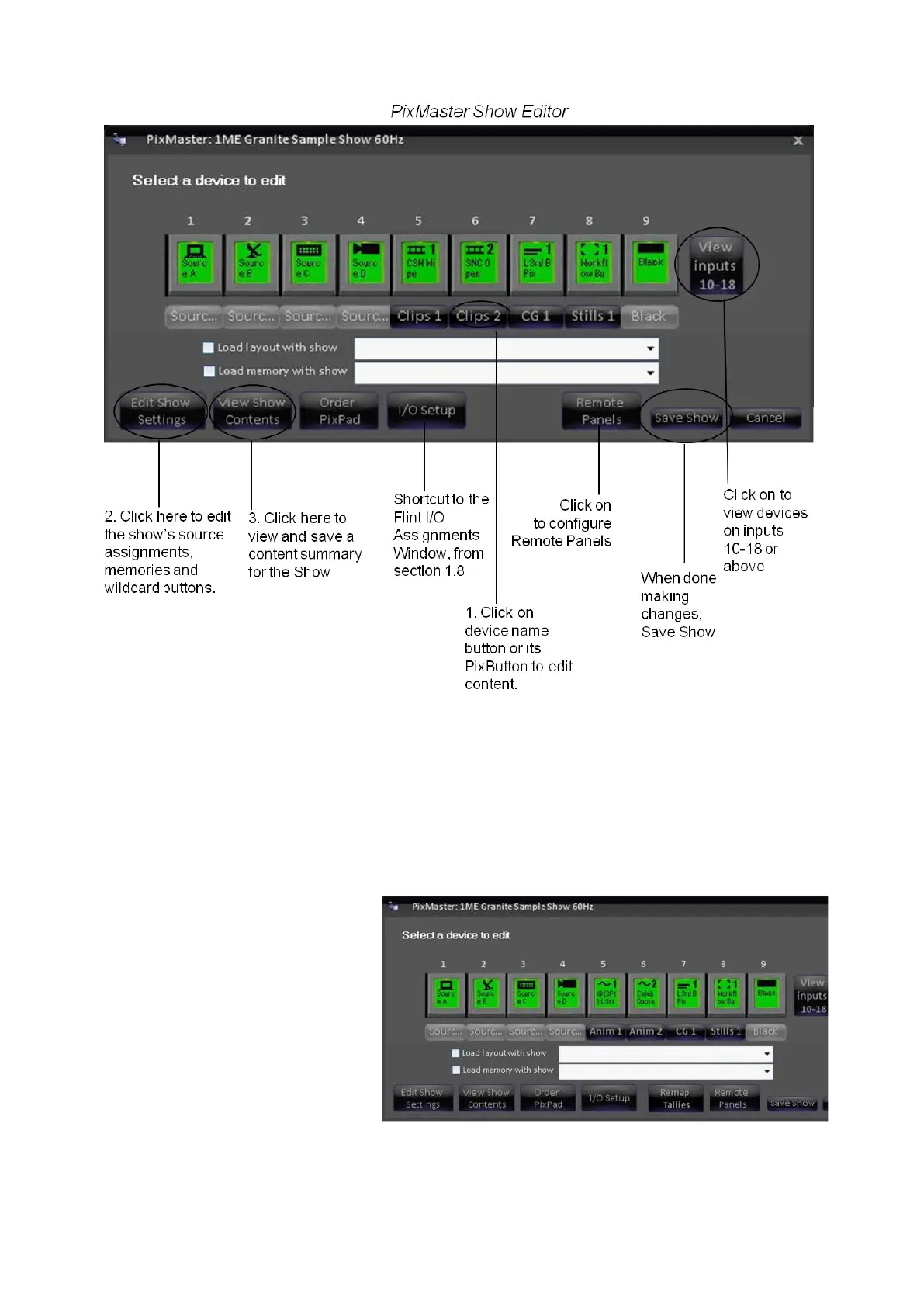
Editing a Show's Content
Select the device whose content you wish to edit by clicking on its PixButton or
name below the PixButton and its content window will open.
For example, if you click on
Clips 1 its Content Window for
this show will open.
The content window, in this



 To Next Page