BPswitch Operators Manual
23 / 413
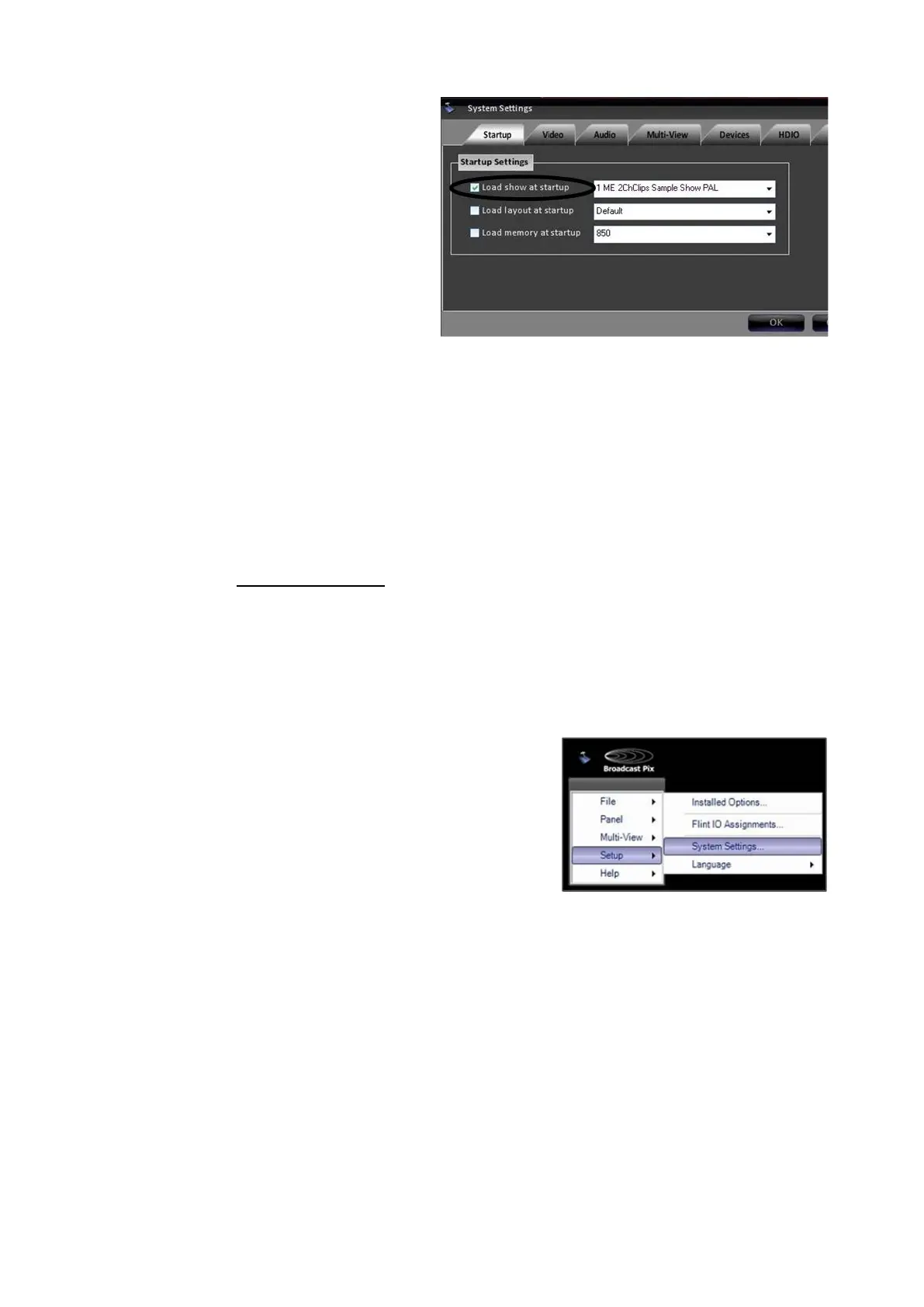
menu and selecting your desired
Show id the drop down list.
Click OK in the System Settings
window.
To have no show auto-load on startup:
Uncheck the box labeled Load show at
startup in the System Settings window.
Selecting between 60 and 50 Hz
As described in Running a Show, when first launched the Welcome Screen allows
you to setup the system with the correct video standard (NTSC / 60 Hz in most of
the Americas and Japan and PAL / 50Hz in Europe and other countries). The
system may be switched between 1080i/59.94 Hz and 1080i/50Hz at any time.
To change between 60 / 50 Hz:
In BPswitch, click on Setup and
a drop down window will appear,
then select System Settings…
as shown on the right
The System Settings window will
appear, as shown below.
In System Settings window, click
on the Video Tab, which will
bring up the various video
settings.
Select either the 1080i/59.94 or
1080i/50 radio button under the
Video Standard section.
A status message will appear,
asking to restart the application.



 To Next Page