BPswitch Operators Manual
110 / 413
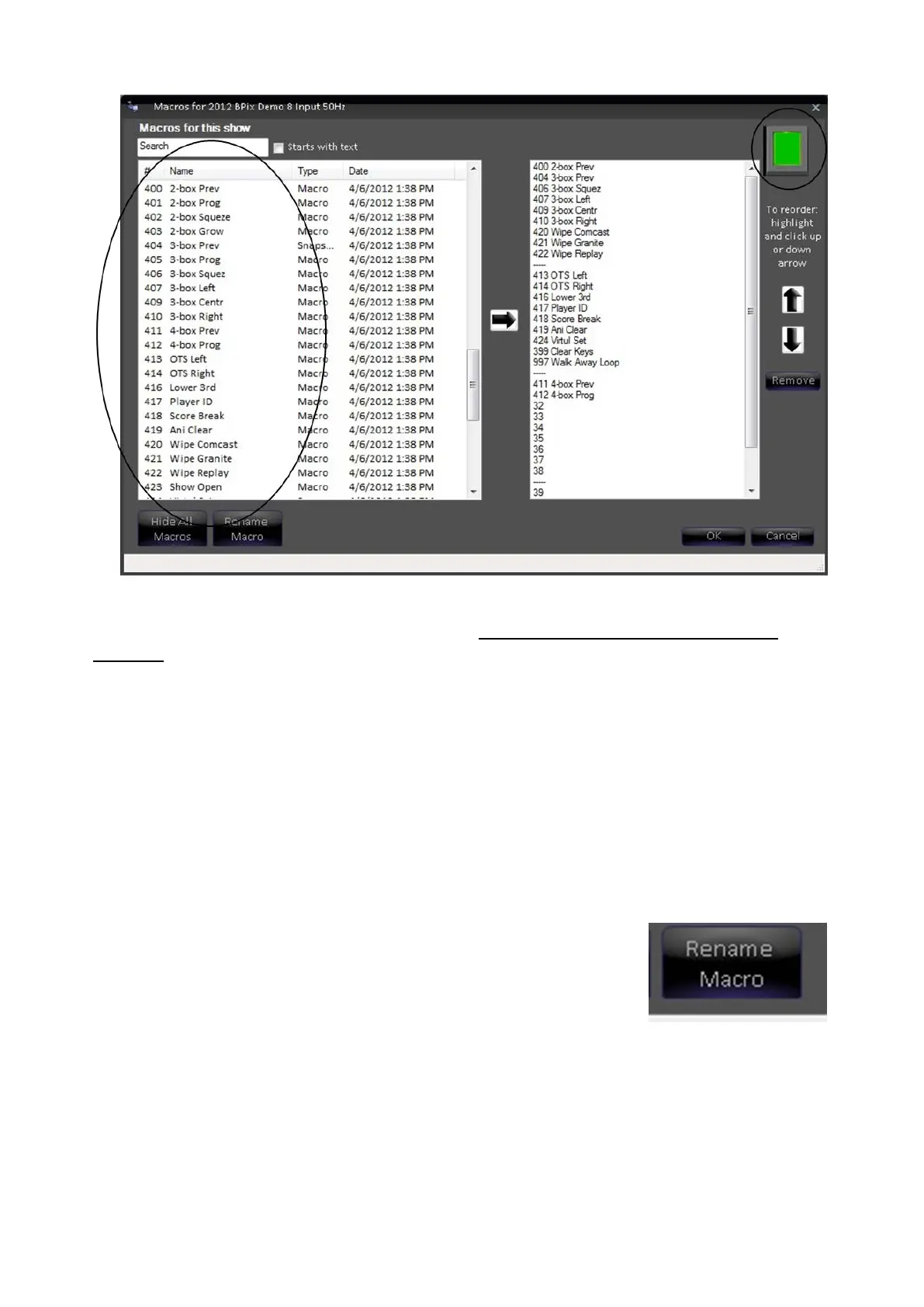
For moving memories into a show and organizing them, this window works same
way as the clip or still content window (see Reordering, Adding, or Removing
Content). The only difference here is that as you select each memory you can see
its PixButton in the upper right corner.
Global Naming of Memories
Caution: memory naming is a global function and will affect all memories in all shows. Whatever
name and PixButton image you choose will be used on all shows.
To name a memory:
Navigate to the expanded Memory
window shown on the previous page.
Click on Rename Macro button, as
shown on the right.
The Edit Memory window opens.
Fill in the name you wish to give the
Memory, in the Name for macro #x
field.
If you leave the Use name on
PixButton box checked, the name you
entered will be put on the PixButton



 To Next Page