BPswitch Operators Manual
382 / 413
Router outputs/destinations feed into Broadcast Pix inputs and the control allows
the attached Broadcast Pix input to be switched to any input available on the
router, in addition labels assigned to sources also can be viewed on the Multi-View
as under monitor displays. Router Control requires a System Option Code, see
Installing System Options for more information. For more information on how to
configure and operate the KUMO router please refer to their manual.
Installing Router Control
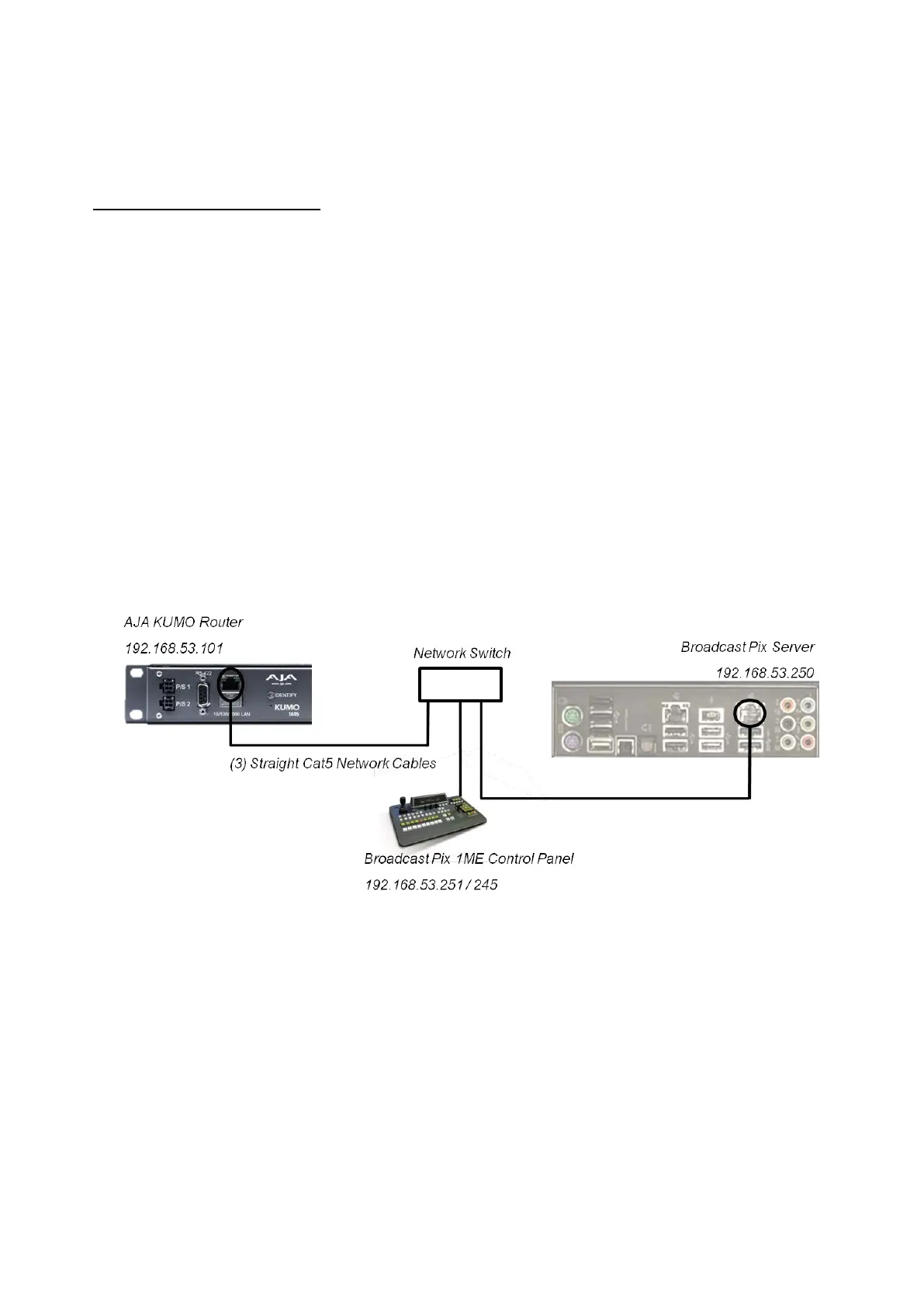
Control is through individual Cat5 – TCP/IP connections to each device. The
control can either be connected to the Broadcast Pix Control network card (with
the Server and panel) using a network hub or on the secondary network card with
your ‘house’ network.
If connecting to the Broadcast Pix Control (NIC 2 on the Server as shown below),
the 192.168.53.XXX subnet must be used. If using the other NIC card, it may be
configured with custom network settings.
To configure the router with a valid IP address you may use the Broadcast Pix
Server to find the IP address using UPnP service in Windows and double-clicking
the KUMO in the Network Device list. Please refer to the KUMO manual on how to
change the default Static IP address.
Sample wiring diagram:
Not all outputs from the router need to feed into the Broadcast Pix and not all or
even any outputs of the Broadcast Pix need to feed back into the router. The
installation can be completely customized to fit the production needs. Some
sources may feed the Broadcast Pix directly without the need to going into the
router, if desired. At least one output from the router needs to feed into a
Broadcast Pix input.



 To Next Page