BPswitch Operators Manual
339 / 413
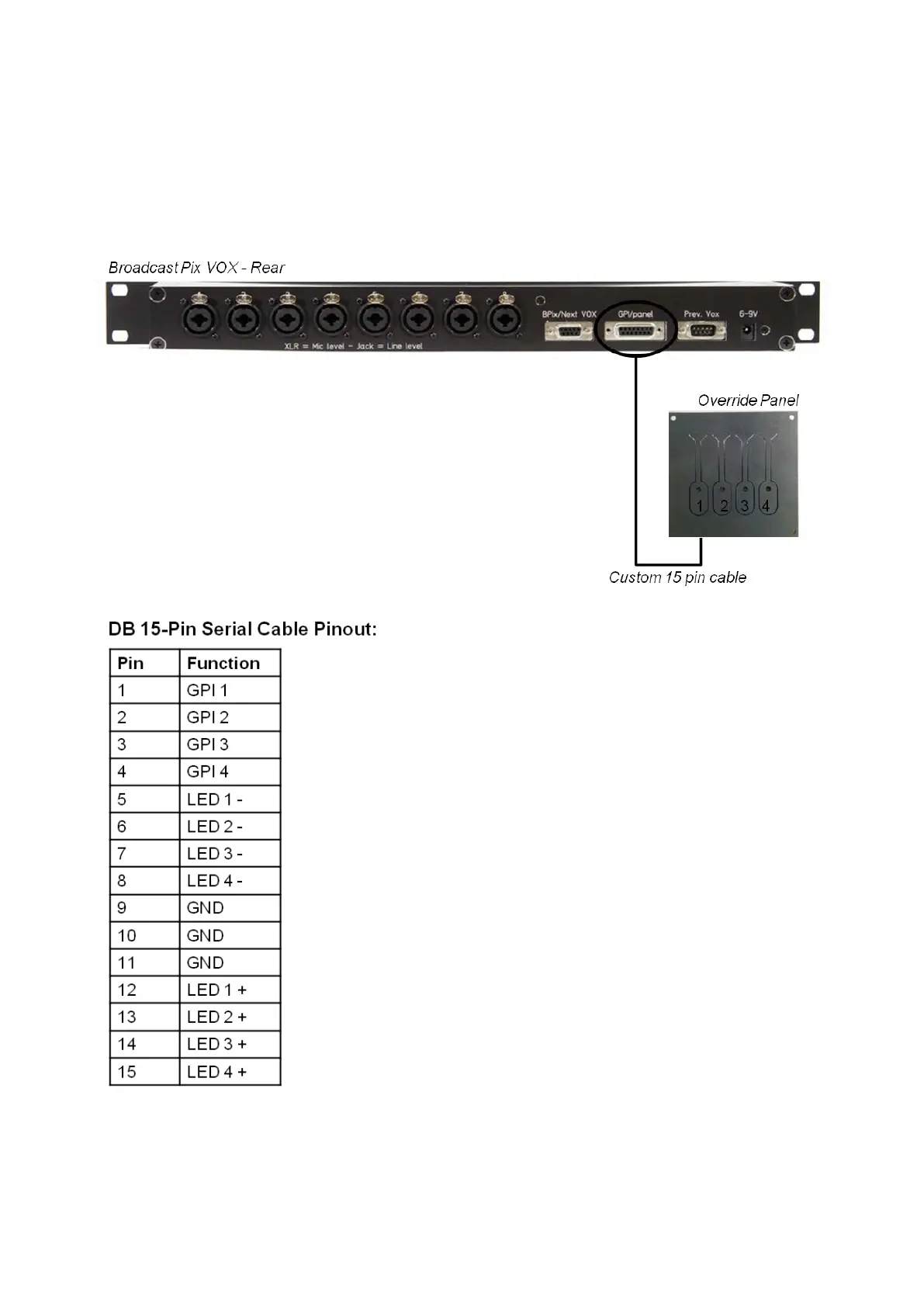
override the system and run a pre-defined Macro. Each VOX unit comes with an
override panel which is connected to the 15 pin GPI/panel connecter on the rear
of the VOX unit. The panel is designed to be flush-mounted to a desk or to a table
top box. A custom override button panel may also be made and connected to the
same port using the pinout listed below. There are 4 GPI buttons and 4 LEDs,
which give status depending if a Marco is defined/running/paused.
Installing Multiple VOX Units
Up to 13 VOX units may be connected for a total of up to 104 cascaded audio
inputs. The Prev. VOX 9 Pin connector is the loop output from the first VOX unit,
which is then connected to the Bpix/Next VOX 9 Pin connector on the second unit



 To Next Page