BPswitch Operators Manual
298 / 413
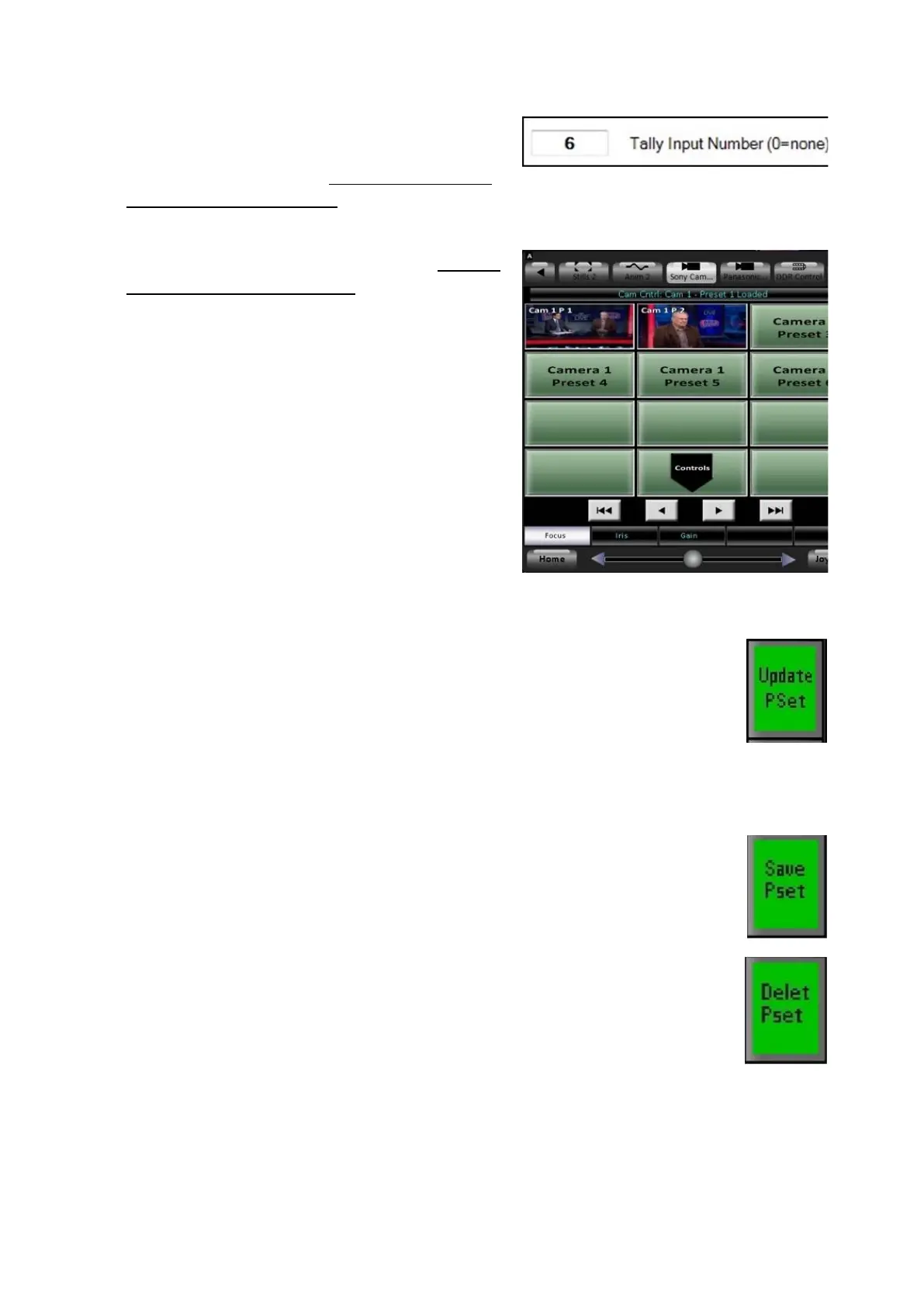
Ensure that the camera tally is assigned for
each camera under the Tally Input
Number text box, see Changing Camera
Control Device Settings.
Save your presets as described in Setting
Camera Preset Positions.
As soon as a preset is saved, the Fluent-
View PixPad will display the corresponding
preset thumbnail, as shown on the right.
If not already active, click on the Camera
Control device button on the Fluent-View
PixPad, and select the Camera #.
To delete a preset thumbnail:
In the Controls PixPad, press the [Update PSet] PixButton,
as shown.
In the Preset PixPad, press the desired [Preset X]
PixButton.
Press the [Save Pset ] PixButton 2 times, as shown on the
right.
Note: The Save Preset PixButton will change to a Delete
Pset PixButton.
The thumbnail on the Fluent-View PixPad will be removed
showing the generic Camera X, Preset X label.
Hitachi Camera Control Settings
The Hitachi Camera Control option can adjust many parameters, from panning
speed and travel limits to white balance and other camera setups.



 To Next Page