BPswitch Operators Manual
387 / 413
SoftPanel can be used (or visa versa). Only 1 panel can be used at a time unless
optional additional panel-licenses are purchased to support simultaneous multi-
panel operation. Each system has 4 Panel Licenses standard, which allow you to
run physical control panels, SoftPanels, iPixPads on iPhones/ iPod Touches
and/or iPixPanels on iPads.
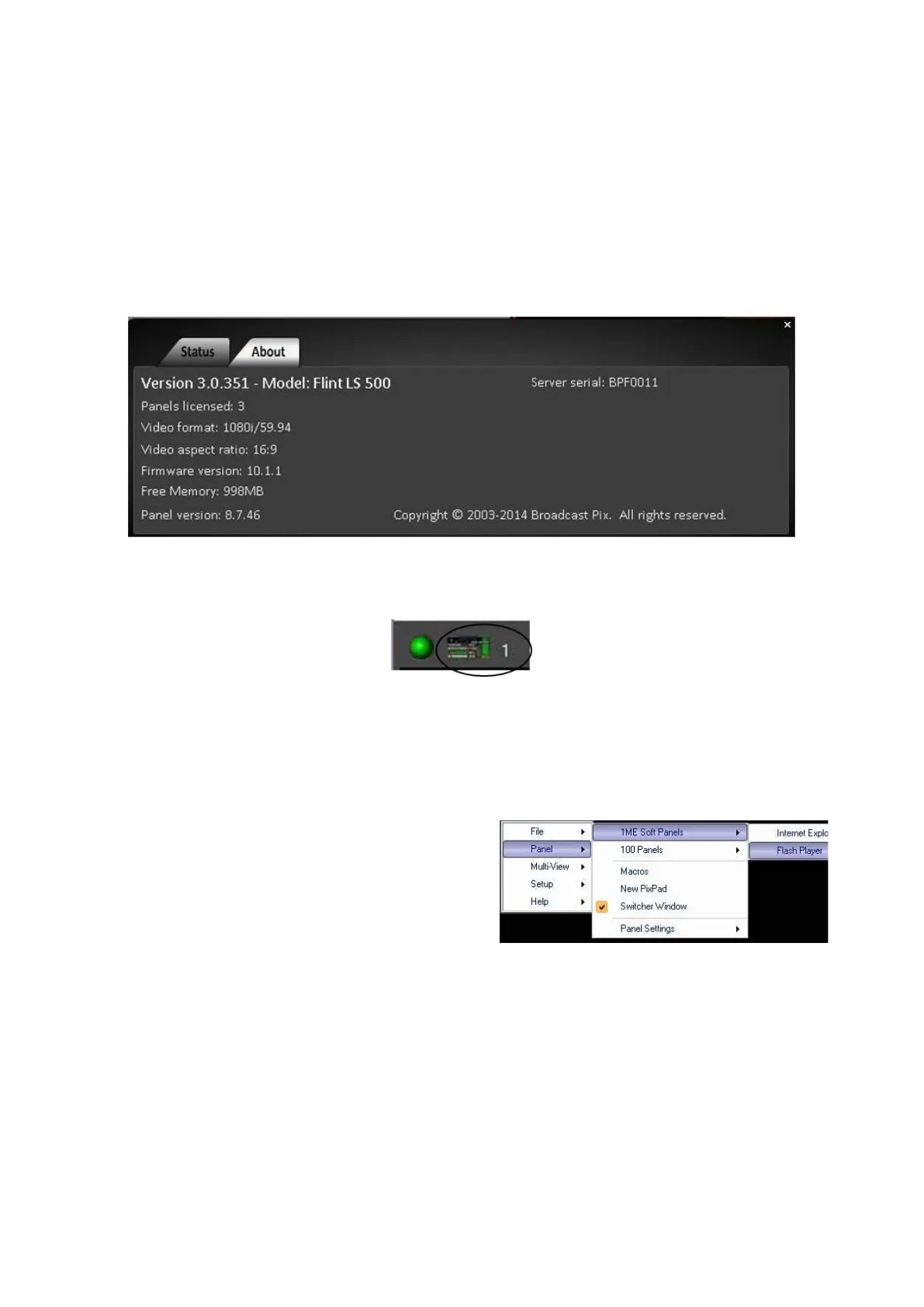
To see how many panels your system is licensed for, in BPswitcher, click-on the
Help drop down menu and select About, and the About Window will appear. In
this example there are 3 licensed panels.
To see how many panels are connected to your system, the Multi-View status bar
shows you how many panels are currently connected, as shown below.
Opening a SoftPanel
A SoftPanel is a virtual control panel, that can be used in conjunction or in place of
the physical control panel. It is displayed on any VGA/DVI monitor output and be
resized and zoomed to fit any size screen.
In BPswitcher, click on the Panel drop
down menu.
In the drop down menu that appears,
select either Chrome or Flash Player.
The 1ME SoftPanel will appear, and
your panel indicator will increase by
one.



 To Next Page