BPswitch Operators Manual
94 / 413
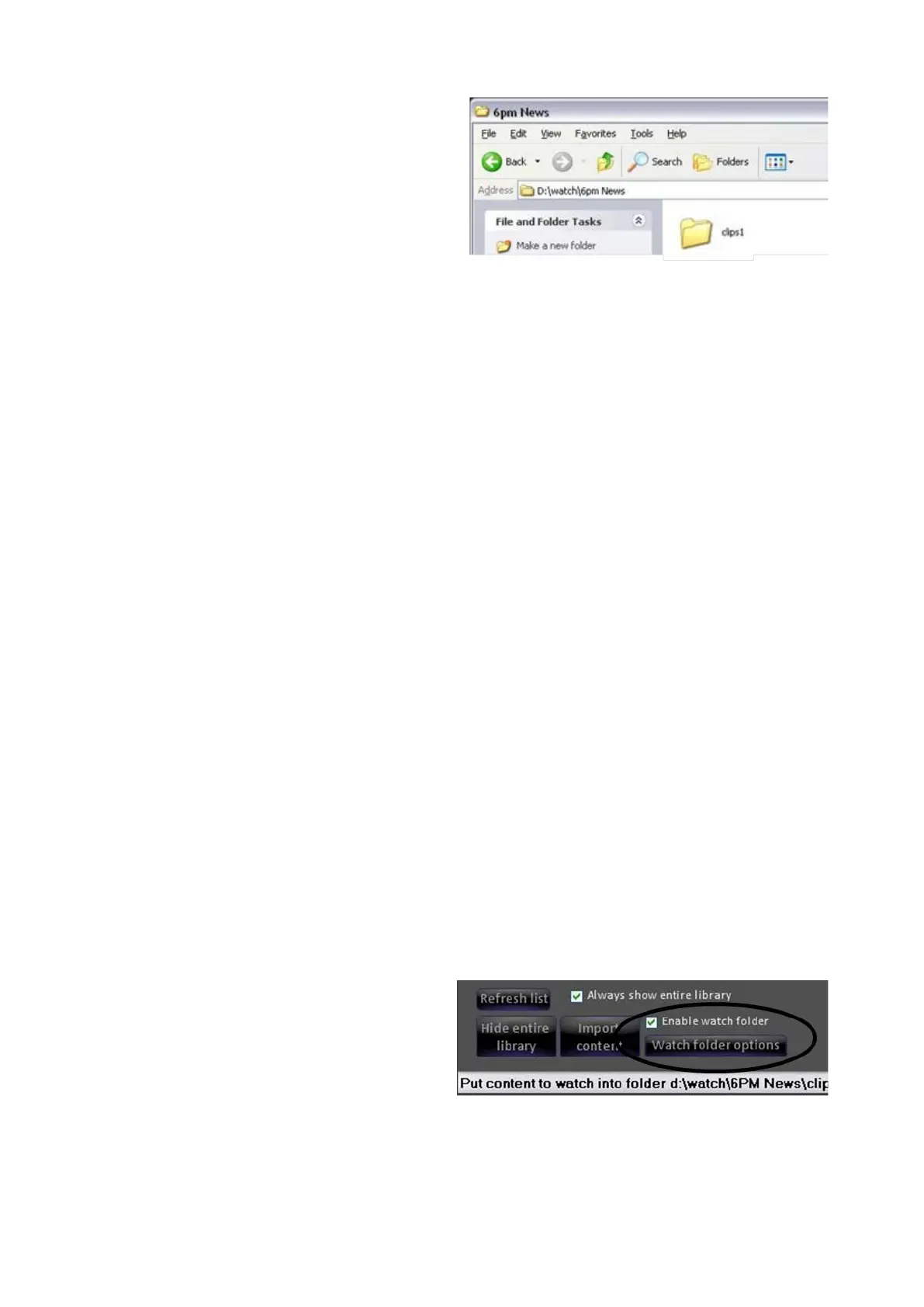
this case 6pm News). The active
devices and channels will appear,
as shown on the right
Copy the desired file to the desired
device channel.
Cloud-Based Watch Folders
Cloud-based storage providers, like Dropbox, Google Drive and Microsoft
OneDrive, provide storage in the cloud for your files and most of them provide
some amount of free storage. All Broadcast Pix systems have the ability to tap into
these cloud-based hard drives to allow you to transfer clips and graphics for
productions from virtually anywhere in the world. Imagine going home and
forgetting to upload a graphic for tomorrows production or image a news reporter
snapping pictures of breaking news, in both scenarios that content can be pushed
directly to a Broadcast Pix watch folder, ready to be accessed by any show. A
Dropbox, Google Drive or Microsoft OneDrive account and access to an Internet
connection is necessary to use this feature, contact their support for more
information.
Similar to the Watch Folders on local Broadcast Pix Server, these secondary
watch folders are show-specific and each device and channel may have a watch
folder enabled. For any show the maximum number of secondary watch folders
that may be enabled is 8, one for Clip 1, Clip 2, Logo 1, Logo 2, CG 1, CG 2,
Stills1 and Stills 2.
In addition, this secondary Watch Folder allows any other mappable network
folder to become a watch-folder. This is useful for having a screening station on a
separate PC scanning for viruses then having the content moved to the Broadcast
Pix system, without using extra resources locally.
Both the local and networked watch folders may be active at the same time,
however the networked watch folders are only enabled when the local watch folder
is enabled in PixMaster Show Editor.
To Enable Additional Watch Folders:
In a device’s content window, place
a check next to the Enable watch
folder checkbox, as shown on the
right.
Now both the local and remote
watch folders are enabled.
In the content window, click on the
OK button to close it and click on



 To Next Page