BPswitch Operators Manual
42 / 413
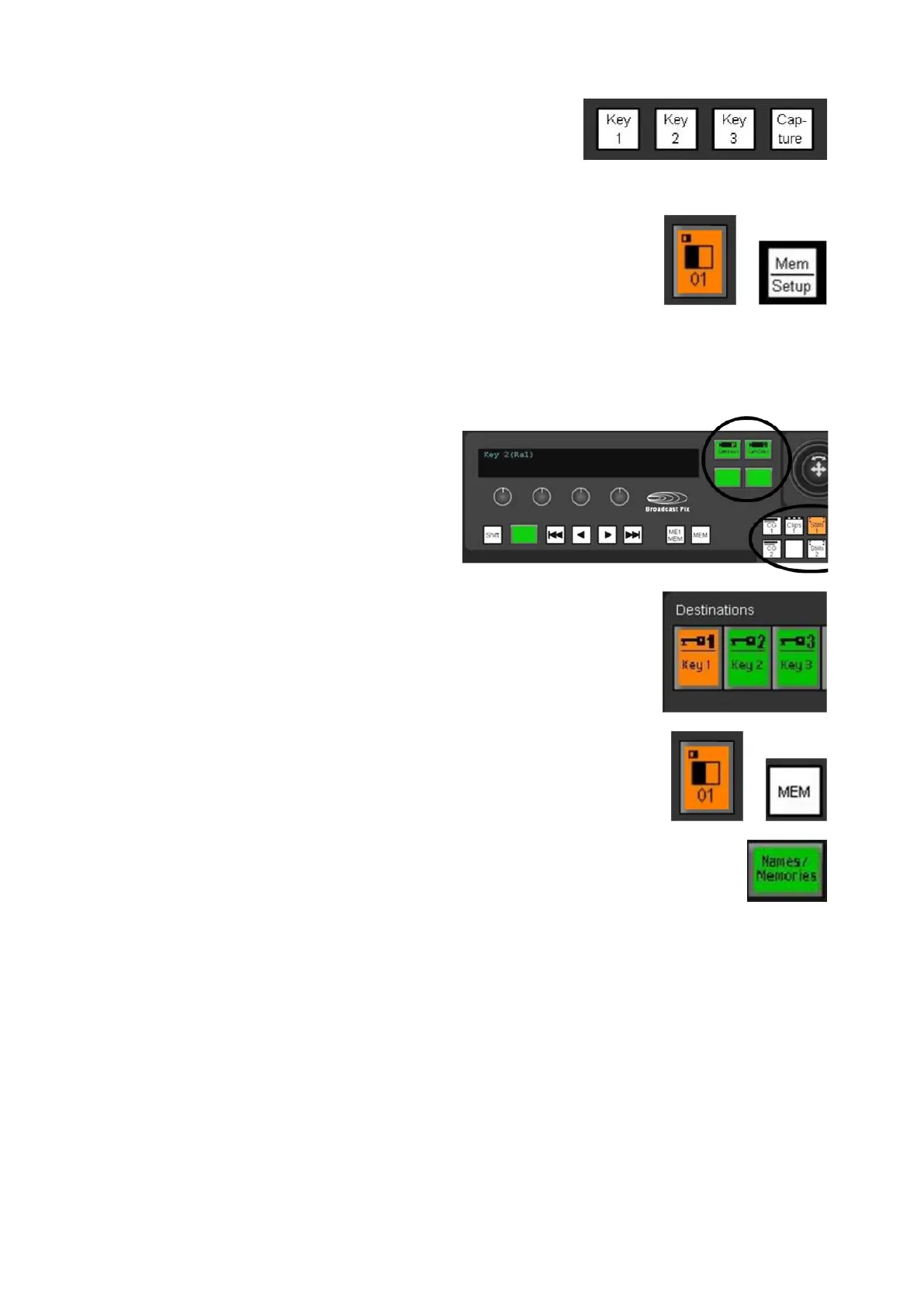
- One Source Controls button
1 Effects button
1 Controls button
1 Memory/Setup button
3 “Wildcard” Device PixButtons
- To control external cameras and servers
2000 Device Control:
The entire bank of device controls can be assigned by any of the buttons below:
8 Content Devices
- The device controls are assigned to
most devices by using the 8 permanent
device selection buttons for CG, Clips,
Stills and Logos.
4 “Wildcard” Device PixButtons
- To control the optional camera and
server
control
3 Destination PixButtons
- 3 Key buttons
1 Effects PixButton
1 Memory Button
1 Source Control Names/Memories
PixButton
- Assigned using the Macro row of 16
PixButtons
Keyboard Shortcuts
As an option a custom color-coded Broadcast Pix keyboard, as shown below. The
keyboard acts as a basic control panel to give you another control point for
flexibility and redundancy. Although not every button that is on the control panel is
on the custom keyboard, the essentials are at your fingertips. Even though you
may not have a custom keyboard, keyboard shortcuts can still be enabled and
used on any Broadcast system, with a standard keyboard.



 To Next Page