BPswitch Operators Manual
361 / 413
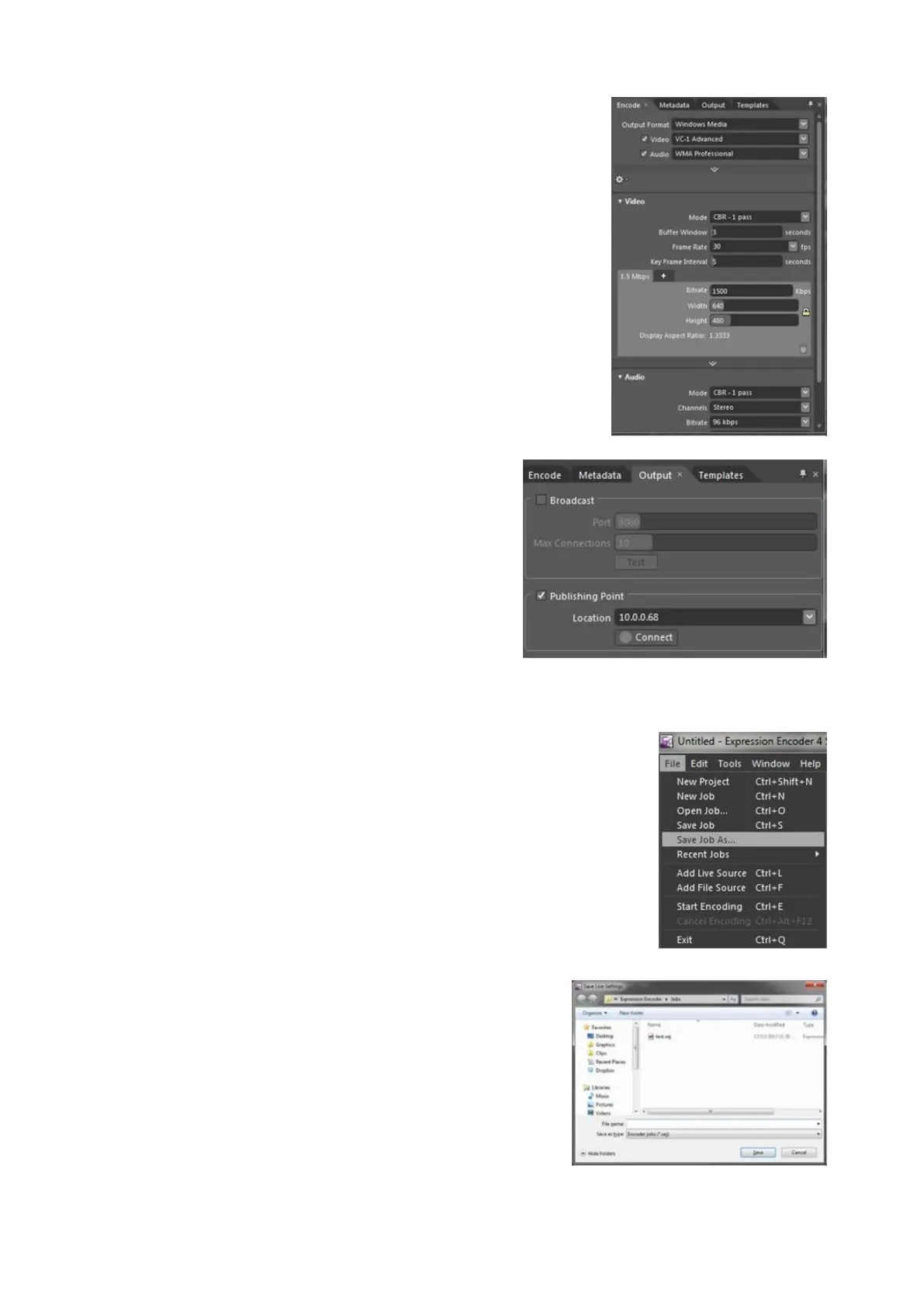
Under the Encode tab, configure your
Output
Format, Video Resolution, Bitrate
and other settings as recommended by
your streaming server or CDN.
Under the Output tab, enter the
Publishing Point IP address of your
server, as shown on the right.
This IP address is obtained from your
CDN or server provider.
Saving an Expression Job
To assist with easier recall of different
streaming configurations, all the parameters
from Microsoft Expression Encoder can be
saved into a Profile.
Click on the File menu at the top of the
screen.
Click on the Save Job As… option, as shown
on the right.
In the Save As dialog box, enter the desired
name of the job.
Click on the Save button to save the job.
Close the Expression encoder application by
going to the File menu and selecting Exit.



 To Next Page