BPswitch Operators Manual
122 / 413
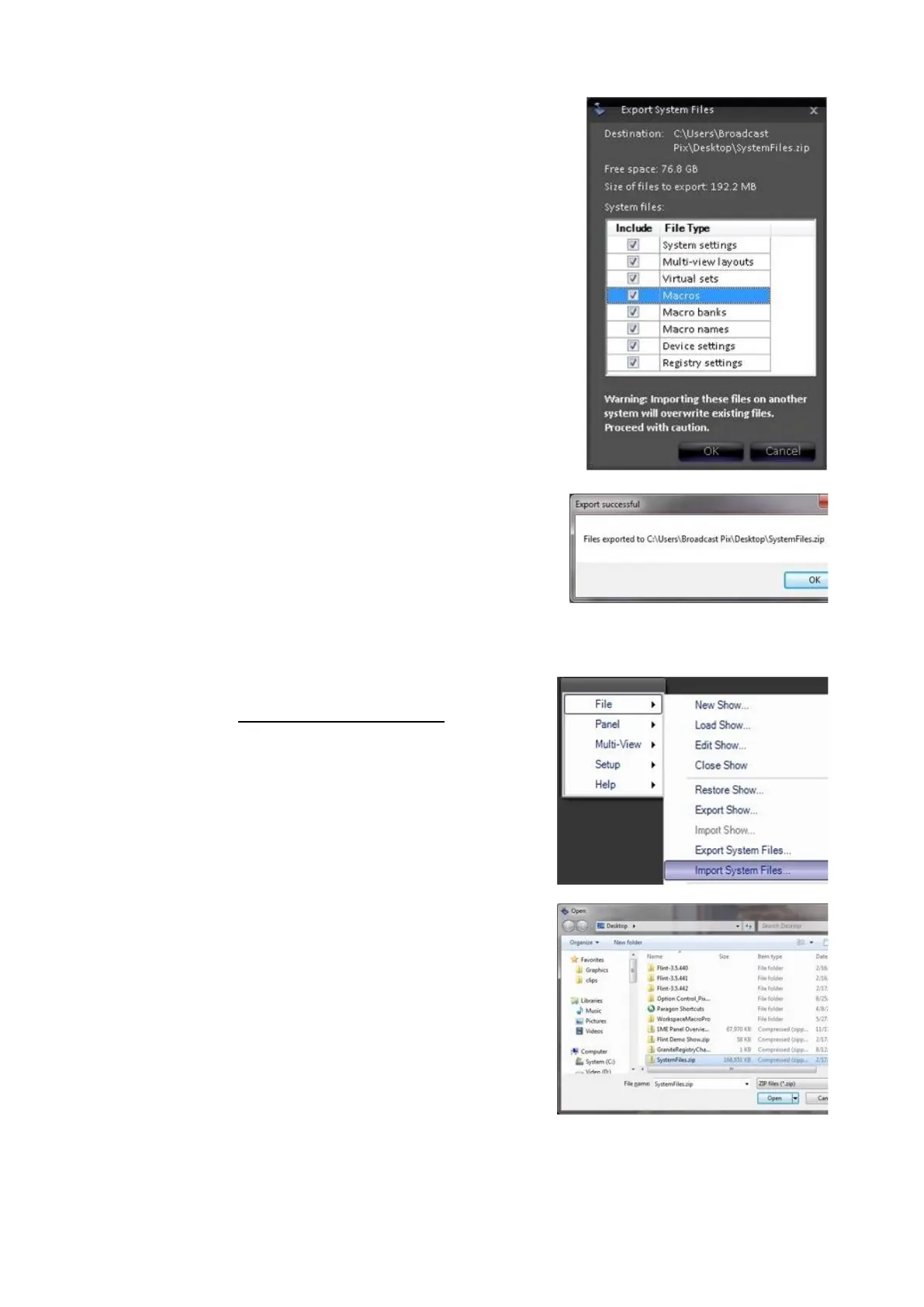
Click on the OK button.
A progress bar will appear.
When finished, an Export successful message
will appear, click on the OK button, as shown
on the right.
Importing System Files
Once a system files export has occurred, as
described in Exporting System Files, they can
be imported onto the same Broadcast Pix unit
or to another unit.
Click on Broadcast Pix menu icon, select the
File menu, and select Import System Files…,
as shown on the right
An open window will appear to select the
source of the exported files. The exported files
will be in a “SystemFiles.zip” file.
Navigate and select the zip file and click on the
Open button, as shown on the right.
Similar to the Export window, the Import
Options window will appear showing all the
exported file types.



 To Next Page