BPswitch Operators Manual
402 / 413
as described in Dual Panels for Back-Up
Redundancy.
Remote Control from an iPhone/iPod/iPad
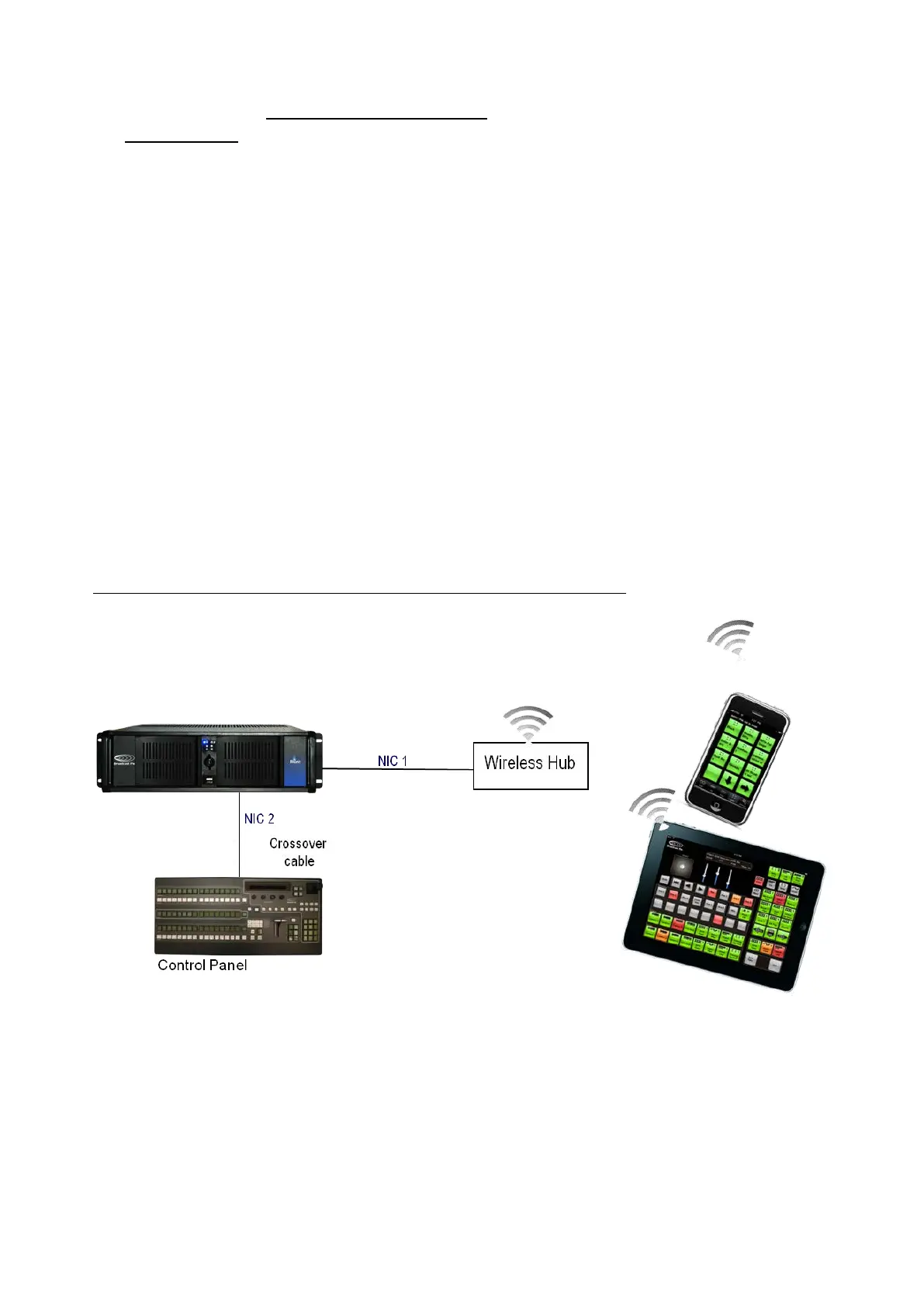
In addition to controlling a Broadcast Pix system remotely through SoftPanels and
additional control panels, an Apple iPhone, iPod Touch and/or iPad may be used.
All three devices connect to the Broadcast Pix Server using a wireless connection
and each use a panel license. If you experience multiple disconnects, it is
recommended to use a lower traffic wireless channel, refer to your wireless
hub/router for proper installation.
The iPixPad replicates a Broadcast Pix PixPad with access to Mems, CG 1, Stills
1, and Clips 1 and runs on the iPhone or iPod Touch. The iPixPad is a free
download from the Apple Application Store, which can be accessed at
http://itunes.apple.com/us/app/ipixpad/id333188743?mt=8
The iPixPanel replicates a Broadcast Pix 1ME control panel with full access to
cross points, device controls and PixPad and runs on the iPad. The iPixPanel is a
$9.99 download from the Apple Application Store, which can be accessed at
http://itunes.apple.com/us/app/ipixpanel/id370845719?mt=8
To configure the iPixPad app:
Download and install the iPixPanel at from the Apple
iTunes Application store.



 To Next Page